

Spatial Companion is made and published by Dilium. AppBrain is an independent app data site and isn't affiliated with Dilium. The app name, icon, screenshots and description belong to Dilium and are shown as published on the App Store.
AppBrain's verdict
- Rating on App Store
- 5.00
- 1 ratings
- Last updated
- October 12, 2026
- Size
- 153.5 MB
It doesn't have enough ratings yet to judge what users think.
User feedback
Ratings and reviews on the App StoreComments on Spatial Companion for iOS
We don't have enough comments to show example comments. Please check back later.
Store listing
By Dilium, from the App Store
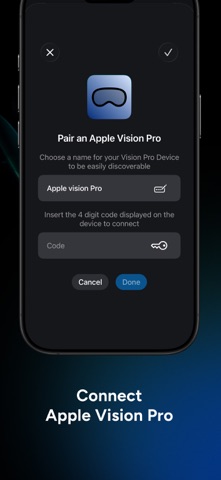
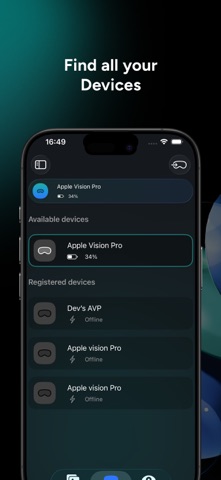
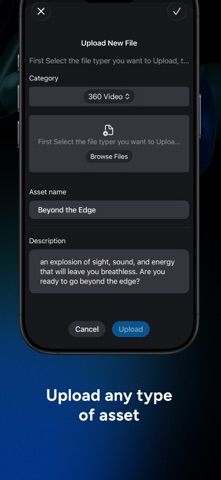
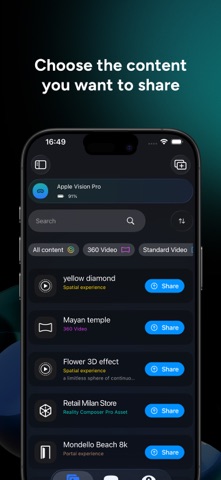
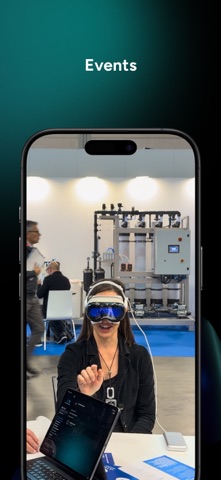
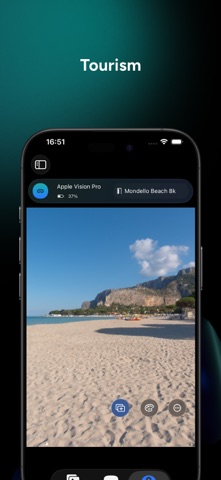
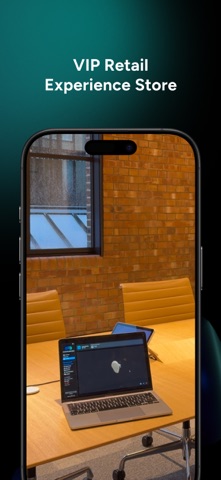

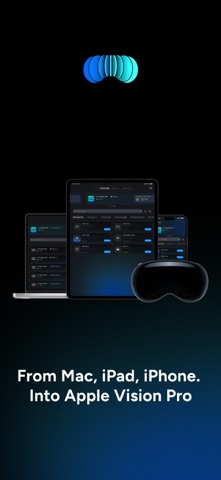
Description by Dilium Written by the developer, not by AppBrain. Click to read.
Spatial Companion for iOS is the control center for managing and guiding Spatial Computing experiences on Apple Vision Pro. Designed for exhibitors, brands, school and organizations, it allows you to upload content, orchestrate experiences, and remotely guide users through immersive environments in real time.
Used alongside the Spatial Companion app on Apple Vision Pro, the iOS app or compatible for iPad or Mac enables seamless control, content management, and interaction, without interrupting the user’s immersion.
---
Manage content with ease
Upload, organize, and prepare your content directly from your iPhone, Mac or iPad including:
- 3D models;
- Media Experiences (2D, 3D, Spatial, 180, 360, Wide FoV, Apple Immersive Video >=90fps >=8k);
- Immersive scenes inside our portal;
- Reality Composer Scene;
- PDFs, websites, and digital materials.
Content is instantly available for presentation inside Spatial Computing experiences on Apple Vision Pro.
---
Remote control for Apple Vision Pro
Guide users through experiences in real time by remotely controlling what they see and how they interact. Choose whether users can actively interact, drawing or manipulating 3D objects, or remain completely passive while you lead the experience.
This makes Spatial Companion ideal for live demos, guided tours, and professional presentations.
---
Built for events and professional use
Spatial Companion is optimized for:
- Events and trade shows
- Retail and showrooms
- Cultural and educational spaces
- Corporate presentations and training
It simplifies setup, reduces friction, and ensures consistent experiences across sessions.
---
Cross-device interoperability
Use the same account across iPhone, iPad, Mac, and Apple Vision Pro to manage experiences seamlessly. Start preparing content on one device and control live sessions from another.
---
Feedback and insights
Collect feedback from users after experiences to better understand engagement and improve future presentations.
---
In-App Purchases
Optional in-app purchases unlock a PRO version, enabling the upload and management of additional content and expanded control capabilities.
---
Enterprise Plan
For advanced needs, an Enterprise plan is available.
It enables extended features such as advanced sharing, and the ability to control multiple up tp 20 Apple Vision Pro devices simultaneously with subs and different tracks.
Contact us to learn more about enterprise options.
---
Designed to work with Apple Vision Pro
Spatial Companion is designed to be used in combination with the Spatial Companion app on Apple Vision Pro. Together, they form a complete system for delivering guided, scalable Spatial Computing experiences.
---
Built by pioneers in Spatial Computing
Developed by dilium, one of the earliest companies selected by Apple to work with Apple Vision Pro at the Developer Labs in London and Cupertino since September 2023.
Spatial Companion is part of a broader portfolio of visionOS apps, including Bellfish, Spatial Drawing, 3DtoMe, PortalGate, and Spatial Plan.
Safety and technology
Found in the app by AppBrain- Price
- Free
- App size
- 153.5 MB
- Content rating
- Medium
Technologies used by Spatial Companion
Releases
Updates seen on the App Store- Version
- 2.6.1
- Launched
- February 2026
No changelog data
Alternatives
Similar apps and more from DiliumMore from Dilium






Rankings
App Store top chartsApp Store Rankings for Spatial Companion
About the app and developer
About Spatial Companion
Spatial Companion is a business app developed by Dilium.
User Ratings
Spatial Companion is rated 5.00 out of 5 stars. The rating is based on one rating ratings.
App Information
Spatial Companion is freely available from the App Store. The app size is 153.50 MB. The latest version available is 2.6.1. The last update was on October 12, 2026.
Technical Requirements
The app has a content rating of Medium Maturity. The app has been available on the App Store since February 2026.
Developer information for Dilium
Address:
Frequently asked questions about Spatial Companion
Is Spatial Companion free?
Yes. Spatial Companion is free on the App Store.
Is Spatial Companion still available?
Yes. Spatial Companion is on the App Store, and the last update we saw was on October 12, 2026.
How large is Spatial Companion?
Spatial Companion is 153.50 MB.
Is Spatial Companion suitable for children?
App Store gives Spatial Companion a medium maturity rating, so it is not meant for young children.
How do people rate Spatial Companion?
Spatial Companion has one rating of 5.00 stars on the App Store.
Who made Spatial Companion?
Spatial Companion was developed by Dilium. It is listed in the business category on the App Store.