

Spatial Pointer
Spatial Pointer is made and published by Milan Lajtos. AppBrain is an independent app data site and isn't affiliated with Milan Lajtos. The app name, icon, screenshots and description belong to Milan Lajtos and are shown as published on the App Store.
AppBrain's verdict
- Rating on App Store
- 3.00
- 2 ratings
- Last updated
- March 17, 2026
It doesn't have enough ratings yet to judge what users think.
Rankings
App Store top chartsApp Store Rankings for Spatial Pointer
Competitors
Similar apps and more from Milan LajtosAlternatives to Spatial Pointer


Releases
Updates seen on the App Store- Version
- 1.1.1
- Launched
- February 2026
No changelog data
User feedback
Ratings and reviews on the App StoreComments on Spatial Pointer for iOS
We don't have enough comments to show example comments. Please check back later.
Technology
Found in the app by AppBrain- Price
- Free
- App size
- 4.27 MB
- Content rating
- Everyone
Technologies used by Spatial Pointer
About the app and developer
About Spatial Pointer
Spatial Pointer is an utilities app developed by Milan Lajtos.
User Ratings
Spatial Pointer is rated 3.00 out of 5 stars. The rating is based on 2 ratings.
App Information
Spatial Pointer is freely available from the App Store. The app size is 4.27 MB. The latest version available is 1.1.1. The last update was on March 17, 2026.
Technical Requirements
The app has a content rating of Everyone. The app has been available on the App Store since February 2026.
Developer information for Milan Lajtos
Address:
Store listing
By Milan Lajtos, from the App Store
Description by Milan Lajtos Written by the developer, not by AppBrain. Click to read.
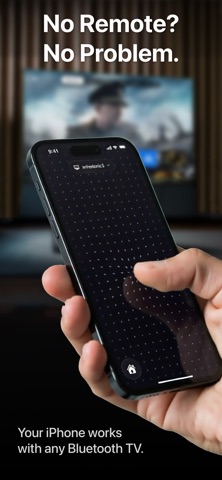
Move your iPhone to control the cursor. Touch the screen to click. Swipe to scroll. It's that simple.
Works with:
• Mac, iPad & Vision Pro
• Meta Quest
• Any PC, TV, or device that supports Bluetooth mouse input
How it works:
1. Open Spatial Pointer and pair with your device
2. Hold your iPhone and move it through the air — the cursor follows
3. Tap anywhere on screen to click
4. Swipe with your finger to scroll
5. Long press for right-click
Features:
• Motion-controlled cursor with high precision at 120Hz
• Tap to click, swipe to scroll with momentum
• Long press for secondary click (right-click)
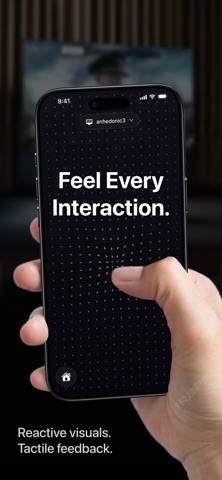
• Beautiful reactive interface – dots flow and respond to every touch
• Keyboard
• Zero configuration – pairs instantly via Bluetooth HID
• No companion app needed on the target device
Perfect for presentations, controlling your TV from the couch, navigating your Vision Pro or Quest, or whenever a mouse isn't handy.