

SpeakScroll: Teleprompter
SpeakScroll: Teleprompter is made and published by Mobivalley. AppBrain is an independent app data site and isn't affiliated with Mobivalley. The app name, icon, screenshots and description belong to Mobivalley and are shown as published on the App Store.
AppBrain's verdict
- Last updated
- October 19, 2026
Rankings
App Store top chartsApp Store Rankings for SpeakScroll: Teleprompter
Competitors
Similar apps and more from MobivalleyMore from Mobivalley


Releases
Updates seen on the App Store- Version
- 1.4.0
- Launched
- June 2026
No changelog data
User feedback
Ratings and reviews on the App StoreComments on SpeakScroll: Teleprompter for iOS
We don't have enough comments to show example comments. Please check back later.
Technology
Found in the app by AppBrain- Price
- Free
- App size
- 10.3 MB
- Content rating
- Everyone
Technologies used by SpeakScroll: Teleprompter
About the app and developer
About SpeakScroll: Teleprompter
SpeakScroll: Teleprompter is a photo & video app developed by Mobivalley.
User Ratings
The app has no ratings yet.
App Information
SpeakScroll: Teleprompter is freely available from the App Store. The app size is 10.31 MB. The latest version available is 1.4.0. The last update was on October 19, 2026.
Technical Requirements
The app has a content rating of Everyone. The app has been available on the App Store since June 2026.
Developer information for Mobivalley
Address:
Store listing
By Mobivalley, from the App Store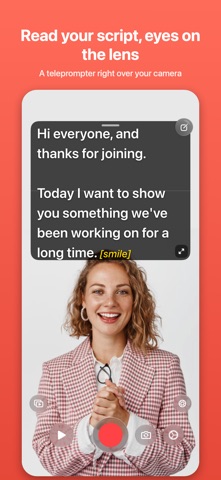




Description by Mobivalley Written by the developer, not by AppBrain. Click to read.
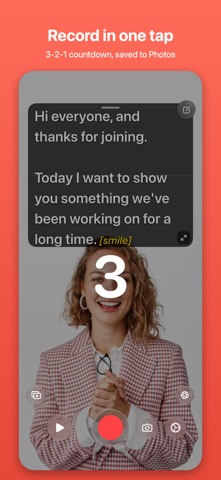
SpeakScroll places your script over the camera and follows your pace with Voice Scroll. Record, combine takes and finish your video in the built-in editor.
RECORD WITH CONFIDENCE
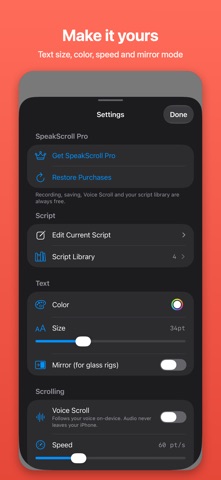
• Adjust scroll speed, text size, color and mirroring.
• Use the front or rear camera, exposure controls and framing guides.
• Choose external microphones and monitor audio levels.
• Organize scripts and import text, Markdown, RTF or PDF.
EDIT AND CAPTION
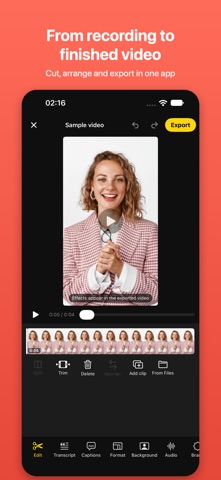
• Split, trim, delete and reorder clips.
• Cut footage by selecting words in the transcript.
• Burn Classic captions into your video.
• Choose 9:16, 1:1, 4:5 or 16:9 and adjust framing.
• Save to Photos or share your video without a watermark.
SPEAKSCROLL PRO
Add noise removal and voice enhancement, Magic Cut, background removal, animated caption styles, caption translation, music, a brand kit, Auto Shorts, an AI script assistant and 4K/60 export.
Reading, recording, saving, Voice Scroll, the library, basic editing and Classic captions stay free.
NO ACCOUNT REQUIRED
Recording and reading work offline. Script and media processing happens on your device. Speech recognition and translation may require an initial language-model download. The script assistant and Auto Shorts require Apple Intelligence and a supported device and language.
Terms of Use (EULA): https://www.apple.com/legal/internet-services/itunes/dev/stdeula/