

Speech Assist Switch
Speech Assist Switch is made and published by Ton Schalke. AppBrain is an independent app data site and isn't affiliated with Ton Schalke. The app name, icon, screenshots and description belong to Ton Schalke and are shown as published on the App Store.
AppBrain's verdict
Established- Rating on App Store
- 4.33
- 3 ratings
- Last updated
- October 17, 2026
- Size
- 59.2 MB
It doesn't have enough ratings yet to judge what users think. Its best ranking is #60 in Top Paid, Medical in Australia.
User feedback
Ratings and reviews on the App StoreComments on Speech Assist Switch for iOS
We don't have enough comments to show example comments. Please check back later.
Store listing
By Ton Schalke, from the App Store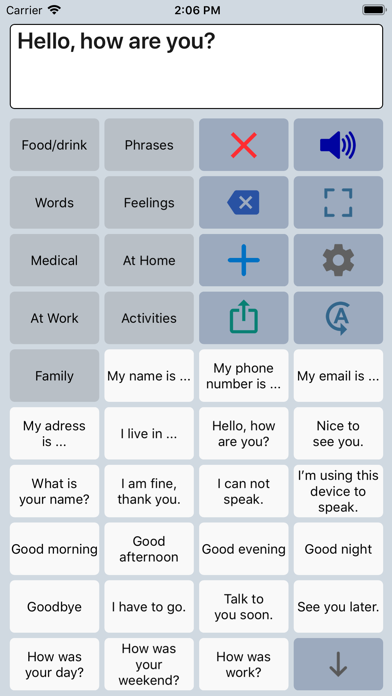
Description by Ton Schalke Written by the developer, not by AppBrain. Click to read.
The app has special features for scanning with iOS Switch Control like the option to adjust the scanning pattern and has page up/down navigation buttons to avoid scrolling.
If you don’t need these features, the original app ‘Speech Assistant AAC’ is the better choice.
Key features
• The app is designed for the iPad.
• Easy to use and completely customizable to your needs and preferences.
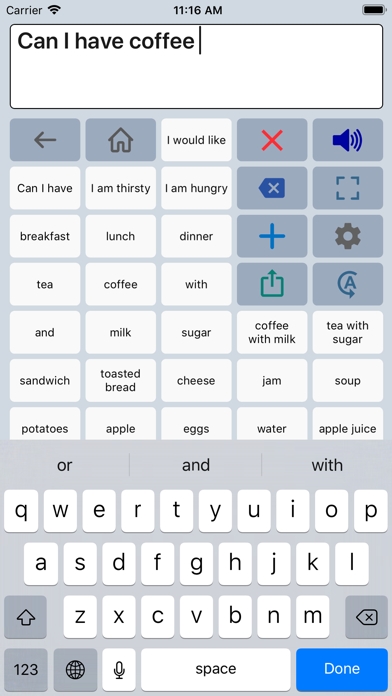
• Categories and subcategories to organize your phrases.
• History for quick access to previously typed phrases.
• Option to select photos from your Photo Library or Symbols on the buttons.
• Option to record speech or use one of the many iOS text-to-speech voices.
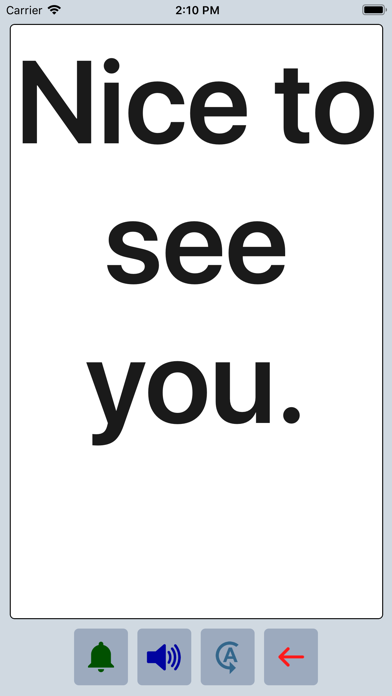
• Full screen button to show your message with a large font.
• iCloud backup and restore (also for recordings).
Special features for iOS Switch Control
• The scanning pattern can be adjusted in the settings.
• All the button are created in one large grid.
• The buttons can be made very small, in the settings you can choose from 6 to 12 buttons per row on an iPad.
• The category buttons can be placed anywhere and it is possible to create subcategories.
• Navigation through the pages can be done with page up/down buttons.
• A special optional bar for the keyboard with buttons to move the cursor a letter or word.
Scanning pattern
• When iOS Switch Control is enabled, the default scanning pattern scans row by row and then button by button.
This is not always efficient and therefore the scanning pattern can be adjusted in the settings:
• The number of rows that will be grouped during scanning.
• The number of buttons in a row that will be grouped during scanning.
Categories and phrases
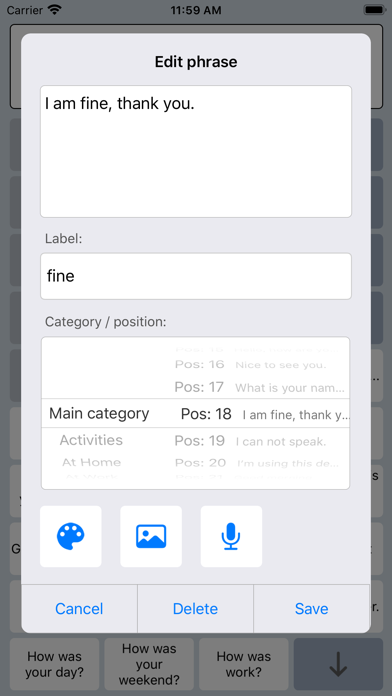
• Add, change or delete your own (sub)categories and phrases.
• You can create an unlimited number of categories to organize your phrases for quick access.
• Create users with their own categories, phrases and voice for different languages, persons or situations.
• In the settings you can quickly and easily edit multiple phrases at once.
• Backup and Restore your categories and phrases to iCloud, also convenient for transferring them to another iPhone/iPad.
Fully Customizable
• The size of the buttons, the textbox and the text can be adjusted.
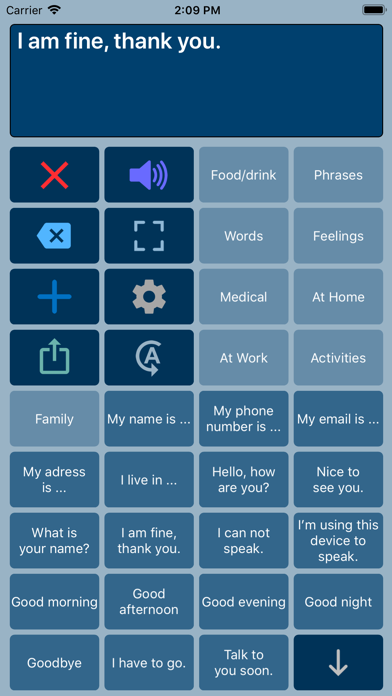
• The app has various color schemes and you can also create a personal color scheme.
• Change the colors of the icons on the buttons.
Full screen
• Show your message full screen with a very large font.
• Useful for communicating in a noisy environment.
• Button to rotate the text to show your message to the person opposite of you.
Speech
• Pronunciation corrections can be defined in the settings.
• The rate and pitch of the speech can be adjusted.
• Option to speak each Word or Character directly while typing.
• Optional highlighting of the spoken words.
• Pause and resume speaking by tapping the speak button (optional setting).
Other features
• Connect a bluetooth keyboard and create shortcuts for the functions Speak, Clear, Show and Attention Sound.
• Button to share your message to mail, text and social media.
• Attention sound button on Main and Full screen.
• Option to select symbols from the set of 3400 Mulberry Symbols (mulberrysymbols.org) to place on the buttons.
About the app
• This app is developed by ASoft.
• Ben Fullerton, who has Cerebral Palsy, has been a great help with the special features for iOS Switch Control.
• For feedback or questions, please contact: speechassistant@asoft.nl
Voices
• The voice can be selected in the settings of the app.
• The app uses the built-in iOS text-to-speech voices.
• There are 90 voices in 27 languages available, for instance 9 English US, 6 English UK and 4 Australian voices available.
Safety and technology
Found in the app by AppBrain- Price
- $24.99
- App size
- 59.2 MB
- Content rating
- Everyone
Technologies used by Speech Assist Switch
Releases
Updates seen on the App Store- Version
- 3.5.91
- Launched
- May 2019
No changelog data
Alternatives
Similar apps and more from Ton SchalkeAlternatives to Speech Assist Switch





More from Ton Schalke

Rankings
App Store top charts- Highest rank
- #60
- Chart
- Top Paid
- Medical
- Country
- Australia
App Store Rankings for Speech Assist Switch
Top rankings
| Rank | Country | Category | List |
|---|---|---|---|
| 60 | Australia | Medical | Top Paid |
Ranking history in Australia
About the app and developer
About Speech Assist Switch
Speech Assist Switch is a medical app developed by Ton Schalke.
User Ratings
Speech Assist Switch is rated 4.33 out of 5 stars. The rating is based on 3 ratings.
App Information
Speech Assist Switch costs $24.99. The app size is 59.25 MB. The latest version available is 3.5.91. The last update was on October 17, 2026.
Technical Requirements
The app has a content rating of Everyone. The app has been available on the App Store since May 2019.
Developer information for Ton Schalke
Address:
Frequently asked questions about Speech Assist Switch
Is Speech Assist Switch free?
No. Speech Assist Switch costs $24.99 on the App Store.
Is Speech Assist Switch still available?
Yes. Speech Assist Switch is on the App Store, and the last update we saw was on October 17, 2026.
How large is Speech Assist Switch?
Speech Assist Switch is 59.25 MB.
Is Speech Assist Switch suitable for children?
App Store rates the content of Speech Assist Switch as suitable for everyone.
How do people rate Speech Assist Switch?
Speech Assist Switch scores 4.33 out of 5 stars, from 3 ratings on the App Store.
Who made Speech Assist Switch?
Speech Assist Switch was developed by Ton Schalke. It is listed in the medical category on the App Store.
What are the best alternatives to Speech Assist Switch?
People looking at Speech Assist Switch also look at these medical apps: Pigio™: Gaze-to-Speech, Pigio™ ICU: Gaze-to-Speech, Communicare ICU, HandySpeech, ClaroCom Pro.