

Speed Dialer: One Tap Call
Speed Dialer: One Tap Call is made and published by Ankur Dhameliya. AppBrain is an independent app data site and isn't affiliated with Ankur Dhameliya. The app name, icon, screenshots and description belong to Ankur Dhameliya and are shown as published on the App Store.
AppBrain's verdict
- Rating on App Store
- 4.55
- 29 ratings
- Last updated
- October 22, 2026
It doesn't have enough ratings yet to judge what users think.
Rankings
App Store top chartsApp Store Rankings for Speed Dialer: One Tap Call
Competitors
Similar apps and more from Ankur Dhameliya


Releases
Updates seen on the App Store- Version
- 5.0.4
- Launched
- December 2023
No changelog data
User feedback
Ratings and reviews on the App StoreComments on Speed Dialer: One Tap Call for iOS
We don't have enough comments to show example comments. Please check back later.
Technology
Found in the app by AppBrain- Price
- Free
- App size
- 51.3 MB
- Content rating
- Everyone
Technologies used by Speed Dialer: One Tap Call
About the app and developer
About Speed Dialer: One Tap Call
Speed Dialer: One Tap Call is an utilities app developed by Ankur Dhameliya.
User Ratings
Speed Dialer: One Tap Call is rated 4.55 out of 5 stars. The rating is based on 29 ratings.
App Information
Speed Dialer: One Tap Call is freely available from the App Store. The app size is 51.35 MB. The latest version available is 5.0.4. The last update was on October 22, 2026.
Technical Requirements
The app has a content rating of Everyone. The app has been available on the App Store since December 2023.
Developer information for Ankur Dhameliya
Address:
Store listing
By Ankur Dhameliya, from the App Store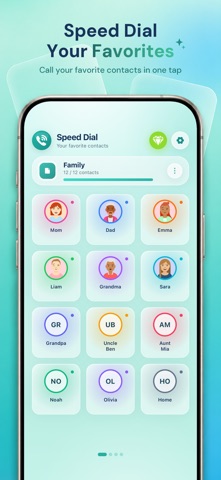



Description by Ankur Dhameliya Written by the developer, not by AppBrain. Click to read.
Pick your favorite contacts, give each one a photo or a color, and they appear as large, easy-to-hit buttons. Tap one and the call starts. It is a fast phone dialer for anyone, and the big photo buttons make it a simple calling screen for parents, kids and seniors.
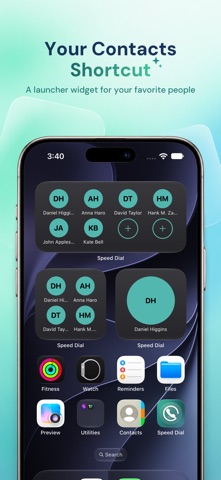
Add a speed dial widget to your Home Screen and your favorites are one tap away without opening the app at all.
ONE TAP TO CALL, TEXT OR EMAIL
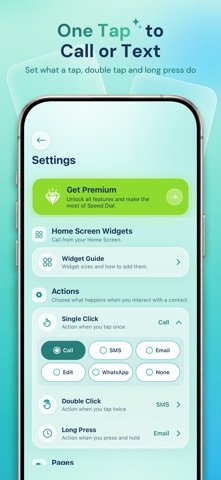
• Tap a contact to call straight away
• Choose what a tap, a double tap and a long press do: call, SMS, email or edit
• Contacts with several numbers let you pick the one to dial
PAGES FOR EVERY PART OF LIFE
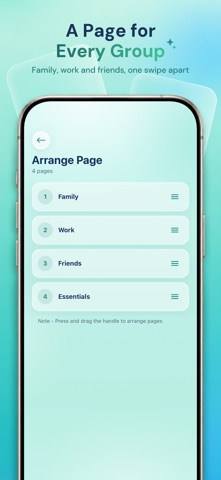
• Keep family, work, friends and emergency numbers on their own pages
• Swipe between pages, rename them and drag them into any order
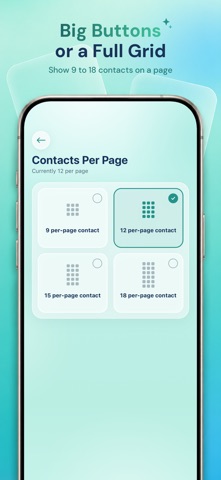
• Choose how many contacts each page shows, from a few big buttons to a full grid
• Turn pages off when you don't need them, without losing what's on them
MAKE EVERY CONTACT EASY TO SPOT
• Add a photo from your library, or let the contact's initials stand in
• Give each contact its own color
• Hide the name and show only the photo
• Pick rounded or square buttons
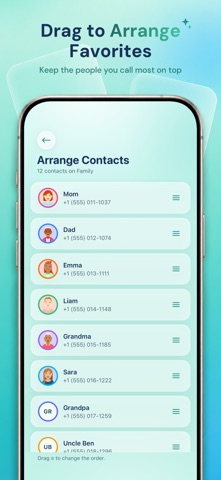
• Drag contacts to arrange them, and edit a name, number or email at any time
HOME SCREEN WIDGETS
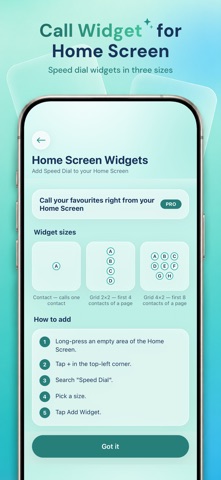
• Add a contact widget and call a favorite without opening the app
• Three sizes: a single contact, a 2×2 grid or a 4×2 grid
• Choose which contact or page each widget shows
MADE FOR IPHONE AND IPAD
• A clean glass design that stays readable with larger text
• On iPad, four contacts across and bigger pages
• An iPad without cellular places calls through your iPhone, and the app walks you through the setup
SPEED DIALER PRO
• Home Screen widgets
• More pages, up to 25
• More contacts on every page
• WhatsApp as a tap action, to open a chat with a contact
• Backup and restore, so your pages move with you to a new iPhone
• No ads
Speed Dialer asks for access to your contacts so you can choose who to add from your phonebook. Your speed dial list stays on your device.
Questions or feedback: app-support@md-tech.in
Privacy Policy: https://speed-dial.apppage.co/privacy-policy
Terms of Use: https://www.apple.com/legal/internet-services/itunes/dev/stdeula/