

Speed Watch is made and published by Mike Siegel. AppBrain is an independent app data site and isn't affiliated with Mike Siegel. The app name, icon, screenshots and description belong to Mike Siegel and are shown as published on the App Store.
AppBrain's verdict
- Last updated
- July 17, 2022
Rankings
App Store top chartsApp Store Rankings for Speed Watch
Competitors
Similar apps and more from Mike SiegelAlternatives to Speed Watch




More from Mike Siegel

Releases
Updates seen on the App Store- Version
- 1.2
- Launched
- April 2014
No changelog data
User feedback
Ratings and reviews on the App StoreComments on Speed Watch for iOS
We don't have enough comments to show example comments. Please check back later.
Technology
Found in the app by AppBrain- Price
- Free
- App size
- 8.69 MB
- Content rating
- Everyone
Technologies used by Speed Watch
About the app and developer
About Speed Watch
Speed Watch is an utilities app developed by Mike Siegel.
User Ratings
The app has no ratings yet.
App Information
Speed Watch is freely available from the App Store. The app size is 8.69 MB. The latest version available is 1.2. The last update was on July 17, 2022.
Technical Requirements
The app has a content rating of Everyone. The app has been available on the App Store since April 2014.
Developer information for Mike Siegel
Address:
Frequently asked questions about Speed Watch
Is Speed Watch free?
Yes. Speed Watch is free on the App Store.
Is Speed Watch still available?
Yes. Speed Watch is on the App Store, and the last update we saw was on July 17, 2022.
How large is Speed Watch?
Speed Watch is 8.69 MB.
Is Speed Watch suitable for children?
App Store rates the content of Speed Watch as suitable for everyone.
Who made Speed Watch?
Speed Watch was developed by Mike Siegel. It is listed in the utilities category on the App Store.
What are the best alternatives to Speed Watch?
People looking at Speed Watch also look at these utilities apps: Increments, FireBug Night Vision, CHeKT Verifier, 529 Garage Campus, Loner Mobile.
Store listing
By Mike Siegel, from the App Store




Description by Mike Siegel Written by the developer, not by AppBrain. Click to read.
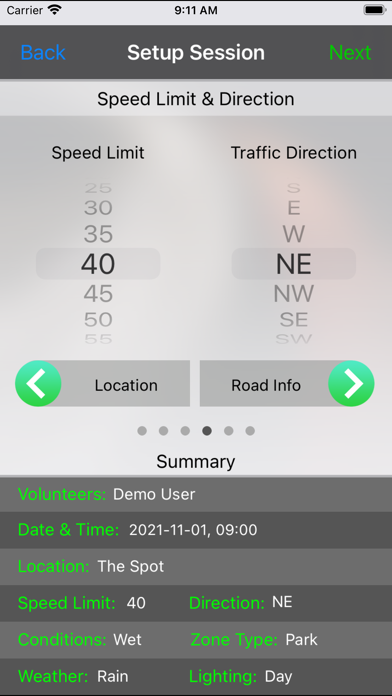
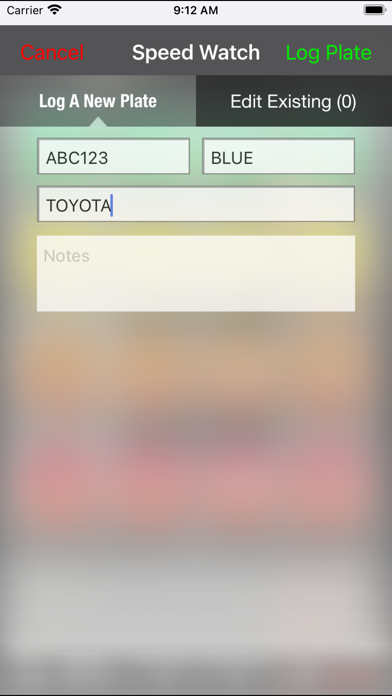
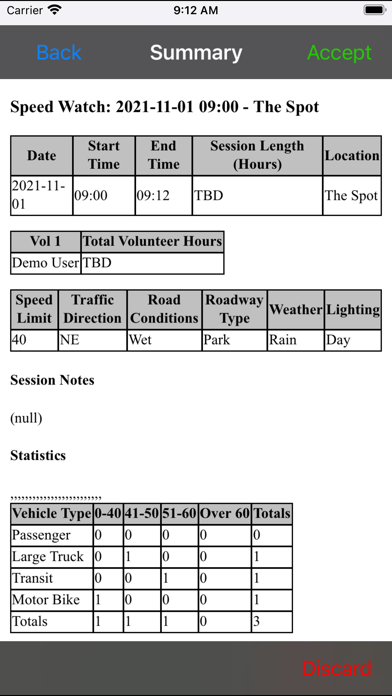
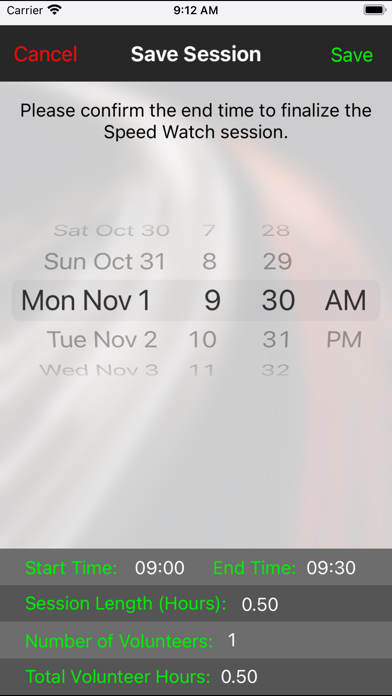
Until now most Speed Watch programs collected only basic data using a pencil and paper, but this app will allow so much more. Users can record the relative speed and category of a vehicle with a single tap. Additionally, various types of infractions such as reckless driving or talking on a cell phone can be tracked and associated with a particular vehicle type and speed. For those agencies that issue warning letters there is a feature to record license plates. The app also tracks traffic direction, location and road and environmental conditions. Volunteers can even track their time. At the end of a session the data can be sent via email in a csv file. This allows different groups to use the data they feel is important for their program.
Note: While not specifically designed for iPad, it is compatible. From an iPad, go to the app store, click on Filters, Supports and select iPhone only, then search for Speed Watch