
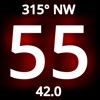
SpeedOdo is made and published by Michael Hearn. AppBrain is an independent app data site and isn't affiliated with Michael Hearn. The app name, icon, screenshots and description belong to Michael Hearn and are shown as published on the App Store.
AppBrain's verdict
Removed- Rating on App Store
- 4.33
- 3 ratings
- Last updated
- June 9, 2021
SpeedOdo is no longer on the App Store. It had too few ratings to say what users thought.
Releases
Updates seen on the App Store- Version
- 1.7
- Launched
- June 2017
No changelog data
User feedback
Ratings and reviews on the App StoreComments on SpeedOdo for iOS
We don't have enough comments to show example comments. Please check back later.
Technology
Found in the app by AppBrain- Price
- Free
- App size
- 12.1 MB
- Content rating
- Everyone
Technologies used by SpeedOdo
About the app and developer
About SpeedOdo
SpeedOdo was a navigation app developed by Michael Hearn. It was removed from the App Store May 10, 2024.
User Ratings
SpeedOdo was rated 4.33 out of 5 stars, based on 3 ratings.
App Information
SpeedOdo was free. The app size was 12.10 MB. The last available version was 1.7. The last update was on June 9, 2021.
Technical Requirements
The app had a content rating of Everyone. The app had been available on the App Store since June 2017.
Developer information for Michael Hearn
Address:
Frequently asked questions about SpeedOdo
Is SpeedOdo free?
Yes. SpeedOdo was free on the App Store.
Is SpeedOdo still available?
No. SpeedOdo was removed from the App Store. We last saw it there May 10, 2024.
How large is SpeedOdo?
SpeedOdo is 12.10 MB.
Is SpeedOdo suitable for children?
App Store rates the content of SpeedOdo as suitable for everyone.
How do people rate SpeedOdo?
SpeedOdo scored 4.33 out of 5 stars, from 3 ratings on the App Store.
Who made SpeedOdo?
SpeedOdo was developed by Michael Hearn. It was listed in the navigation category on the App Store.
What are the best alternatives to SpeedOdo?
People looking at SpeedOdo also look at these navigation apps: tcSpeeds, Speedometer for Cyclist, Digital GPS Odometer, Taxiappz Driver, Easy_GPS.
Store listing
By Michael Hearn, from the App StoreSimilar apps






Description by Michael Hearn Written by the developer, not by AppBrain. Click to read.
- You want a LARGE digital speedometer, odometer, and compass heading
- Your car or boat speedometer does not work or you do not trust it
- You want to know distances and heading on your boat (on most boats you only get engine hours and speed)
- You want to know trip distance AND time, while walking, running or biking
- You want to send a text message with your longitude/latitude location on a map to someone
- You want to save your data minutes by using a GPS-only app
- You have an old iPhone or iPad without a data plan (but it must have GPS)
Here's what it has:
- Large Speedometer
- Large Odometer (Trip and Total)
- Large Compass Course Heading
- Large Trip Timer
- Longitude/Latitude Location (viewable on a map)
- Top and average speed for a trip
- Text Message of your Longitude/Latitude WITH a map
- Large Digital Clock
BACKGROUND
I wanted something for my small boat so that I could see the speed, distance and heading easily without reading glasses, in sunlight or at night. There are many GPS based apps, but I wanted something BIGGER and with everything navigation related in one app. I also wanted an app that is safe and simple to use while riding in (or on) a moving vehicle (boat, car, motorcycle, bicycle). I couldn't find an app that had all these things, so I wrote SpeedOdo!
USAGE
I mount my iPhone or iPad on my boat dash (and my car dash and my SUP board) in a waterproof case and with the SpeedOdo app I can clearly see the speed, odometer and course heading with just my sunglasses. I don’t have to wear reading glasses when driving or boating anymore! It’s large enough that I can even see it with polarized lenses (iPhone and iPad have polarized screens…)
Use it in the car, on the boat, on a motorcycle or on an e-bike - no more reading glasses or straining to read the tiny dashboard speedometer and odometer. And forget about the tiny barely legible clock in the status bar - a much larger digital time is displayed in the lower right corner. It is also great for hiking, walking, cycling and stand-up paddle boarding.
SCREENS
- Menu Screen - Displays LARGE buttons to go to all other screens
- Dashboard Screen - Displays LARGE speed, course, and trip distance
- Trip Odometer Screen - Displays the LARGE trip odometer
- Total Odometer Screen - Displays the LARGE total odometer
- Speed Screen - Displays current, average and top speeds
- Location Screen - Displays latitude, longitude and altitude
- GPS Screen - Displays all GPS data in real time
- Timer Screen - Displays LARGE trip timer
- Clock Screen - Displays the date and a LARGE digital clock with the current time
- Course Screen - Displays the LARGE most recent course (degrees and heading)
- Help Screen - Displays tips for navigation within the app
FEATURES
- Easy to read because of the LARGE font sizes
- Screen navigation is all SWIPES and TAPS (the entire screen is one big button!)
- All other buttons require a DOUBLE TAP so you don't hit them accidentally while you're moving
- DOUBLE TAP the Map button on the Location screen to view exactly where you are on a map
- DOUBLE TAP the Send button on the Location screen to send a text message containing your location to friends and family
- Course shows compass degrees and heading (16 points)
- DOUBLE TAP the units in the upper left corner to change units: MPH (miles-per-hour), KPH (kilometers-per-hour) and KNOTS (nautical-miles-per-hour)
- User can pre-set total distance odometer to an existing vehicle odometer value
- No internet access so precious data minutes are NOT used
- Can be used on an old phone without a service plan (as long as it has GPS)
NOTE: Continued use of GPS running in the background can dramatically decrease battery life. If you need to use SpeedOdo for a long time, you should consider plugging your phone or tablet into a DC charger or external battery.