

Speedometer GPS & Compass
Speedometer GPS & Compass is made and published by 华明 罗. AppBrain is an independent app data site and isn't affiliated with 华明 罗. The app name, icon, screenshots and description belong to 华明 罗 and are shown as published on the App Store.
AppBrain's verdict
- Rating on App Store
- 4.86
- 36 ratings
- Last updated
- September 29, 2026
It doesn't have enough ratings yet to judge what users think.
Rankings
App Store top chartsApp Store Rankings for Speedometer GPS & Compass
Competitors
Similar apps and more from 华明 罗Alternatives to Speedometer GPS & Compass


 GPS Track | Offline Map Route




Also available on Google Play

Releases
Updates seen on the App Store- Version
- 2.2.0
- Launched
- March 2023
No changelog data
User feedback
Ratings and reviews on the App StoreComments on Speedometer GPS & Compass for iOS
We don't have enough comments to show example comments. Please check back later.
Technology
Found in the app by AppBrain- Price
- Free
- App size
- 76.5 MB
- Content rating
- Everyone
Technologies used by Speedometer GPS & Compass
About the app and developer
About Speedometer GPS & Compass
Speedometer GPS & Compass is a navigation app developed by 华明 罗.
What is the rating of Speedometer GPS & Compass?
Speedometer GPS & Compass is rated 4.86 out of 5 stars, based on 36 ratings.
Is Speedometer GPS & Compass free?
Speedometer GPS & Compass is free. The app size is 76.53 MB. The latest version available is 2.2.0. The last update was on September 29, 2026.
What are the requirements for Speedometer GPS & Compass?
The app has a content rating of Everyone. The app has been available on the App Store since March 2023.
Developer information for 华明 罗
Address:
Store listing
By 华明 罗, from the App Store




Description by 华明 罗 Written by the developer, not by AppBrain. Click to read.
Key features include:
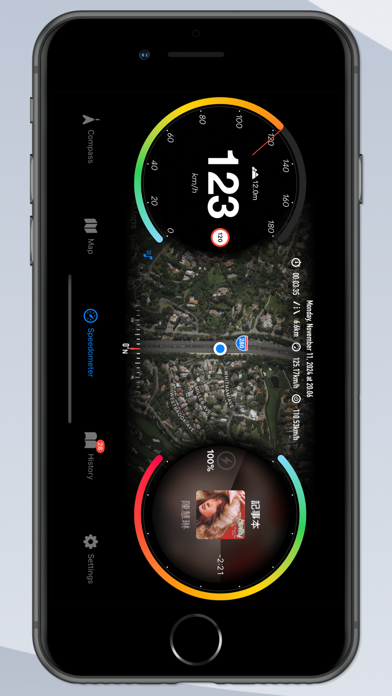
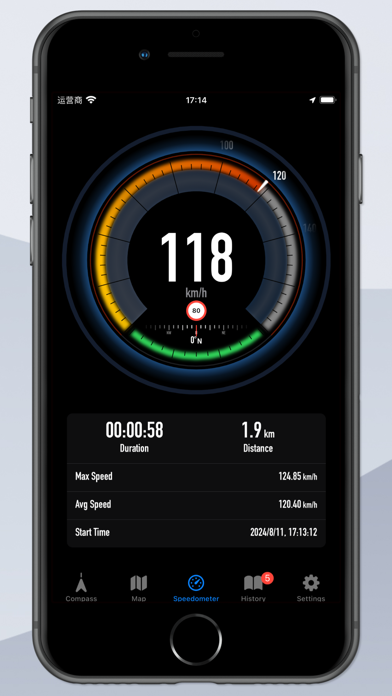
*Speedometer module*
The color digital speedometer accurately displays the real-time speed and the real-time power of your mobile phone. With this module, you can also keep track of your maximum speed and average speed during your trip.
*Compass module*
This module helps guide your direction and provides altitude, track latitude, and longitude information, making it easy to analyze your current location.
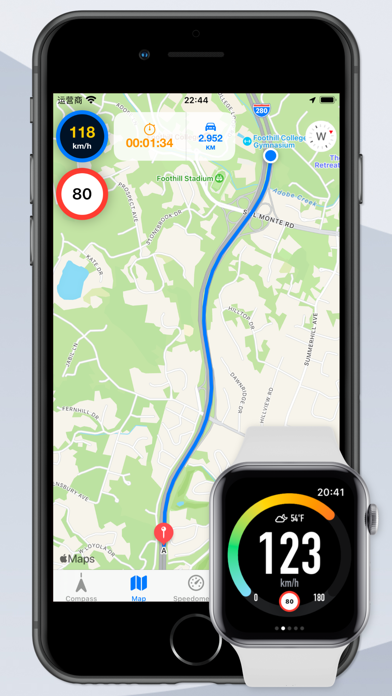
*Live map module*
This module calls up the latest system map and accurately locates the user's current location, drawing the current track line.
*History module*
Detailed trip tracks are recorded in this module, with each entry viewable and editable. The track line can also be redrawn on the map. The data collected here also supports iCloud cloud synchronization.
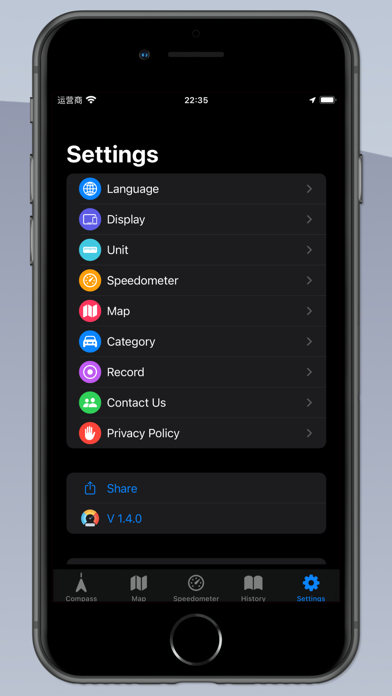
*Setting module*
In the settings section, you can personalize the app language, color theme, speedometer display, track point recording rules, and more.
Explore even more unique and useful functions with the Speedometer GPS And Compass app!
For some devices without GPS module, you can ignore the speed in the settings to record the trajectory.
In situations where devices lack a GPS module or where GPS functionality is unreliable, users may have the option to ignore speed settings when recording trajectories. This means that the device will record the path taken without factoring in speed data. This can be useful in scenarios where the primary concern is tracking the route or path followed rather than the speed at which the user or device is traveling.
Privacy Policy: https://gpsspeed.org/privacy
Terms of Use (EULA): https://gpsspeed.org/terms