

Spin Wheel: Random Name Picker
Spin Wheel: Random Name Picker is made and published by Anthony Chui. AppBrain is an independent app data site and isn't affiliated with Anthony Chui. The app name, icon, screenshots and description belong to Anthony Chui and are shown as published on the App Store.
AppBrain's verdict
- Rating on App Store
- 3.75
- 4 ratings
- Last updated
- September 16, 2026
- Size
- 42.2 MB
It doesn't have enough ratings yet to judge what users think.
User feedback
Ratings and reviews on the App StoreComments on Spin Wheel: Random Name Picker for iOS
We don't have enough comments to show example comments. Please check back later.
Store listing
By Anthony Chui, from the App Store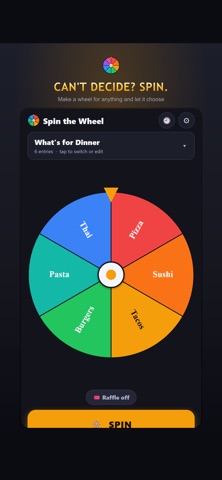

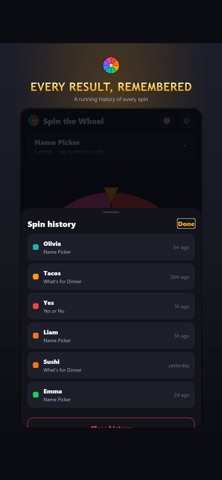

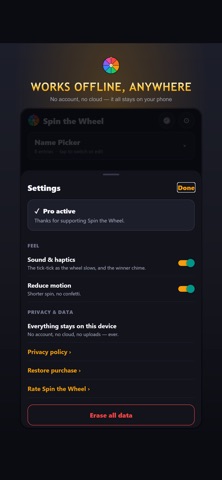
Description by Anthony Chui Written by the developer, not by AppBrain. Click to read.
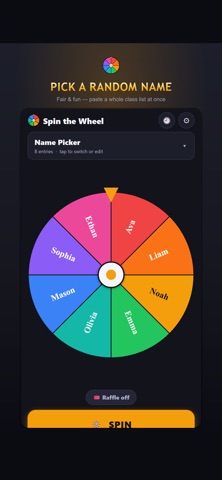
Can't decide? Make a decision wheel, add your choices and spin. Pick a name, choose dinner, share chores or settle the next turn in a game. Start with a ready-made wheel or paste your own list. This wheel spinner and random name picker keeps everyday choices quick and helps hosts organize a whole session.
MAKE IT YOUR WHEEL
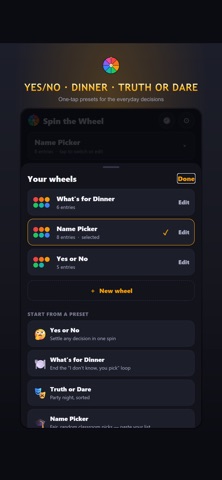
Create a wheel with 2 to 60 entries. Type names, numbers or activities, or paste one entry per line. Colors are assigned automatically. Edit a saved wheel without rebuilding its list, then return directly to the wheel you last used. Ready-made choices include Yes or No, dinner, Truth or Dare and chores.
Tap the spin button or flick the wheel. Watch it slow down and reveal the chosen entry, with sound, haptics and recent results. Sound and reduced-motion settings let you choose a quieter experience.
PERSONAL: MORE ROOM FOR YOUR CHOICES
Personal adds unlimited spins and saved wheels. Keep everyday wheels as favorites, duplicate a useful setup and add your own colors and photos. Set entry weights when choices should have different chances: a weight of 2 has twice the chance of a weight of 1, and the wedge shows its share.
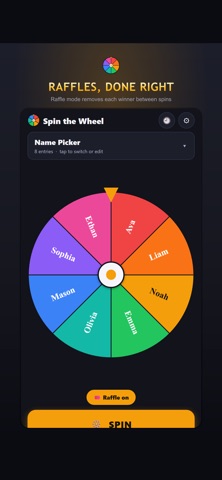
Remove-winner mode keeps chosen entries out between spins until you reset the round. Close the app and return later without losing that progress. Saved weights keep their intended chances when you reopen a wheel.
HOST: REUSABLE PEOPLE AND SAVED SESSIONS
Host includes Personal and tools for classes, teams and local prize draws. Paste names or choose a CSV file to build a reusable roster of up to 1,000 participants. Check the import before saving. If names repeat, choose whether they represent separate people or should be combined. Reuse the roster next time instead of typing it again.
In a classroom session, mark absences and draw from those present. Each person gets a turn before the next round. Undo the last draw when needed. Create balanced teams or random pairs; with an odd number of people, one person remains on their own. Saved groups stay with the session.
For a raffle or giveaway, arrange prizes in order, set quantities and choose who may win again: once per person, once per prize type or on every draw. The app saves each result before the wheel spins. Resume after closing the app, edit future prize details and keep the original names in past results.
A CLEAR DISPLAY FOR THE ROOM
Use presentation mode for a larger winner display with your logo, accent color and chosen sound. Save a presentation setup for another class or event. All participants and controls stay on the host's device; this is a local session with no audience sign-up or remote voting.
RESULTS YOU CAN KEEP
Review names, prizes, rounds and dates. Export participant lists, results and groups as CSV. Host also includes printable reports with a PDF option. Export a portable backup of wheels, rosters, sessions, pictures and results, then restore it on another device. Keep all numbered files together when a large backup has several parts.
CHOOSE THE ACCESS THAT FITS
Free includes one saved wheel and 3 spins per day. Personal is a lifetime purchase. Host is available monthly, yearly or as a lifetime purchase, with no free trial. Original lifetime purchases include the full offline expansion. Buying a lifetime tier does not automatically cancel an existing subscription or provide a credit. Saved records remain readable and recoverable if paid access ends.
Your lists, pictures and results stay on your device. No account or cloud sync is required. Purchases and restoring store purchases need a connection. Back up your data before changing devices or erasing local storage.
Terms of use: https://www.apple.com/legal/internet-services/itunes/dev/stdeula/
Privacy policy: https://kanac.github.io/syanac-legal/
Safety and technology
Found in the app by AppBrain- Price
- Free
- App size
- 42.2 MB
- Content rating
- Everyone
Technologies used by Spin Wheel: Random Name Picker
Releases
Updates seen on the App Store- Version
- 1.1.0
- Launched
- July 2026
No changelog data
Alternatives
Similar apps and more from Anthony Chui





Rankings
App Store top chartsApp Store Rankings for Spin Wheel: Random Name Picker
About the app and developer
About Spin Wheel: Random Name Picker
Spin Wheel: Random Name Picker is an utilities app developed by Anthony Chui.
What is the rating of Spin Wheel: Random Name Picker?
Spin Wheel: Random Name Picker is rated 3.75 out of 5 stars, based on 4 ratings.
Is Spin Wheel: Random Name Picker free?
Spin Wheel: Random Name Picker is free. The app size is 42.18 MB. The latest version available is 1.1.0. The last update was on September 16, 2026.
What are the requirements for Spin Wheel: Random Name Picker?
The app has a content rating of Everyone. The app has been available on the App Store since July 2026.
Developer information for Anthony Chui
Address: