It doesn't have enough ratings yet to judge what users think.
SpinVid is made and published by
SpinVid Ltd.
AppBrain is an independent app data site and isn't affiliated with SpinVid Ltd.
The app name, icon, screenshots and description belong to SpinVid Ltd and are shown as
published on the App Store.
About SpinVid
SpinVid is a photo & video app developed by SpinVid Ltd.
What is the rating of SpinVid?
SpinVid is rated 4.63 out of 5 stars, based on 76 ratings.
Is SpinVid free?
SpinVid is free. The app size is 73.59 MB. The latest version available is 5.2.2. The last update was on October 27, 2026.
What are the requirements for SpinVid?
The app has a content rating of Everyone. The app has been available on the App Store since February 2021.
Description by SpinVid Ltd(from the App Store)
WHAT IS SPINVID?
SpinVid is a simple to use app designed for DJs, producers, record labels and musicians to create high quality and affordable music videos to easily share on social media with their fans.
With SpinVid, you have the power to showcase your music like never before, captivating your audience with visually stunning videos that perfectly complement your tracks. Whether you're a budding artist or an established musician, SpinVid empowers you to take your music to new heights of exposure and engagement.
CREATE AND SHARE A SPINVID IN 5 SIMPLE STEPS:
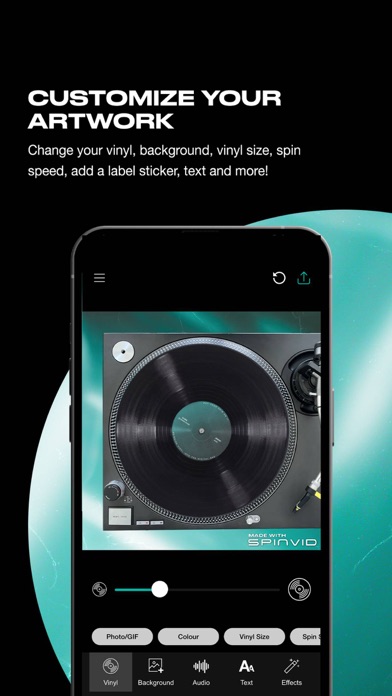
STEP 1: Upload a personalised image or GIF for the spinning vinyl. Edit the size and speed to your desire. STEP 2: Upload a personalised image, GIF or video for the background. STEP 3: Upload and crop your desired audio. You can also render the video without audio if you wish. STEP 4: Customise your text (optional). STEP 5: Render and share your SpinVid across your social platforms like Instagram, Facebook, TikTok and YouTube.
UPGRADE TO PREMIUM:
We offer an affordable monthly or annual (at a discounted rate) which unlocks a whole heap of cool functionality for users including watermark removal, ability to change the background image/video and change the vinyl spin speed.
The SpinVid premium subscription is billed monthly or annually at the rate corresponding to the selected plan.
Payment will be charged to the user’s Apple account at confirmation of purchase.
Subscription automatically renews unless auto-renew is turned off at least 24-hours before the end of the current period.
Account will be charged for renewal within 24-hours prior to the end of the current period, and identify the cost of the renewal.
Subscriptions may be managed by the user and auto-renewal may be turned off by going to the user's Subscriptions on their device.
Each subscription will automatically renew 3 days before the expiration date for
the same time period. Subscriptions can be cancelled at any time before the renewal.