

Splashtop Secure Workspace
Splashtop Secure Workspace is made and published by Splashtop B.V. AppBrain is an independent app data site and isn't affiliated with Splashtop B.V. The app name, icon, screenshots and description belong to Splashtop B.V. and are shown as published on the App Store.
AppBrain's verdict
- Rating on App Store
- 5.00
- 2 ratings
- Last updated
- June 6, 2026
It doesn't have enough ratings yet to judge what users think.
Rankings
App Store top chartsApp Store Rankings for Splashtop Secure Workspace
Competitors
Similar apps and more from Splashtop B.V.Alternatives to Splashtop Secure Workspace


More from Splashtop B.V.

Releases
Updates seen on the App Store- Version
- 1.0.88
- Launched
- August 2023
No changelog data
User feedback
Ratings and reviews on the App StoreComments on Splashtop Secure Workspace for iOS
We don't have enough comments to show example comments. Please check back later.
Technology
Found in the app by AppBrain- Price
- Free
- App size
- 136.2 MB
- Content rating
- Everyone
Technologies used by Splashtop Secure Workspace
About the app and developer
About Splashtop Secure Workspace
Splashtop Secure Workspace is a productivity app developed by Splashtop B.V.
What is the rating of Splashtop Secure Workspace?
Splashtop Secure Workspace is rated 5.00 out of 5 stars, based on 2 ratings.
Is Splashtop Secure Workspace free?
Splashtop Secure Workspace is free. The app size is 136.21 MB. The latest version available is 1.0.88. The last update was on June 6, 2026.
What are the requirements for Splashtop Secure Workspace?
The app has a content rating of Everyone. The app has been available on the App Store since August 2023.
Developer information for Splashtop B.V.
Address:
Frequently asked questions about Splashtop Secure Workspace
Is Splashtop Secure Workspace free?
Yes. Splashtop Secure Workspace is free on the App Store.
Is Splashtop Secure Workspace still available?
Yes. Splashtop Secure Workspace is on the App Store, and the last update we saw was on June 6, 2026.
How large is Splashtop Secure Workspace?
Splashtop Secure Workspace is 136.21 MB.
Is Splashtop Secure Workspace suitable for children?
App Store rates the content of Splashtop Secure Workspace as suitable for everyone.
How do people rate Splashtop Secure Workspace?
Splashtop Secure Workspace scores 5.00 out of 5 stars, from 2 ratings on the App Store.
Who made Splashtop Secure Workspace?
Splashtop Secure Workspace was developed by Splashtop B.V. It is listed in the productivity category on the App Store.
What are the best alternatives to Splashtop Secure Workspace?
People looking at Splashtop Secure Workspace also look at these productivity apps: ExtremeVPN - Fast & Secure VPN, ReVu DVR, LifeAssist AI, Bigs VPN - Fast & Secure, AngelVPN: Fast VPN & Privacy.
Store listing
By Splashtop B.V., from the App Store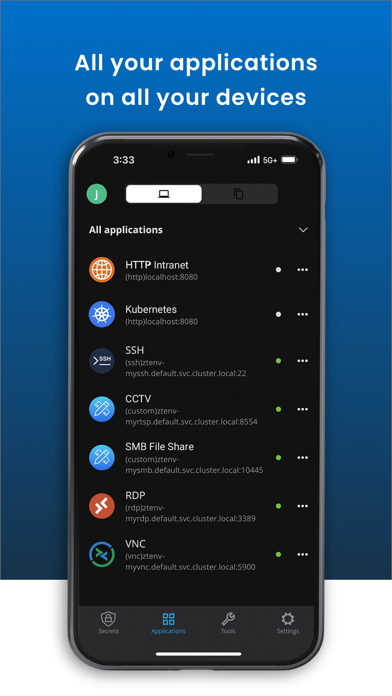
Description by Splashtop B.V. Written by the developer, not by AppBrain. Click to read.
Here are the main benefits:
Simple and Secure Access: Our Zero Trust access model ensures secure real-time access to applications and services by enforcing the least privilege. The administrator can set up policies within a single control panel to provide end-to-end security, including client security posture, authentication, authorization, conditional access, and privileged access.
Browser-Based Application Access: With zero-trust access, our solution ensures secure access to web and network applications, including SSH, RDP, VNC, Telnet, and Kubernetes, all through a browser without the need for additional agents to be installed. In addition, our solution offers mobile apps and browser extensions to enhance the browser-based application access user experiences.
Network Access Everywhere: Our solution guarantees zero-trust access to both on-premises and cloud resources through a Secure Workspace app available on major operating systems. Our Secure Workspace app ensures zero-trust access and enhances the user experience with features such as an application launcher and password management.
Comprehensive Identity Access Management: Our solution offers built-in user and group management, customizable user onboarding, and advanced IAM controls, including conditional authentication, conditional multi-factor authentication, integration with multiple identity providers, support for SAML, OIDC, OAuth, and SCIM/JIT provisioning for users and groups.
Secure Device Enrollment and Security Posture Enforcement: Device configuration enables administrators to manage device enrollment. Device Posture Check improves network security by only allowing employees to connect with devices that meet specific security standards.
Zero Touch and Simplified Deployment: Our simplified Zero Trust Network Access (ZTNA) solution enables easy deployment of connectors with zero-touch required.
Convenient and Secure Third-party/Privileged Access: Our ZTNA solution ensures secure access for third parties by utilizing anonymous access links or third-party controlled identity providers, granting access to privileged systems without exposing login credentials to the end-user.
Built-in Secure Password Management: Our Zero-knowledge password manager for businesses provides secure storage, sharing, and access to login credentials and other sensitive data. The sensitive information is protected by a strong authentication key derived from a master password known only to the user, and the IT administrator can enforce Zero Trust policies to protect access to the password and the sensitive data.