SplitCam: Dual Camera Video is an overall app developed by Josh Mustafa.
Download Statistics
User Ratings
SplitCam: Dual Camera Video is rated 4.67 out of 5 stars. The rating is based on 9 ratings.
App Information
SplitCam: Dual Camera Video is FREE to download. The APK download size is 14.92 MB. The latest version available is 1.7.0. The last update was on August 26, 2026.
Technical Requirements
The app has a content rating of Everyone. The app has been available on Google Play October 2025.
Description
Shoot once. Capture both. SplitCam records your front and back cameras simultaneously so you get the reaction and the moment in one take, with no editing and no stitching required.
Perfect for reaction videos, PiP recordings, duet style content, and interview recordings on TikTok, Instagram Reels, and YouTube.
KEY FEATURES
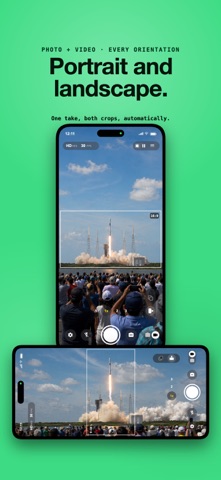
• Simultaneous front and back camera recording • 4K video at 60fps on supported iPhones • Picture in Picture, side by side, and top/bottom layouts • Switch layouts while recording • Audio source selection (front mic, back mic, or both) • Direct share to Instagram, TikTok, YouTube, Snapchat, and WhatsApp • Save to Photos in one tap • Portrait and landscape modes • Live preview while recording • Smooth camera switching • Flash support on both cameras
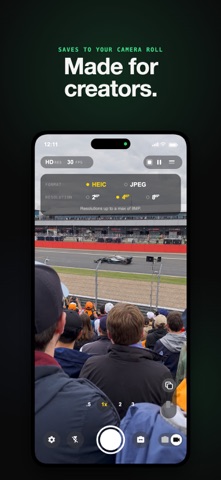
BUILT FOR CREATORS
Reaction creators: Capture your genuine reactions next to the content Vloggers: Show yourself and your surroundings in the same frame Travel videographers: Film the view and your experience together Tutorials: Demonstrate while explaining, face to camera Interviews: Record both participants with one tap Product reviewers: Show the product and your commentary Gaming: Face cam plus gameplay Music: Performance plus audience reactions
4K QUALITY ON IPHONE
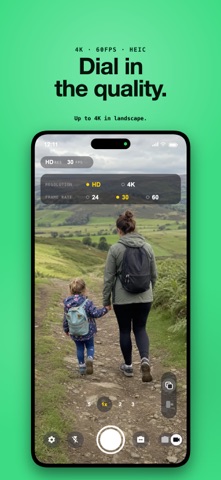
Record in stunning 4K at up to 60fps on iPhone XS and newer. Adjustable quality settings let you balance file size and clarity for fast uploads. Optimized for the latest iPhones including iPhone 15 and iPhone 16 models.
SIMPLE AND INTUITIVE
Start recording in seconds. No complicated settings, no editing required. Open the app, choose your layout, tap record. Shoot once, post everywhere.
PRIVACY FIRST
Videos are processed locally on your device. Nothing is uploaded to external servers. Your content stays yours.
SUBSCRIPTION AND PRICING
SplitCam is free to download. Unlock Premium to remove watermarks, access all layouts, and record in 4K.
• Weekly Premium, with a free 3 day trial • Annual Premium • Lifetime Premium, a one time purchase with no subscription
Prices are shown in your local currency in the App Store before you purchase.
• Payment will be charged to your Apple ID at confirmation of purchase. • Subscription automatically renews unless auto renew is turned off at least 24 hours before the end of the current period. • Account will be charged for renewal within 24 hours prior to the end of the current period at the renewal price. • Your free 3 day trial (weekly plan only) converts to a paid subscription when the trial ends unless cancelled at least 24 hours before. • Manage subscriptions or turn off auto renewal in your Apple ID Account Settings after purchase. • Any unused portion of a free trial, where offered, will be forfeited if you purchase a subscription.
Terms of Use: https://splitcam.app/terms Privacy Policy: https://splitcam.app/privacy
Each subscription will automatically renew 3 days before the expiration date for
the same time period. Subscriptions can be cancelled at any time before the renewal.