

sqft AR is made and published by Noriaki Murao. AppBrain is an independent app data site and isn't affiliated with Noriaki Murao. The app name, icon, screenshots and description belong to Noriaki Murao and are shown as published on the App Store.
AppBrain's verdict
EstablishedWell rated- Rating on App Store
- 4.40
- 843 ratings
- Last updated
- December 30, 2025
- Size
- 7.06 MB
Users rate it well: 4.4 stars from 843 ratings.
User feedback
Ratings and reviews on the App StoreComments on sqft AR for iOS
We don't have enough comments to show example comments. Please check back later.
Store listing
By Noriaki Murao, from the App Store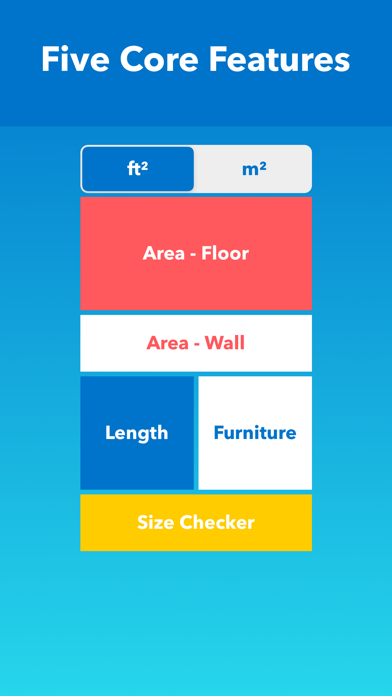
Description by Noriaki Murao Written by the developer, not by AppBrain. Click to read.
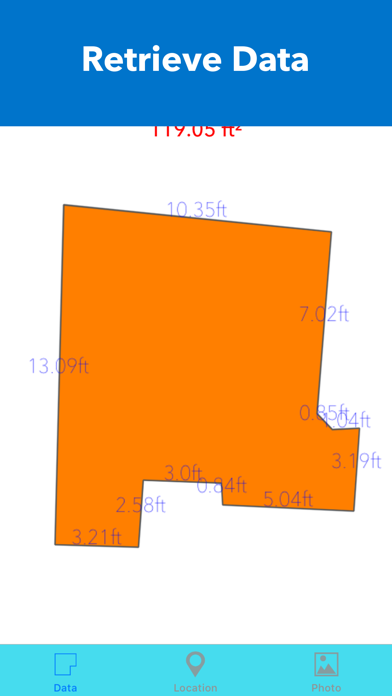
1. Area - Floor: To measure the horizontal area on a floor in ft² or m²
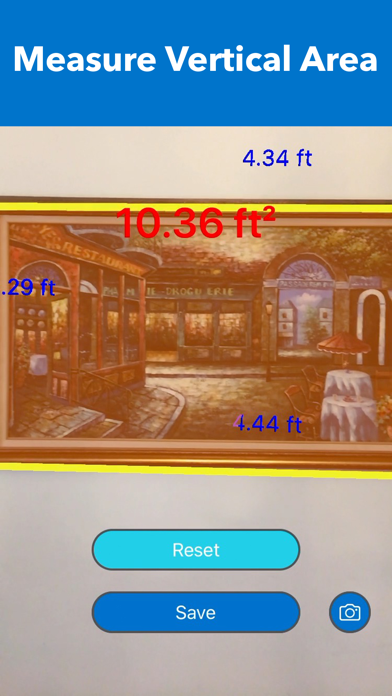
2. Area - Wall: To measure the vertical area on a wall in ft² or m²
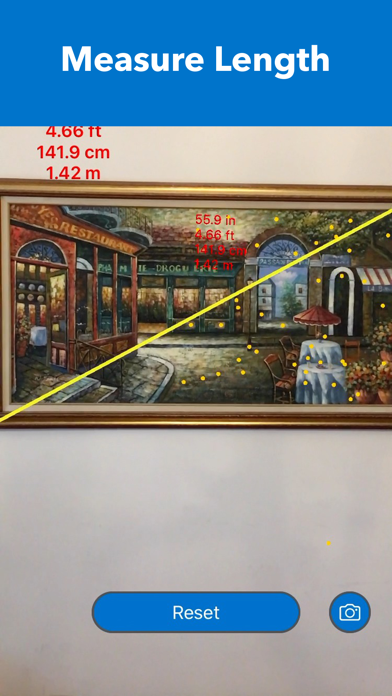
3. Length: To measure the length between two points
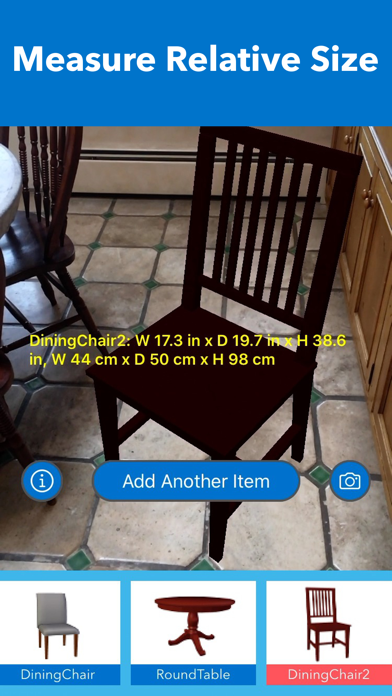
4. Furniture: To measure the relative size of the space by placing standard-sized virtual furniture
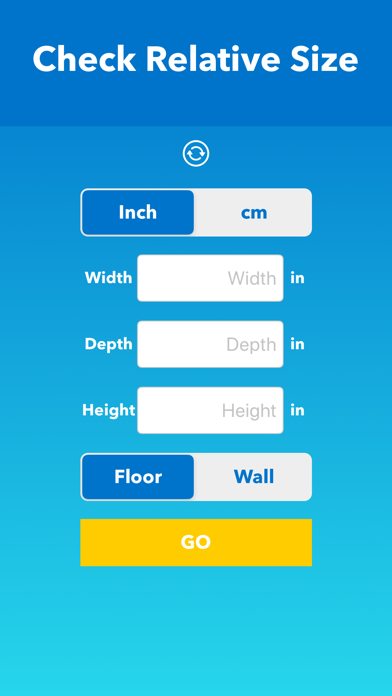
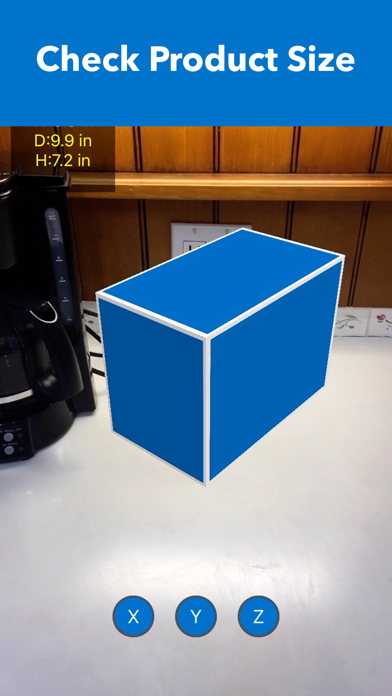
5. Size Checker: To check the relative size of a product in the real world by comparing it to other objects. To check whether the product's size fits the space.
HOW TO USE
1. Area - Floor or Wall
- Choose a unit between ft² or m²
- Tap "Area - Floor" or "Area - Wall" on the main menu
- Move the camera to scan the surrounding area
- Find a flat surface on the floor or on the wall until the blue square appears
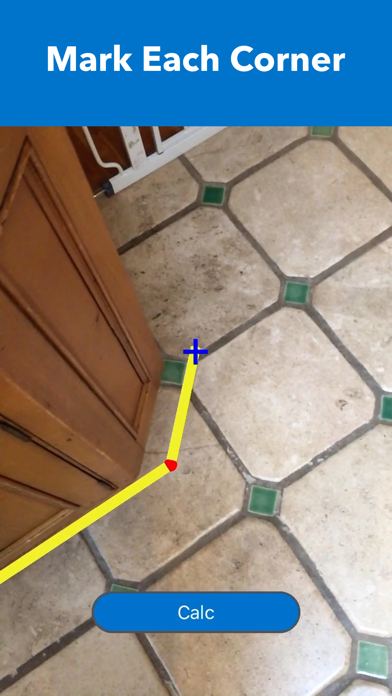
- Place the pointer ("+" on the center of the screen) to one of the corners of the floor or the wall
- Tap the screen to mark with a red sphere
- Move slowly clockwise ( or counterclockwise) to the next corner and repeat the action until all corners are marked by a red sphere ( Do not mark twice on the starting point)
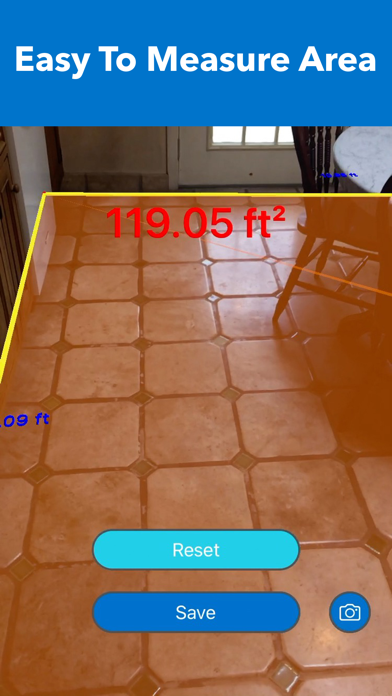
- Tap the "Calc" button to calculate the area
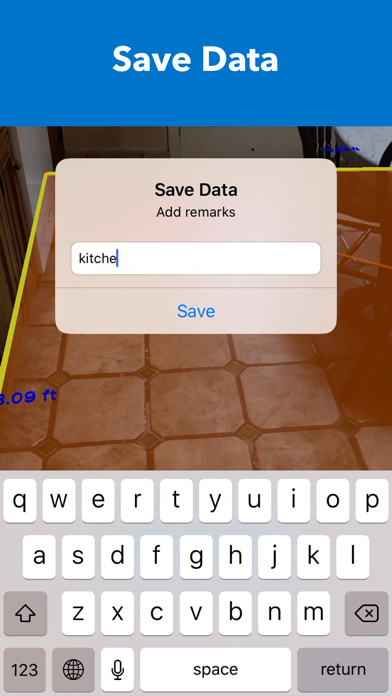
- To save data, tap the "Save" button, type remarks, and tap "Save."
- To take a photo, tap the "Camera" button
- To find saved data of Area, tap "File" mark on the top right corner of the main menu
- To see the location and photo (if it was taken) of saved data, tap the row on the list of saved data
- To delete saved data, tap "File" mark on the main menu and slide your finger from right to left on the row in the list of saved data
- In some cases, the AR shaded orange area may be displayed outside of the outlines or overlapped; this does not affect the calculation of the area
2. Length
- Tap "Length" on the main menu
- Move the camera to scan the surrounding area
- Wait until a lot of yellow dots display on the surface of the target object.
- Place the pointer ( "+" on the center of the screen) to the starting point of measuring object
- Tap the screen to mark with a red sphere
- Move slowly to the other end of the measuring object and place the pointer
- Tap the screen to display the length
- To measure another object, tap the "Reset" button and repeat the same procedure
- To take a photo, tap the "Camera" button
3. Furniture
- The virtual furniture is standard or typical size to help measure the relative size of the space
- Tap "Furniture" on the main menu
- Move the camera to scan the surrounding area
- Find a flat surface on the floor until the blue square appears
- Choose one of the furniture items on the list of furniture and tap it
- Tap the screen to place the furniture
- To rotate the furniture, touch the screen on the furniture and slide your finger
- To move the furniture, long-press the screen on the furniture and slide your finger
- To place more furniture, tap the "Add Another Item" button and repeat the procedure
- To hide the size of furniture, tap the "Info" button
- To display the size of furniture, tap the "Info" button again
- To take a photo, tap the "Camera" button
4. Size Checker
- This feature is to check the relative size of the product in the real world by comparing it to other objects
- To check whether the size of the product fits the space or not
- Select measure unit
- Type Width, Depth, and Height into each field
- Select the surface to place the AR box and tap GO
- Move the camera to scan the surrounding area
- Find a flat surface to place the AR box until the blue square appears
- Tap the screen where you want to place the AR box.
Safety and technology
Found in the app by AppBrain- Price
- Free
- App size
- 7.06 MB
- Content rating
- Everyone
Technologies used by sqft AR
Releases
Updates seen on the App Store- Version
- 1.7
- Launched
- June 2018
No changelog data
Alternatives
Similar apps and more from Noriaki MuraoAlternatives to sqft AR





More from Noriaki Murao


Rankings
App Store top chartsApp Store Rankings for sqft AR
About the app and developer
About sqft AR
sqft AR is an utilities app developed by Noriaki Murao.
User Ratings
sqft AR is rated 4.40 out of 5 stars. The rating is based on 840 ratings.
App Information
sqft AR is freely available from the App Store. The app size is 7.06 MB. The latest version available is 1.7. The last update was on December 30, 2025.
Technical Requirements
The app has a content rating of Everyone. The app has been available on the App Store since June 2018.
Developer information for Noriaki Murao
Address:
Frequently asked questions about sqft AR
Is sqft AR free?
Yes. sqft AR is free on the App Store.
Is sqft AR still available?
Yes. sqft AR is on the App Store, and the last update we saw was on December 30, 2025.
How large is sqft AR?
sqft AR is 7.06 MB.
Is sqft AR suitable for children?
App Store rates the content of sqft AR as suitable for everyone.
How do people rate sqft AR?
sqft AR scores 4.40 out of 5 stars, from 843 ratings on the App Store.
Who made sqft AR?
sqft AR was developed by Noriaki Murao. It is listed in the utilities category on the App Store.
What are the best alternatives to sqft AR?
People looking at sqft AR also look at these utilities apps: Square Footage Calculator +, Map Area Calculator - Marea, CamToPlan - AR tape measure, AR Plan: Measure, Room Scanner, Room Scanner - Easy Measure Rm.