

Star Archive is made and published by Kyungil Myung. AppBrain is an independent app data site and isn't affiliated with Kyungil Myung. The app name, icon, screenshots and description belong to Kyungil Myung and are shown as published on the App Store.
AppBrain's verdict
- Last updated
- November 1, 2026
Rankings
App Store top chartsApp Store Rankings for Star Archive
Competitors
Similar apps and more from Kyungil MyungAlternatives to Star Archive


Also available on Google Play

Releases
Updates seen on the App Store- Version
- 2.1.0
- Launched
- July 2026
No changelog data
User feedback
Ratings and reviews on the App StoreComments on Star Archive for iOS
We don't have enough comments to show example comments. Please check back later.
Technology
Found in the app by AppBrain- Price
- Free
- App size
- 283.9 MB
- Content rating
- Everyone
Technologies used by Star Archive
About the app and developer
About Star Archive
Star Archive is an education app developed by Kyungil Myung.
User Ratings
The app has no ratings yet.
App Information
Star Archive is freely available from the App Store. The app size is 283.92 MB. The latest version available is 2.1.0. The last update was on November 1, 2026.
Technical Requirements
The app has a content rating of Everyone. The app has been available on the App Store since July 2026.
Developer information for Kyungil Myung
Address:
Store listing
By Kyungil Myung, from the App Store


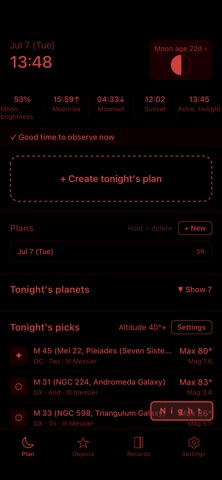
Description by Kyungil Myung Written by the developer, not by AppBrain. Click to read.
· Sky chart — 5.5 million stars with your own fields of view overlaid, opened from plans, observing and object pages.
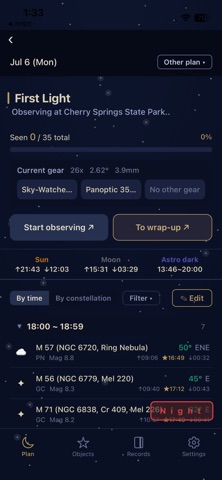
· Plan and recommend — only what your aperture can show under your site's sky (1,272 objects judged in advance), placed into hour slots, rehearsed on the chart.
· Observe and record — step through objects on the chart, check, rate and write; review by night or by object.
■ A built-in sky chart
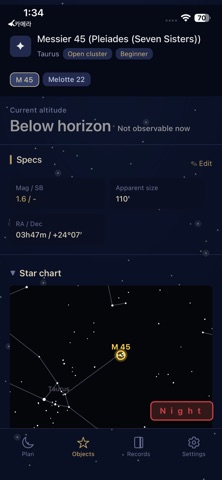
· About 5.5 million stars to 13th magnitude and 16,000+ deep-sky objects. Drag and pinch anywhere.
· Sky as it looks right now (zenith up) or north up — one tap on the compass at top left.
· Build fields of view from your telescope, eyepieces and finder and overlay several at once. Plan objects as rings, observed ones checked.
· Open the chart from a plan, the observing screen or an object page, and come straight back.
■ One unbroken night
· Plan — added objects settle into hour slots on their own; drag to rearrange. Tap an object for its altitude curve and suggested magnification right there.
· Rehearsal — walk the night on the chart before you leave. Course editing handles hour slots, order and start stars on one screen.
· Observing — step through objects on the chart, check them off, rate and write notes. Dictate by voice.
· Records — enter the night's conditions once, then review by night or by object. Long-term plans spanning months, too.
■ Data and learning
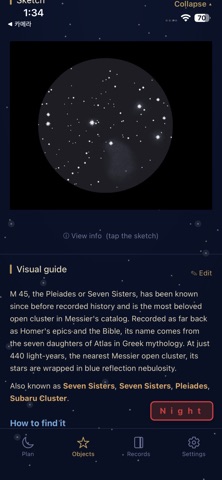
· 2,400+ visual guides — how to find it and what each aperture shows. 4,600+ observing points to rate.
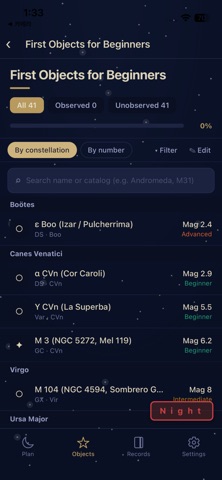
· Lists such as Messier, Caldwell, Herschel 400 and 1001, plus your own lists and courses.
· Star hopping with 126 routes (using the chart's field-of-view settings); Messier marathon prep and a 110-object night.
■ Also
Night mode (red screen, shake to toggle, automatic after sunset) · six themes · sketch albums · eyepiece-view simulator · tonight's clouds and seeing · real-time planets · spreadsheets in and out, full backup · on a bigger screen at starnotearchive.com · Korean, English and Japanese.
Free. No ads, no purchases. No account in the app; make a web account only if you want the website. Records stay on your phone; only what you send goes up to the web (site names visible only to you). With weather on, the forecast point's location is passed to the weather service. The 13th-magnitude star data downloads only when you ask.
Made as a hobby by one observer.