

Star CMMS is made and published by Priya Pinto. AppBrain is an independent app data site and isn't affiliated with Priya Pinto. The app name, icon, screenshots and description belong to Priya Pinto and are shown as published on the App Store.
AppBrain's verdict
- Last updated
- September 28, 2025
Rankings
App Store top chartsApp Store Rankings for Star CMMS
This app is not ranked
Competitors
Similar apps and more from Priya Pinto


Releases
Updates seen on the App Store- Version
- 1.2.0
- Launched
- June 2024
No changelog data
User feedback
Ratings and reviews on the App StoreComments on Star CMMS for iOS
We don't have enough comments to show example comments. Please check back later.
Technology
Found in the app by AppBrain- Price
- Free
- App size
- 67.0 MB
- Content rating
- Everyone
Technologies used by Star CMMS
About the app and developer
About Star CMMS
Star CMMS is a business app developed by Priya Pinto.
What is the rating of Star CMMS?
Star CMMS has no ratings yet.
Is Star CMMS free?
Star CMMS is free. The app size is 66.96 MB. The latest version available is 1.2.0. The last update was on September 28, 2025.
What are the requirements for Star CMMS?
The app has a content rating of Everyone. The app has been available on the App Store since June 2024.
Developer information for Priya Pinto
Address:
Store listing
By Priya Pinto, from the App Store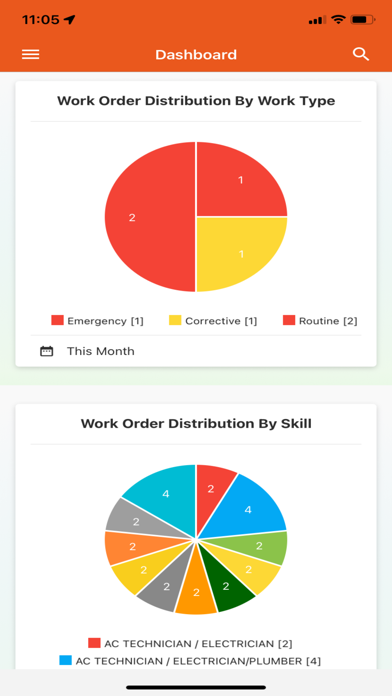
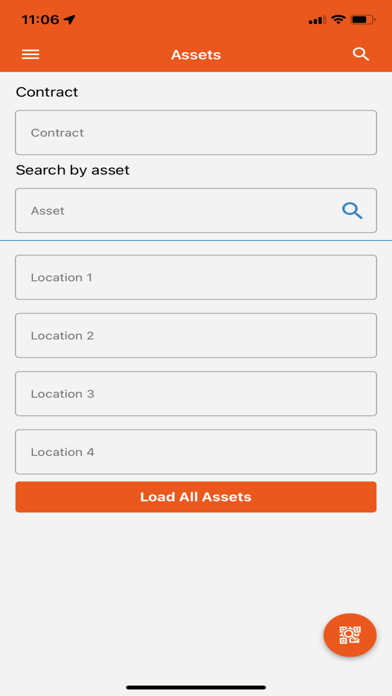
Screenshots by Priya Pinto, from the the App Store listing
Description by Priya Pinto Written by the developer, not by AppBrain. Click to read.
Star CMMS manager
Maintenance managers have the toughest job. They have to keep demanding customers happy by responding to requests immediately and manage a spread-out crew; all very often while being on the field themselves. This almost impossible task is now not only possible but also seamless with the Star CMMS Mobile Manager.
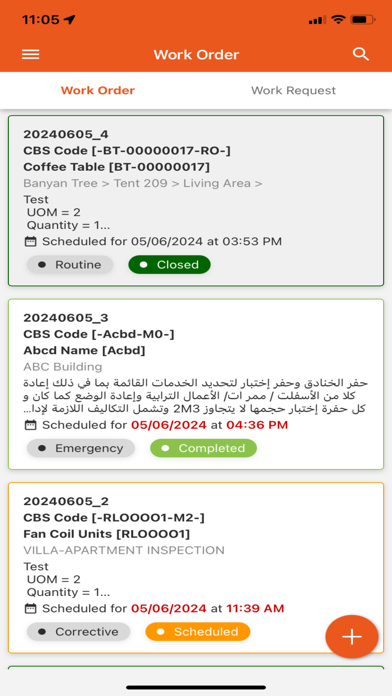
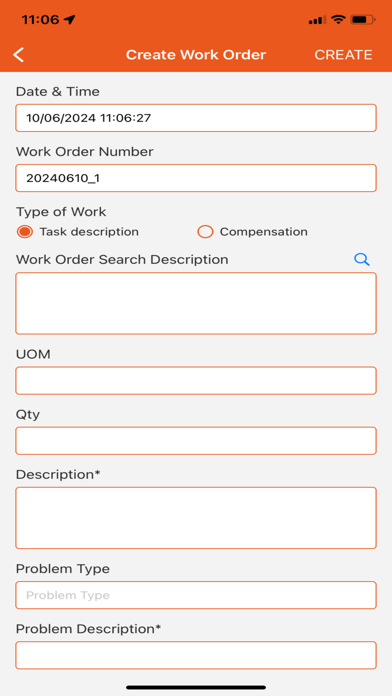
From any location, a maintenance manager can review requests, create and assign work orders, prioritize work, schedule recurring maintenance tasks and check inventory and more. So, whether he is in the basement or on the roof, he can keep the backlog of jobs down and boost up KPIs.
Managers will have the information they need to make strategic scheduling decisions on-the-fly and communicate with their crew in real time even if tasks change at the last minute. The Star CMMS Mobile Manager allows managers to transition from daily firefighting to delivering top-notch customer service.
• Approve Work Requests and schedule Work Orders on the go
• Stay on top of things by receiving job status updates in real time through notifications
• Track multiple KPIs such as pending Work Requests, Work Order backlogs, Purchase Requests etc.
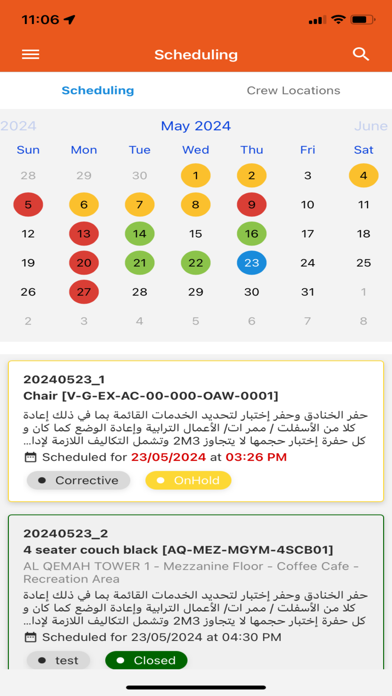
• View and edit a Calendar of all Work Orders Scheduled
• Search for Assets using multiple options
Star CMMS crew
With Star CMMS Mobile Crew, your service team can attend to work orders on the go, with all the information they need at the tip of their fingers. This App has been specifically designed to maximize employee productivity and respond to requests faster.
On the field, it is vital for your crew to easily access and input relevant data. The Mob App you choose needs to be user friendly and not loaded with unnecessary functionality that complicates rather than facilitates fieldwork. That’s where Star CMMS Mobile Crew scores high. From viewing current work orders to receiving new ones and from scanning QR codes to uploading photos, your crew can do it literally with one hand. And with the ability to record start and finish times of a job, it allows for full accountability.
• Day and month calendar view of jobs allocated to each crew member
• KPI on the basis of status of jobs in progress, on hold or completed
• QR code scanner that pulls up asset data or allows for raising requests based on the asset tag
• Search function to find and edit specific work orders easily
• Camera functionality within the app to raise new work requests or close jobs by simply taking a picture
• Track and complete transfer of assets by location and custody
• Reconcile the Asset Register with on-site inspections using manual, scanning or tap by count functionality
Maintenance managers have the toughest job. They have to keep demanding customers happy by responding to requests immediately and manage a spread-out crew; all very often while being on the field themselves. This almost impossible task is now not only possible but also seamless with the Star CMMS Mobile Manager.
From any location, a maintenance manager can review requests, create and assign work orders, prioritize work, schedule recurring maintenance tasks and check inventory and more. So, whether he is in the basement or on the roof, he can keep the backlog of jobs down and boost up KPIs.
Managers will have the information they need to make strategic scheduling decisions on-the-fly and communicate with their crew in real time even if tasks change at the last minute. The Star CMMS Mobile Manager allows managers to transition from daily firefighting to delivering top-notch customer service.
• Approve Work Requests and schedule Work Orders on the go
• Stay on top of things by receiving job status updates in real time through notifications
• Track multiple KPIs such as pending Work Requests, Work Order backlogs, Purchase Requests etc.
• View and edit a Calendar of all Work Orders Scheduled
• Search for Assets using multiple options
Star CMMS crew
With Star CMMS Mobile Crew, your service team can attend to work orders on the go, with all the information they need at the tip of their fingers. This App has been specifically designed to maximize employee productivity and respond to requests faster.
On the field, it is vital for your crew to easily access and input relevant data. The Mob App you choose needs to be user friendly and not loaded with unnecessary functionality that complicates rather than facilitates fieldwork. That’s where Star CMMS Mobile Crew scores high. From viewing current work orders to receiving new ones and from scanning QR codes to uploading photos, your crew can do it literally with one hand. And with the ability to record start and finish times of a job, it allows for full accountability.
• Day and month calendar view of jobs allocated to each crew member
• KPI on the basis of status of jobs in progress, on hold or completed
• QR code scanner that pulls up asset data or allows for raising requests based on the asset tag
• Search function to find and edit specific work orders easily
• Camera functionality within the app to raise new work requests or close jobs by simply taking a picture
• Track and complete transfer of assets by location and custody
• Reconcile the Asset Register with on-site inspections using manual, scanning or tap by count functionality