AppBrain
AppBrain
  • Apps
  • Apps being viewed right now Trending apps today Most popular apps All-time most downloaded apps Top rated apps iPhone and iPad apps
  • Intelligence ▾
    Intelligence overview → Track any Android app or your whole market
    Track & analyze
    Keyword Tracker & OptimizerTrack & improve Play rankings App Performance ReportOne-off PDF for any app StatisticsFree Android & Play market stats
    Promote your app
    Featured Apps App Links
  • Intelligence
  • Pricing
  • Dashboard
  • Sign up
  • Log in
Last updated on: 2026-09-30
App Store Apps > Graphics & Design > Star Doodle AR
App profile · Graphics & Design · Data updated 2026-09-30
Star Doodle AR icon

Star Doodle AR

by Tadanori Okada · Free · Version 3.21
Availability On the App Store since May 2018
Rating on App Store
4.08/5
13 ratings
Rating
4.08
13 reviews
Best rank
–
not in the top lists
Last updated
January 21, 2026
3.21
AppBrain's verdict Established

It doesn't have enough ratings yet to judge what users think.

Star Doodle AR is made and published by Tadanori Okada. AppBrain is an independent app data site and isn't affiliated with Tadanori Okada. The app name, icon, screenshots and description belong to Tadanori Okada and are shown as published on the App Store.

About Star Doodle AR

Star Doodle AR is a graphics & design app developed by Tadanori Okada.

What is the rating of Star Doodle AR?

Star Doodle AR is rated 4.08 out of 5 stars, based on 13 ratings.

Is Star Doodle AR free?

Star Doodle AR is free. The app size is 248.95 MB. The latest version available is 3.21. The last update was on January 21, 2026.

What are the requirements for Star Doodle AR?

The app has a content rating of Everyone. The app has been available on the App Store since May 2018.

Description by Tadanori Okada (from the App Store)
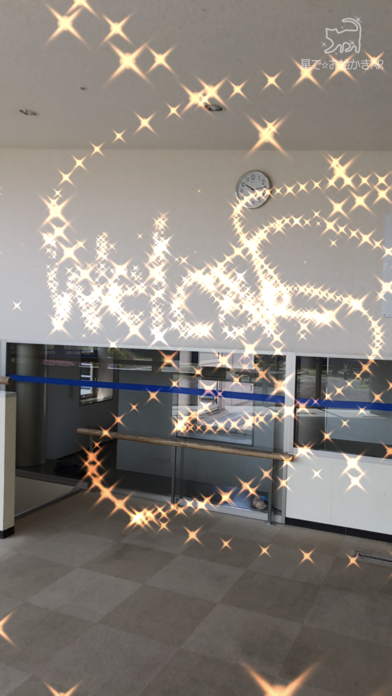
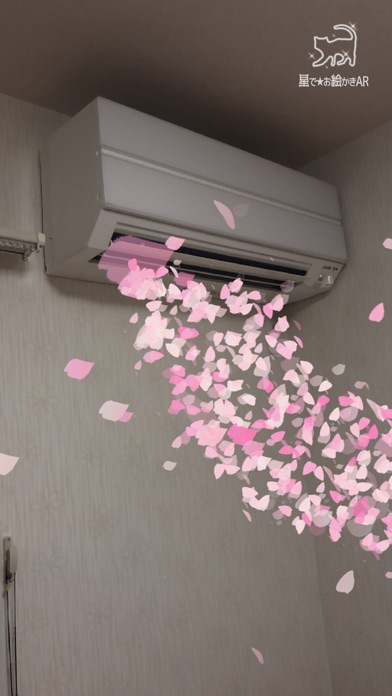
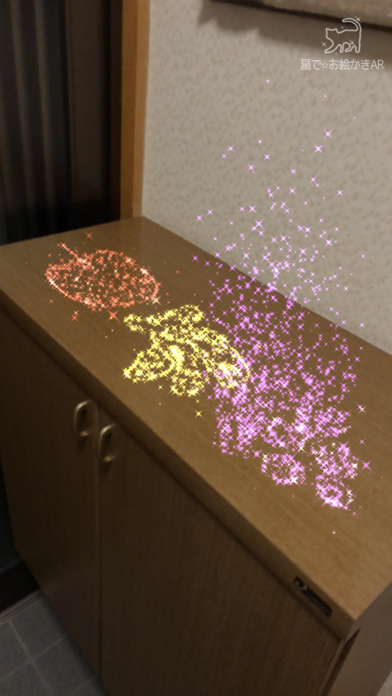
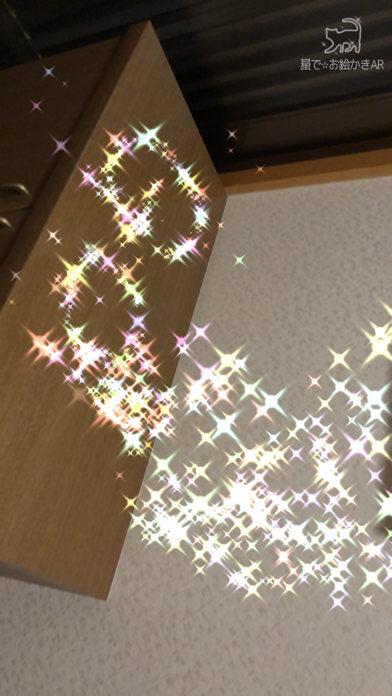
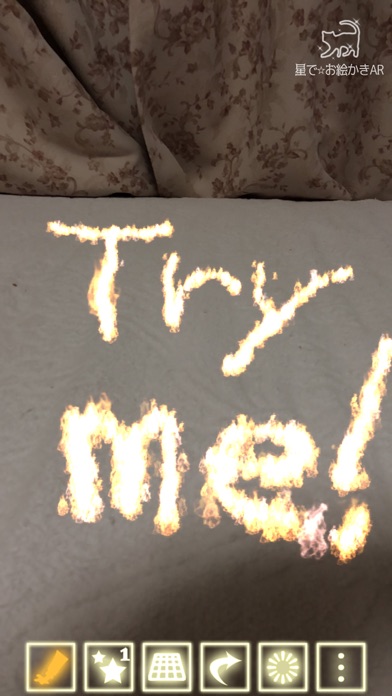
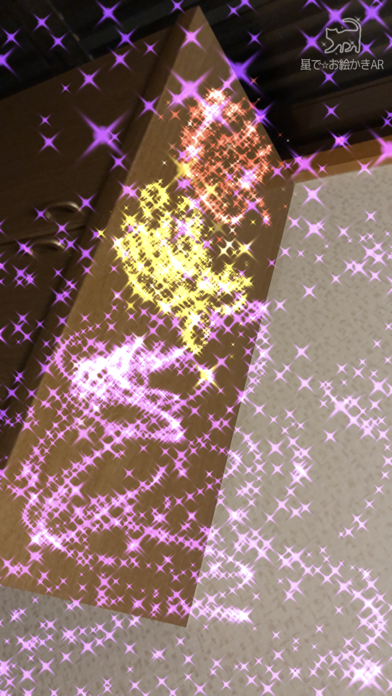
Draw magical, sparkling doodles in midair or on walls!
Your drawings will appear and disappear with 12 kinds of animations.
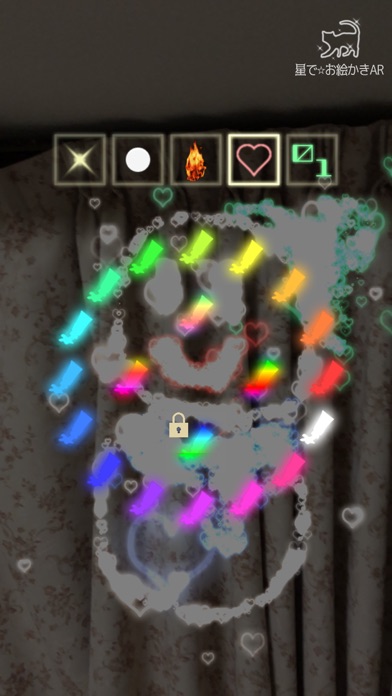
Use 16 different pens—stars, flames, hearts, gems, cherry blossoms, clovers, electricity, bubbles, smoke, “blood text,” and more—to create fantastical artworks.
Save your creations as videos or photos and share them with friends.


How to Use:

1. Draw on the Screen:
Touch the screen to start drawing. Use the buttons below to customize your artwork.
- Paint Icon: Change the color.
- Star Icon: Adjust the size of the stars.
- Box Icon / Plane Icon: Switch between drawing in the air or on surfaces.
- Undo Icon: Undo the last action.
- Erase Icon: Clear all drawings.
- Dot Icon: Switch to "Viewing Mode".

2. Animate and Record Your Drawings:
After you finish drawing, animate it or record a video! Switch to viewing mode with the dot icon on the right.
- Play Icon: Animate your drawing. You can also record the animation.
- Sun Icon: Adjust the brightness.
- Video Icon: Record a video. Tap again to stop recording.
- Photo Icon: Take a photo.
- Tools Icon: Access settings or purchase additional features.
- Dot Icon: Switch back to "Drawing Mode".


Unlock Extra Features:
Yellow Lock Buttons: Unlock by watching ads.
Blue Lock Buttons: Available for purchase.


Paid Options:
Access additional features by purchasing options through the cart icon in the tools menu. Paid features include:
1. Unlock all locked features.
2. Remove all ads.
3. Enable the option to hide the logo at the top right of the screen.


About the use of created images/videos:
Images and videos created with this app may be freely used for both personal and commercial purposes, including creative works, social media posting, video streaming, printed materials, and more.
- If your content includes materials that may infringe third-party rights (e.g., other people or copyrighted characters appearing in the background), please obtain permission from the rights holder before use.
- If possible, I would greatly appreciate it if you could mention or introduce that this app was used in your work, stream, description, etc.

Download now and let your creativity sparkle!
Show more Show less
Price Free
Rating 4.08 based on 13 ratings
Ranking Not ranked
Version 3.21
App size 248.9 MB
Suitable for Everyone

Screenshots

Star Doodle AR Screenshot 1 of 7
Star Doodle AR Screenshot 2 of 7
Star Doodle AR Screenshot 3 of 7
Star Doodle AR Screenshot 4 of 7
Star Doodle AR Screenshot 5 of 7
Star Doodle AR Screenshot 6 of 7
Star Doodle AR Screenshot 7 of 7
Screenshots by Tadanori Okada, from the the App Store listing
Official page on the App Store

Alternatives to Star Doodle AR
Doodle Magic AR icon Doodle Magic AR
Virtual GS
3.0
$0.99
2 ratings
Doodle-Talk icon Doodle-Talk
骑滔 杨
0.0
Free
GreenWall icon GreenWall
Ingo Ngoyama
5.0
Free
4 ratings
sculpty icon sculpty
Quentin Reiser
5.0
Free
4 ratings
Doodle-Go icon Doodle-Go
骑滔 杨
1.0
Free
1 ratings
Mixiply icon Mixiply
Theta Development
3.0
Free
2 ratings
Ar pose cloning icon Ar pose cloning
巧飞 车
0.0
Free
MetaDance: 3D Animations icon MetaDance: 3D Animations
Youpi Inc
3.0
Free
2 ratings

More from Tadanori Okada

Kanji TV Plus - Quiz Game icon Kanji TV Plus - Quiz Game
Tadanori Okada
0.0
Free
Absolute Brain Puzzle icon Absolute Brain Puzzle
Tadanori Okada
0.0
Free

Changelog of Star Doodle AR

No changelog data

Developer information for Tadanori Okada

Tadanori Okada

Address:

Share Star Doodle AR

Comments on Star Doodle AR for iOS

We don't have enough comments to show example comments. Please check back later.

App Store Rankings for Star Doodle AR

This app is not ranked

Technologies used by Star Doodle AR

Frequently asked questions about Star Doodle AR

Is Star Doodle AR free?

Yes. Star Doodle AR is free on the App Store.

Is Star Doodle AR still available?

Yes. Star Doodle AR is on the App Store, and the last update we saw was on January 21, 2026.

How large is the Star Doodle AR download?

Star Doodle AR is 248.95 MB to download.

Is Star Doodle AR suitable for children?

App Store rates the content of Star Doodle AR as suitable for everyone.

How do people rate Star Doodle AR?

Star Doodle AR scores 4.08 out of 5 stars, from 13 ratings on the App Store.

Who made Star Doodle AR?

Star Doodle AR was developed by Tadanori Okada. It is listed in the graphics & design category on the App Store.

What are the best alternatives to Star Doodle AR?

People looking at Star Doodle AR also look at these graphics & design apps: Doodle Magic AR, Doodle-Talk, GreenWall, sculpty, Doodle-Go.

Price drops on Google Play Today's trending apps Popular Graphics & Design Apps Apps other people are watching Top new apps
Doodle Magic AR icon Doodle Magic AR
Doodle-Talk icon Doodle-Talk
GreenWall icon GreenWall
sculpty icon sculpty
Doodle-Go icon Doodle-Go
Mixiply icon Mixiply
Ar pose cloning icon Ar pose cloning
MetaDance: 3D Animations icon MetaDance: 3D Animations
Overview Alternatives Reviews Rankings Technology
AppBrain Intelligence premium content

Subscribe now to get full and unlimited access to AppBrain Intelligence. You'll have access to:

  • App Intelligence dashboard (performance timeline, competitor comparison, country rankings, insight cards)
  • Detailed ranking data per app
  • Full timeline per developer
  • Device market shares data per country
  • Unlimited keyword tracking
1 Month

$75/mo
(billed every month)

SAVE 0%
Subscribe
3 Months

$65/mo
($195 billed every 3 months)

SAVE 13%
Subscribe
1 Year

$57.50/mo
($690 billed every year)

SAVE 23%
Subscribe
Each subscription will automatically renew 3 days before the expiration date for the same time period. Subscriptions can be cancelled at any time before the renewal.

AppBrain is an app data site, we track rankings, ratings, installs for all apps and games on Google Play and the App Store. AppBrain doesn't host app files or APKs, all install links go directly to the official store. All trademarks are owned by their respective owners.

More apps

  • Top Android apps being viewed
  • PS App GP Monitoring Android App
  • Red Rose Live Wallpaper
  • Security Bank App stats

App statistics

  • Android statistics
  • Google Play Developer stats
  • Trending Android Apps
  • Trending iOS apps
  • Top popular Apps
  • Buy the best Android phone
  • Buy & sell app businesses

About AppBrain

  • Contact
  • Privacy
  • Documentation
  • DMCA takedowns
  • Articles
  • Blog
  • Free webpage for your Android app
© 2010-2026 - AppBrain