Stemelo: AI Vocal Remover
Stemelo: AI Vocal Remover is made and published by Mehmet CANITEZ. AppBrain is an independent app data site and isn't affiliated with Mehmet CANITEZ. The app name, icon, screenshots and description belong to Mehmet CANITEZ and are shown as published on the App Store.
AppBrain's verdict
New- Rating on App Store
- 5.00
- 3 ratings
- Last updated
- October 6, 2026
Stemelo: AI Vocal Remover came out 70 days ago. It doesn't have enough ratings yet to judge what users think.
Rankings
App Store top chartsApp Store Rankings for Stemelo: AI Vocal Remover
Competitors
Similar apps and more from Mehmet CANITEZAlternatives to Stemelo: AI Vocal Remover
More from Mehmet CANITEZ
Releases
Updates seen on the App Store- Version
- 2.0.10
- Launched
- August 2026
No changelog data
User feedback
Ratings and reviews on the App StoreComments on Stemelo: AI Vocal Remover for iOS
We don't have enough comments to show example comments. Please check back later.
Technology
Found in the app by AppBrain- Price
- Free
- App size
- 223.2 MB
- Content rating
- Everyone
Technologies used by Stemelo: AI Vocal Remover
About the app and developer
About Stemelo: AI Vocal Remover
Stemelo: AI Vocal Remover is a music app developed by Mehmet CANITEZ.
What is the rating of Stemelo: AI Vocal Remover?
Stemelo: AI Vocal Remover is rated 5.00 out of 5 stars, based on 3 ratings.
Is Stemelo: AI Vocal Remover free?
Stemelo: AI Vocal Remover is free. The app size is 223.23 MB. The latest version available is 2.0.10. The last update was on October 6, 2026.
What are the requirements for Stemelo: AI Vocal Remover?
The app has a content rating of Everyone. The app has been available on the App Store since August 2026.
Developer information for Mehmet CANITEZ
Address:
Store listing
By Mehmet CANITEZ, from the App StoreDescription by Mehmet CANITEZ Written by the developer, not by AppBrain. Click to read.
ADD AND SEPARATE
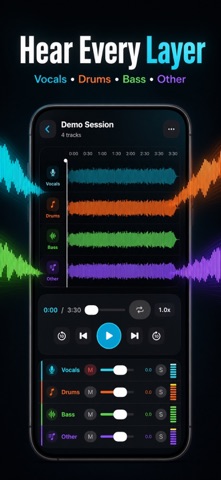
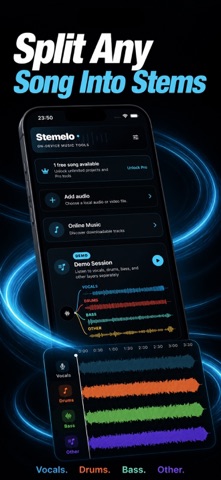
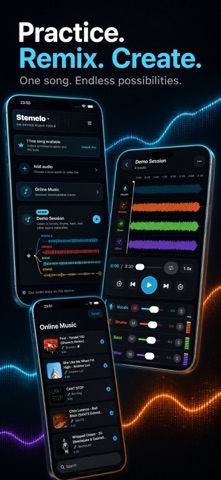
Import a local audio file or a video you own. On-device HTDemucs processing creates separate vocals, drums, bass, and other stems in one operation. Solo, mute, and balance each stem or choose a one-tap mix.
PRACTICE THE HARD PART
Select an A–B region directly on the waveform. Snap the loop to detected beats when useful, or adjust it freely for precise repetition.
CHANGE SPEED AND KEY
Slow music to 0.5× or raise it to 1.5×. Shift pitch from −12 to +12 semitones independently, so the song stays in sync while you find a comfortable key.
BPM, KEY, AND SMART CLICK
The app detects tempo, beat positions, meter, and musical key with confidence values. Add an accented click that follows detected beats, use a count-in, or import your own short click sound. If analysis confidence is insufficient, the app says so and lets you enter the value manually.
PRIVATE BY DESIGN
Audio and project files stay on your device. No account is required. Your latest workspace is saved locally. If separation is interrupted, it can restart without uploading your audio.
Try your first eligible local song free, up to five minutes, with stem mixing, A–B looping, speed and pitch controls. Free access includes one M4A mix export. The included demo can be replayed. Further new separations, advanced practice tools, WAV mix exports and individual stem exports require Pro. Choose a monthly or annual subscription, or a one-time Lifetime purchase. Subscriptions renew automatically unless cancelled; Lifetime has no automatic renewal. The App Store shows pricing and purchase terms before confirmation. Restore Purchases is available in Settings.
Only process media you own or are authorized to modify. Protected Apple Music files and direct YouTube downloading are not supported.
Terms of Use (EULA): https://www.apple.com/legal/internet-services/itunes/dev/stdeula/
Privacy Policy: https://stemelo-legal.seyda-bucak.chatgpt.site/privacy