Step Counter-Distance Tracker
Step Counter-Distance Tracker is made and published by codesbunny. AppBrain is an independent app data site and isn't affiliated with codesbunny. The app name, icon, screenshots and description belong to codesbunny and are shown as published on the App Store.
AppBrain's verdict
- Rating on App Store
- 4.00
- 1 ratings
- Last updated
- September 22, 2026
It doesn't have enough ratings yet to judge what users think.
Rankings
App Store top chartsApp Store Rankings for Step Counter-Distance Tracker
Competitors
Similar apps and more from codesbunnyMore from codesbunny
Also available on Google Play
Releases
Updates seen on the App Store- Version
- 1.0.6
- Launched
- September 2025
No changelog data
User feedback
Ratings and reviews on the App StoreComments on Step Counter-Distance Tracker for iOS
We don't have enough comments to show example comments. Please check back later.
Technology
Found in the app by AppBrain- Price
- Free
- App size
- 44.4 MB
- Content rating
- Medium
Technologies used by Step Counter-Distance Tracker
About the app and developer
About Step Counter-Distance Tracker
Step Counter-Distance Tracker is a health & fitness app developed by codesbunny.
User Ratings
Step Counter-Distance Tracker is rated 4.00 out of 5 stars. The rating is based on one rating ratings.
App Information
Step Counter-Distance Tracker is freely available from the App Store. The app size is 44.44 MB. The latest version available is 1.0.6. The last update was on September 22, 2026.
Technical Requirements
The app has a content rating of Medium Maturity. The app has been available on the App Store since September 2025.
Developer information for codesbunny
Address:
Store listing
By codesbunny, from the App StoreDescription by codesbunny Written by the developer, not by AppBrain. Click to read.
The app uses keywords such as Track Step, step counter, counter pedometer, step counter pedometer, step Count, Step Pedometer, Count Step, Step tracking, pedometer step count, Burned Calories, diabetes tracker, blood sugar, Blood Pressure, blood glucose, Blood Sugar Monitor to describe its core functions and search relevance.
2- Features of Step Counter:
• Step counter for daily walking activity.
• Pedometer function for step tracking during movement.
• Step Count recording with daily history view.
• Step tracking with automatic updates.
• Pedometer step count analysis over time.
• Burned Calories estimation based on movement.
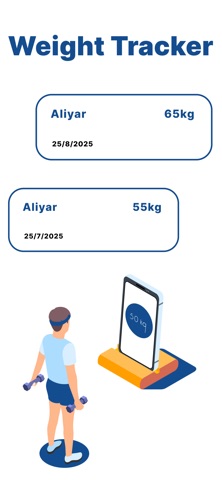
• Simple dashboard for activity overview.
• Diabetes tracker for personal monitoring records.
• Blood sugar logging feature for daily tracking.
• Blood Pressure tracking for manual input records.
• Blood glucose monitoring log support.
• Blood Sugar Monitor section for organized health data.
• Clean interface for easy navigation.
• History records for comparing daily activity.
3- How it helps users:
This app helps users understand their daily movement by tracking steps and walking activity in a clear way. It allows users to observe how much they move during the day and how it relates to calorie usage. People who want to maintain a health log can also store information like blood sugar, blood pressure, and blood glucose in one place.
By keeping step count and health records together, users can identify patterns in their daily routine. For example, they can see if walking more during the day has any relation to changes in their physical condition. The app supports awareness of lifestyle habits without requiring complex setup.
4- Why it is better than competitors:
This application focuses on combining both activity tracking and basic health logging in one simple structure. Instead of separating step counting and health records into different tools, it provides a single dashboard where all information can be viewed together.
The design is kept minimal so users can focus on data rather than complex menus. Step tracking, pedometer data, and health inputs like blood sugar and blood pressure are organized in a way that is easy to understand. It is structured for users who prefer straightforward tracking without unnecessary complexity.
The app also maintains clarity in data presentation, allowing users to quickly review step history, calorie estimates, and health entries in a consistent format.