

StreamBIM is made and published by Rendra AS. AppBrain is an independent app data site and isn't affiliated with Rendra AS. The app name, icon, screenshots and description belong to Rendra AS and are shown as published on the App Store.
AppBrain's verdict
- Last updated
- July 14, 2026
Rankings
App Store top chartsApp Store Rankings for StreamBIM
This app is not ranked
Competitors
Similar apps and more from Rendra ASAlternatives to StreamBIM







Also available on Google Play

Releases
Updates seen on the App Store- Version
- 2.1.23
- Launched
- February 2016
No changelog data
User feedback
Ratings and reviews on the App StoreComments on StreamBIM for iOS
We don't have enough comments to show example comments. Please check back later.
Technology
Found in the app by AppBrain- Price
- Free
- App size
- 5.42 MB
- Content rating
- Everyone
Technologies used by StreamBIM
About the app and developer
About StreamBIM
StreamBIM is a productivity app developed by Rendra AS.
What is the rating of StreamBIM?
StreamBIM has no ratings yet.
Is StreamBIM free?
StreamBIM is free. The app size is 5.42 MB. The latest version available is 2.1.23. The last update was on July 14, 2026.
What are the requirements for StreamBIM?
The app has a content rating of Everyone. The app has been available on the App Store since February 2016.
Developer information for Rendra AS
Address:
Store listing
By Rendra AS, from the App Store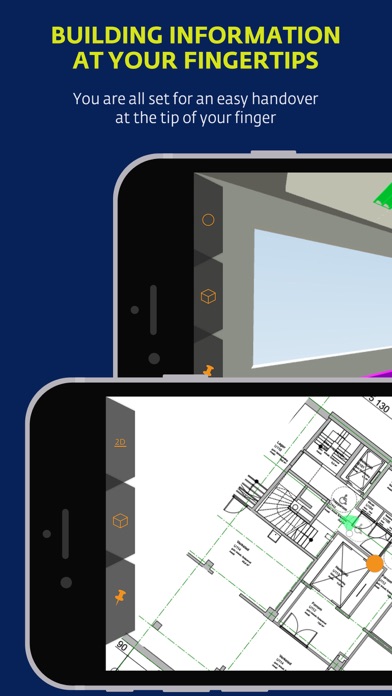
Screenshots by Rendra AS, from the the App Store listing
Description by Rendra AS Written by the developer, not by AppBrain. Click to read.
StreamBIM - An openBIM platform for interoperability for planning and execution of construction projects.
Easy to use for the craftsmen and project managers on site.
Streaming of BIM and drawings
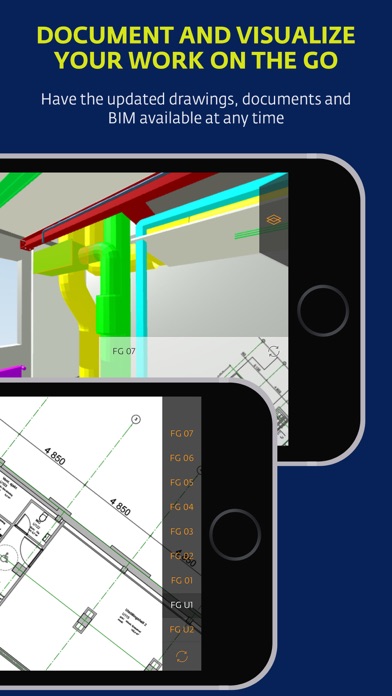
StreamBIM gives mobile access to the BIM, drawings and documents of your construction project. Our streaming technology makes mobile devices tackle the big and complex BIM models based on openBIM and IFC. When a drawing or model is uploaded to StreamBIM it is instantly available to all the members of your project.
BIM on mobile devices
Navigate quickly in federated BIM models. Select objects and read object information. Hide objects and model layers to explore the complex details of your project.
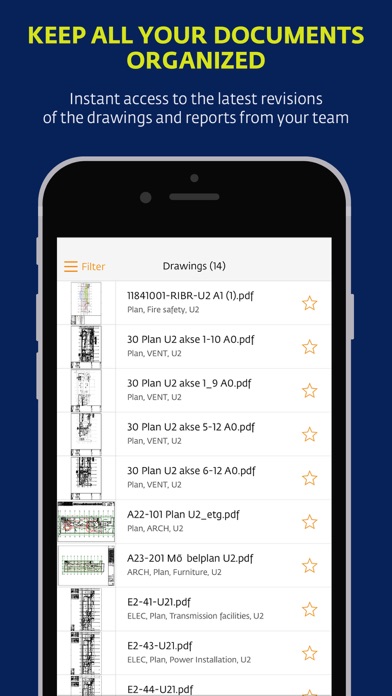
Drawings and documents
Get access to all the PDF drawings of your construction project – the symbiotic companion to your BIM.
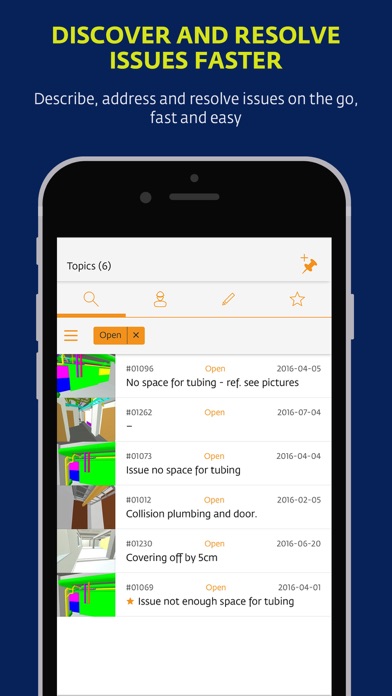
Communicate and document your workflow with pre-defined templates.
Easy to document the work you have done, easy for a manager to measure progress and mark the tasks as "done".
Easy to hand over documentation to the building owner.
Define working groups and whom to be member of the groups.
Share and discuss issues and workflows within the groups.
Easy to find the tasks which are assigned you.
Create annotation on issues or simply document the work that has been done. Directly linked to objects and the position in your BIM.
Easy to use for the craftsmen and project managers on site.
Streaming of BIM and drawings
StreamBIM gives mobile access to the BIM, drawings and documents of your construction project. Our streaming technology makes mobile devices tackle the big and complex BIM models based on openBIM and IFC. When a drawing or model is uploaded to StreamBIM it is instantly available to all the members of your project.
BIM on mobile devices
Navigate quickly in federated BIM models. Select objects and read object information. Hide objects and model layers to explore the complex details of your project.
Drawings and documents
Get access to all the PDF drawings of your construction project – the symbiotic companion to your BIM.
Communicate and document your workflow with pre-defined templates.
Easy to document the work you have done, easy for a manager to measure progress and mark the tasks as "done".
Easy to hand over documentation to the building owner.
Define working groups and whom to be member of the groups.
Share and discuss issues and workflows within the groups.
Easy to find the tasks which are assigned you.
Create annotation on issues or simply document the work that has been done. Directly linked to objects and the position in your BIM.