

Subs Tracker: Spendcheck
1.0.3
Zeeshan Aamir
0.00
0 reviews
Free

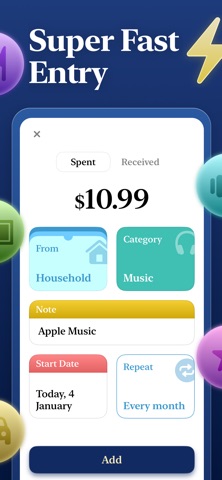
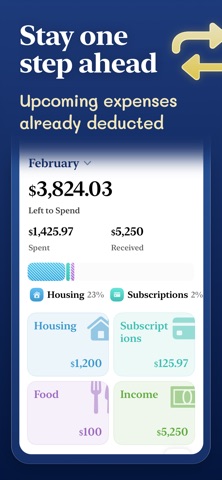


About Subs Tracker: Spendcheck
Subs Tracker: Spendcheck is an overall app developed by Zeeshan Aamir.
How many times has Subs Tracker: Spendcheck been downloaded?
What is the rating of Subs Tracker: Spendcheck?
Subs Tracker: Spendcheck has no ratings yet.
Is Subs Tracker: Spendcheck free?
Subs Tracker: Spendcheck is free to download. The APK download size is 10.61 MB. The latest version available is 1.0.3. The last update was on March 2, 2026.
What are the requirements for Subs Tracker: Spendcheck?
The app has a content rating of Everyone. The app has been available on Google Play January 2026.
Description
More data about Subs Tracker: Spendcheck
| Price | Free to download |
| Rating | No ratings |
| Ranking | Not ranked |
| Version | 1.0.3 |
| App download size | 10.6 MB |
| Suitable for | Everyone |
Alternative downloads for the Subs Tracker: Spendcheck app


More from Zeeshan Aamir

Changelog of Subs Tracker: Spendcheck
No changelog data
Developer information for Zeeshan Aamir
Zeeshan Aamir
Address:
Comments on Subs Tracker: Spendcheck for iOS
We don't have enough comments to show example comments. Please check back later.
App Store Rankings for Subs Tracker: Spendcheck
This app is not ranked
Technologies used by Subs Tracker: Spendcheck
Back to top