






AppBrain's verdict
- Last updated
- October 11, 2026
- Size
- 5.50 MB
User feedback
Ratings and reviews on the App StoreComments on SubTitler - Auto Captions for iOS
We don't have enough comments to show example comments. Please check back later.
Store listing
By Ryusei Mogi, from the App StoreDescription by Ryusei Mogi Written by the developer, not by AppBrain. Click to read.
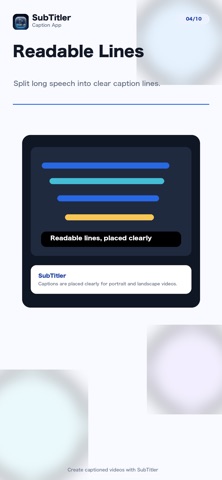
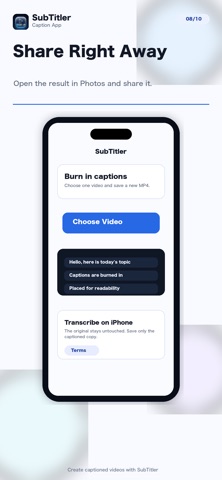
Choose a video and SubTitler transcribes the audio on iPhone, places readable captions on the video, and saves a new MP4 while leaving the original untouched.
Speech language detection is automatic by default. If detection is not a good fit, choose a language from the in-app searchable list before transcription.
Useful for
- Adding captions before posting to social apps
- Making spoken videos easier to watch
- Creating captioned videos without typing every line by hand
Main features
- Choose one video and create captions automatically
- Burn captions into the exported video
- Preserve the video's orientation and aspect ratio
- Save the generated video to Photos
- Run transcription and export on device
- Use automatic speech language detection or choose a language
- Correct frequently misheard names, brands, and specialist terms
All features are available for free. There is no paywall, subscription, or in-app purchase flow.
SubTitler does not include multi-video joining, automatic cutting, BGM, or manual timeline editing.
Terms of Use: https://kyodo.mo-gmo.com/en/terms/
Privacy Policy: https://kyodo.mo-gmo.com/en/privacy-policy/
Safety and technology
Found in the app by AppBrain- Price
- Free
- App size
- 5.50 MB
- Content rating
- Everyone
Technologies used by SubTitler - Auto Captions
Releases
Updates seen on the App Store- Version
- 1.0.5
- Launched
- May 2026
No changelog data
Alternatives
Similar apps and more from Ryusei MogiAlternatives to SubTitler - Auto Captions







More from Ryusei Mogi


Rankings
App Store top chartsApp Store Rankings for SubTitler - Auto Captions
About the app and developer
About SubTitler - Auto Captions
SubTitler - Auto Captions is a photo & video app developed by Ryusei Mogi.
User Ratings
The app has no ratings yet.
App Information
SubTitler - Auto Captions is freely available from the App Store. The app size is 5.50 MB. The latest version available is 1.0.5. The last update was on October 11, 2026.
Technical Requirements
The app has a content rating of Everyone. The app has been available on the App Store since May 2026.
SubTitler - Auto Captions is made and published by Ryusei Mogi. AppBrain is an independent app data site and isn't affiliated with Ryusei Mogi. The app name, icon, screenshots and description belong to Ryusei Mogi and are shown as published on the App Store.
Developer information for Ryusei Mogi
Address:
Frequently asked questions about SubTitler - Auto Captions
Is SubTitler - Auto Captions free?
Yes. SubTitler - Auto Captions is free on the App Store.
Is SubTitler - Auto Captions still available?
Yes. SubTitler - Auto Captions is on the App Store, and the last update we saw was on October 11, 2026.
How large is SubTitler - Auto Captions?
SubTitler - Auto Captions is 5.50 MB.
Is SubTitler - Auto Captions suitable for children?
App Store rates the content of SubTitler - Auto Captions as suitable for everyone.
Who made SubTitler - Auto Captions?
SubTitler - Auto Captions was developed by Ryusei Mogi. It is listed in the photo & video category on the App Store.
What are the best alternatives to SubTitler - Auto Captions?
People looking at SubTitler - Auto Captions also look at these photo & video apps: Captions for Video: AI Subs, RapidSubs Captions & Subtitles, Caption This - Video Subtitles, Easy Captions, AI Video Caption – Autocap.