




AppBrain's verdict
Established- Rating on App Store
- 5.00
- 5 ratings
- Last updated
- November 4, 2026
- Size
- 22.0 MB
It doesn't have enough ratings yet to judge what users think.
User feedback
Ratings and reviews on the App StoreComments on Super Easy Timer for iOS
We don't have enough comments to show example comments. Please check back later.
Store listing
By Paul Solt, from the App StoreDescription by Paul Solt Written by the developer, not by AppBrain. Click to read.
You start a timer. You open your email, a recipe, or your workout music. Then you have to go back just to check how much time is left.
Not anymore. Super Easy Timer floats over your other apps in a small Picture in Picture window that shows the time left and when it ends. Pause it right from that window.
Setting it takes a second: press the +, slide up to the time you want, and let go. Your timer starts. Or type it the way you'd say it: "25 min", "1h 30m", or "5pm".
Meeting running long? Type "+5" and keep going, without starting over. Or turn on count up, and see exactly how far over you are.
Three ways to see your time:
• Floating over your other apps, with Picture in Picture
• Full Screen: turn your phone sideways, and the digits fill the screen, big enough to read from across the room
• Lock Screen and Dynamic Island: check the time left, and pause it, without unlocking
Want just the time? Tap any empty space, and the clutter disappears, leaving only your timer and its controls. Turn on Prevent Auto-Lock, and the screen stays awake while the timer runs.
For every part of your day:
• Focus and study: 25 minutes on, 5 off (Pomodoro)
• Workouts: work and rest intervals, in rounds (Tabata)
• Classes, meetings, and speeches: a big timer that counts up when you run over
• Cooking: a kitchen timer that stays in view while you read the recipe
• Stopwatch down to the millisecond, and a clock when you just need the time
• Repeat: restart the same timer automatically
Phone on silent? For countdowns, turn on Use System Alarm, and your timer rings like an iPhone alarm, even when your phone is locked. It uses iOS Alarms & Timers, so iOS asks for your permission once.
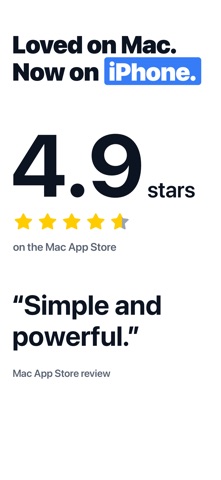
Loved on the Mac since 2018
4.9 stars on the Mac App Store
• "I've been using it for about 5 years and it's been the best timer I've ever used."
• "If you need an app to just show a countdown timer on your screen, especially for presentations, this is absolutely perfect."
• "Even adding an extra 5 minutes is simple (type '+5m' and you're done)."
• "It's helped me stay on task. It's helped me keep on deadlines."
• "...absolutely loving how easy it is to use and that I can input an end time for when to finish my lessons."
– Mac App Store reviews
Universal app: now available on iPhone, iPad, iPhone Duo, and Mac.
No ads. No accounts. Just a timer you can see.
Safety and technology
Found in the app by AppBrain- Price
- Free
- App size
- 22.0 MB
- Content rating
- Everyone
Technologies used by Super Easy Timer
Releases
Updates seen on the App Store- Version
- 3.0
- Launched
- July 2018
No changelog data
Alternatives
Similar apps and more from Paul SoltAlternatives to Super Easy Timer


More from Paul Solt


Rankings
App Store top chartsApp Store Rankings for Super Easy Timer
About the app and developer
About Super Easy Timer
Super Easy Timer is a productivity app developed by Paul Solt.
What is the rating of Super Easy Timer?
Super Easy Timer is rated 5.00 out of 5 stars, based on 5 ratings.
Is Super Easy Timer free?
Super Easy Timer is free. The app size is 21.95 MB. The latest version available is 3.0. The last update was on November 4, 2026.
What are the requirements for Super Easy Timer?
The app has a content rating of Everyone. The app has been available on the App Store since July 2018.
Super Easy Timer is made and published by Paul Solt. AppBrain is an independent app data site and isn't affiliated with Paul Solt. The app name, icon, screenshots and description belong to Paul Solt and are shown as published on the App Store.
Developer information for Paul Solt
Address: