
Super PDF: Editor,Reader,Maker
Super PDF: Editor,Reader,Maker is made and published by Gyoom. AppBrain is an independent app data site and isn't affiliated with Gyoom. The app name, icon, screenshots and description belong to Gyoom and are shown as published on the App Store.
AppBrain's verdict
Well rated- Rating on App Store
- 4.40
- 363 ratings
- Last updated
- May 16, 2023
Users rate it well: 4.4 stars from 363 ratings.
Rankings
App Store top chartsApp Store Rankings for Super PDF: Editor,Reader,Maker
Competitors
Similar apps and more from GyoomAlternatives to Super PDF: Editor,Reader,Maker





More from Gyoom




Releases
Updates seen on the App Store- Version
- 2.1
- Launched
- December 2022
No changelog data
User feedback
Ratings and reviews on the App StoreComments on Super PDF: Editor,Reader,Maker for iOS
We don't have enough comments to show example comments. Please check back later.
Technology
Found in the app by AppBrain- Price
- Free
- App size
- 212.2 MB
- Content rating
- Everyone
Technologies used by Super PDF: Editor,Reader,Maker
About the app and developer
About Super PDF: Editor,Reader,Maker
Super PDF: Editor,Reader,Maker is a productivity app developed by Gyoom.
User Ratings
Super PDF: Editor,Reader,Maker is rated 4.40 out of 5 stars. The rating is based on 360 ratings.
App Information
Super PDF: Editor,Reader,Maker is freely available from the App Store. The app size is 212.18 MB. The latest version available is 2.1. The last update was on May 16, 2023.
Technical Requirements
The app has a content rating of Everyone. The app has been available on the App Store since December 2022.
Developer information for Gyoom
Address:
Store listing
By Gyoom, from the App Store



Description by Gyoom Written by the developer, not by AppBrain. Click to read.
Application features:
- A superb pdf library to arrange and sort all your pdf files and books.
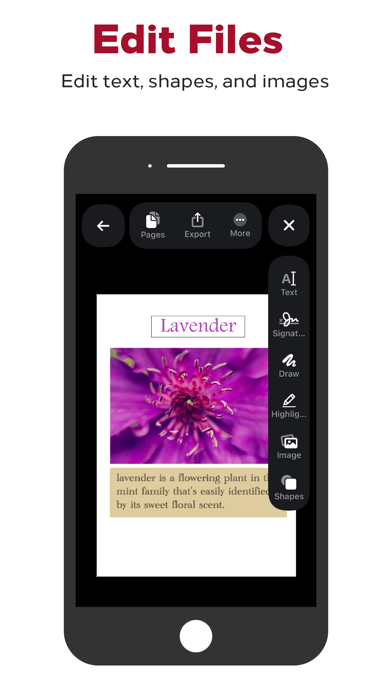
- Ability to edit pdf files and add drawings, sketches, and shapes.
- Ability to combine and merge multiple files together.
- Ability to add signatures to pdf files, and save them for future uses.
- Ability to add texts on pdf files using a variety of beautiful fonts.
- Ability to import and download custom fonts, and use them with your pdf files.
- Ability to add tags to your pdf files to speed up your reading.
- Ability to merge specific pages from one pdf file to another.
- Ability to create a pdf file from multiple photos.
- Ability to create a blank pdf file and edit it.
- Ability to create a pdf file by taking a photo using the camera.
- Ability to create a pdf file by scanning papers using the camera.
- Ability to import pdf files from URL.
Adding support for French, German, Hindi, Indonesian, Traditional Chinese, Simplified Chinese, Japanese, Korean, Portuguese, Russian, Spanish, Italian, Turkish, and Urdu languages.