

Superlist: To Do List & Notes
Superlist: To Do List & Notes is made and published by Superlist Software GmbH. AppBrain is an independent app data site and isn't affiliated with Superlist Software GmbH. The app name, icon, screenshots and description belong to Superlist Software GmbH and are shown as published on the App Store.
AppBrain's verdict
Loved by users- Rating on App Store
- 4.53
- 460 ratings
- Last updated
- October 13, 2026
Users love it: 4.5 stars from 460 ratings.
Rankings
App Store top chartsApp Store Rankings for Superlist: To Do List & Notes
Competitors
Similar apps and more from Superlist Software GmbHMore from Superlist Software GmbH

Also available on Google Play

Releases
Updates seen on the App Store- Version
- 1.58.2
- Launched
- November 2023
No changelog data
User feedback
Ratings and reviews on the App StoreComments on Superlist: To Do List & Notes for iOS
We don't have enough comments to show example comments. Please check back later.
Technology
Found in the app by AppBrain- Price
- Free
- App size
- 130.1 MB
- Content rating
- Everyone
Technologies used by Superlist: To Do List & Notes
About the app and developer
About Superlist: To Do List & Notes
Superlist: To Do List & Notes is a productivity app developed by Superlist Software GmbH.
User Ratings
Superlist: To Do List & Notes is rated 4.53 out of 5 stars. The rating is based on 460 ratings.
App Information
Superlist: To Do List & Notes is freely available from the App Store. The app size is 130.07 MB. The latest version available is 1.58.2. The last update was on October 13, 2026.
Technical Requirements
The app has a content rating of Everyone. The app has been available on the App Store since November 2023.
Developer information for Superlist Software GmbH
Address:
Store listing
By Superlist Software GmbH, from the App Store




Description by Superlist Software GmbH Written by the developer, not by AppBrain. Click to read.
Capture AI meeting notes, create tasks by voice, collaborate in real-time, and manage it all in one beautiful place.
AI that turns meetings into action:
- Auto-generate structured meeting notes — summaries, action items, and due dates — the moment your call ends.
- Ask AI Chat follow-up questions about any meeting, or generate replies and next steps from your notes.
- Speak your thoughts with the Voice Assistant — Superlist turns them into tasks, reminders, and notes instantly.
- Convert Slack messages, emails, and Linear tickets into tasks with one tap.
The fastest way from idea to done:
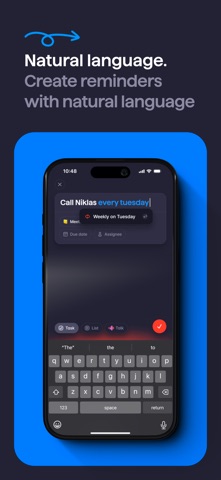
- Create tasks in plain language — type "call Sarah tomorrow at 3pm" and Superlist handles the rest.
- Start projects instantly with AI-assisted list generation.
- Add due dates just by typing them — no menus.
- Capture notes, brainstorm, and turn thoughts into todos.
Everything in one place:
- Organized, customizable lists with infinite subtask nesting.
- Work projects, personal goals, and everything between — in one view.
- Reminders and notifications across all your devices.
- Repeatable tasks to build your routine.
Work better together:
- Real-time collaboration on shared lists and projects.
- Chat inside tasks to keep conversations on-point.
- Share lists, assign tasks, and manage work — without switching apps.
- Integrates with Slack, Linear, GitHub, Gmail, Google Calendar, and more.
Built for real people:
- A beautiful interface that's a joy to use.
- Customize lists with cover images and emojis.
- Works on every device, online and offline.
Why people switch from other to-do apps:
Most productivity apps are either too basic or too complicated. The team behind Wunderlist built Superlist to give you the power of a task manager and project planner with the simplicity of a to-do list.
- No complicated setup
- Start free, upgrade when you need more
- Privacy-first and secure. Made in Germany.
Perfect for:
- Daily to-do lists and personal task management
- Team tasks and collaboration
- Meeting notes and AI note-taking
- Project planning and project management
- Shopping lists, family lists, and checklists
- Habit tracking, routines, and daily planning
- GTD (Getting Things Done) workflow
- Students, freelancers, and busy professionals
Get started today for free.
Superlist can be used for free, but you can upgrade and unlock more features with a subscription. A monthly or yearly purchase will be applied to your iTunes account on confirmation. Subscriptions auto-renew unless canceled within 24 hours before the end of the current period. Cancel anytime in your iTunes account settings. Any unused portion of a free trial is forfeited if you purchase a subscription. See our Terms of Use (www.superlist.com/terms) and Privacy Policy (www.superlist.com/privacy-policy).