

SuperPass(Password Manager)
SuperPass(Password Manager) is made and published by Infovine co., Ltd. AppBrain is an independent app data site and isn't affiliated with Infovine co., Ltd. The app name, icon, screenshots and description belong to Infovine co., Ltd and are shown as published on the App Store.
AppBrain's verdict
Established- Rating on App Store
- 3.00
- 2 ratings
- Last updated
- February 6, 2023
It doesn't have enough ratings yet to judge what users think.
Rankings
App Store top chartsApp Store Rankings for SuperPass(Password Manager)
Competitors
Similar apps and more from Infovine co., LtdAlternatives to SuperPass(Password Manager)





Releases
Updates seen on the App Store- Version
- 1.0.19
- Launched
- June 2015
No changelog data
User feedback
Ratings and reviews on the App StoreComments on SuperPass(Password Manager) for iOS
We don't have enough comments to show example comments. Please check back later.
Technology
Found in the app by AppBrain- Price
- Free
- App size
- 74.2 MB
- Content rating
- High
Technologies used by SuperPass(Password Manager)
About the app and developer
About SuperPass(Password Manager)
SuperPass(Password Manager) is a productivity app developed by Infovine co., Ltd.
What is the rating of SuperPass(Password Manager)?
SuperPass(Password Manager) is rated 3.00 out of 5 stars, based on 2 ratings.
Is SuperPass(Password Manager) free?
SuperPass(Password Manager) is free. The app size is 74.15 MB. The latest version available is 1.0.19. The last update was on February 6, 2023.
What are the requirements for SuperPass(Password Manager)?
The app has a content rating of High Maturity. The app has been available on the App Store since June 2015.
Developer information for Infovine co., Ltd
Address:
Frequently asked questions about SuperPass(Password Manager)
Is SuperPass(Password Manager) free?
Yes. SuperPass(Password Manager) is free on the App Store.
Is SuperPass(Password Manager) still available?
Yes. SuperPass(Password Manager) is on the App Store, and the last update we saw was on February 6, 2023.
How large is SuperPass(Password Manager)?
SuperPass(Password Manager) is 74.15 MB.
Is SuperPass(Password Manager) suitable for children?
App Store gives SuperPass(Password Manager) a high maturity rating. It is meant for adults.
How do people rate SuperPass(Password Manager)?
SuperPass(Password Manager) scores 3.00 out of 5 stars, from 2 ratings on the App Store.
Who made SuperPass(Password Manager)?
SuperPass(Password Manager) was developed by Infovine co., Ltd. It is listed in the productivity category on the App Store.
What are the best alternatives to SuperPass(Password Manager)?
People looking at SuperPass(Password Manager) also look at these productivity apps: Mobile CMS, XMEYE PLUS, #1 Password Generator, Securus SVMS, Super Passwords.
Store listing
By Infovine co., Ltd, from the App Store
Description by Infovine co., Ltd Written by the developer, not by AppBrain. Click to read.
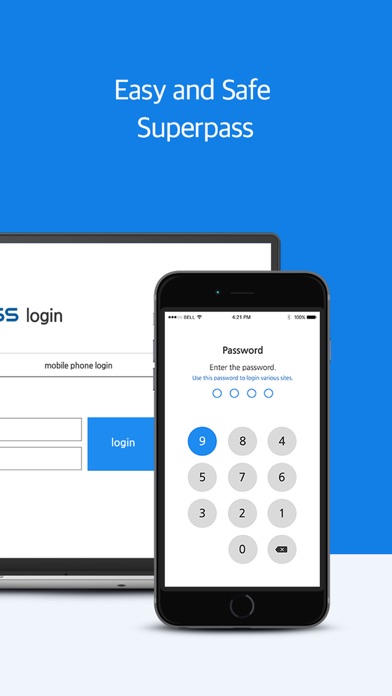
SuperPass allows to login to all sites without memorizing IDs and passwords.
You are safe even when losing your mobile phone or the password is hacked. You may tust and use SuperPass!
▣ SuperPass smarter than Einstein remember for you..
- Login to all sites with only one password
- Login information saving for unlimited global sites
- Robust password creation
▣ Login service faster than Superman is offered.
- Fast login with the mobile phone number
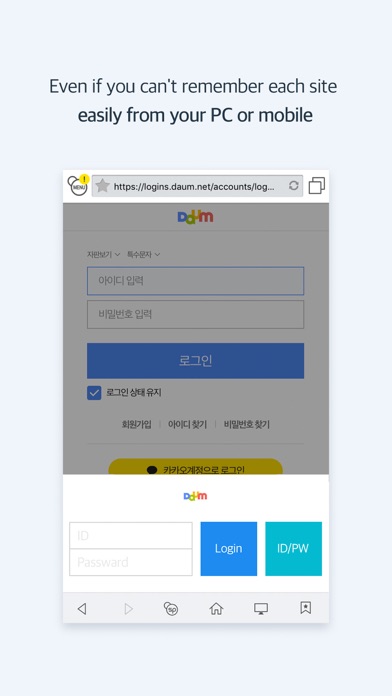
- Supports all mobile and PC brewers (Other browser optimization)
- One-touch smartphone ID/Password entrance
▣ SuperPass safer than bank vaults protects strongly.
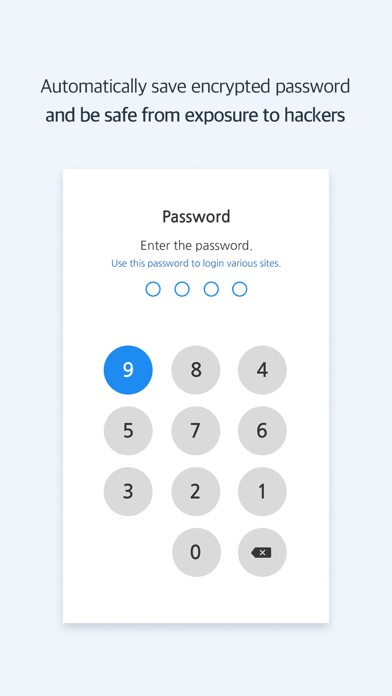
- ID and password are equally distributed and saved in the customer’s mobile phone and the safety server.
(Even when the mobile phone is lost, no concern is required at all..)
- Safe use by application of AES-256 algorithm and E2E in the sectional encryption.
- Confirmation e-mail to backup/import of login information
* SuperPass is recommended for the people like followings.
- Ones who have seen the login failure notification
- Ones who have tried the search for ID and password
- Ones having difficulty to remember the password for any signed up sites.
- Ones have set a different password for each site.
- Ones concerning for the leak of frequently used password for its easy formation.
- Ones have experienced to miss any special priced product due to the failure to remember ID and password
◈ SuperPass supports everyone having difficulties to remember..
No more need to memorize IDs and passwords!
SuperPass allows to login to all sites without memorizing IDs and passwords.
* Terms of Service : http://www.isuperpass.com/subpage/agreement.aspx
* Privacy Policy : http://isuperpass.com/privacy.aspx
--------------------------------------------------
* Superpass charges a monthly subscription fee. (monthly 1,200won / VAT included)
- The subscription payment will automatically renew each month and be charged.
- Subscription cancellations can be done at AppStore. (account > subscription)
- After cancelling the subscription it is possible to use the service for the remaining time paid for.
- Even if you delete the app or the account, the subscription does not automatically stop.
- Please cancel the subscription directly at AppStore.