

SVPlayer - watch in 60+ fps
SVPlayer - watch in 60+ fps is made and published by Konstantin Dondoshanskii. AppBrain is an independent app data site and isn't affiliated with Konstantin Dondoshanskii. The app name, icon, screenshots and description belong to Konstantin Dondoshanskii and are shown as published on the App Store.
AppBrain's verdict
- Rating on App Store
- 4.41
- 83 ratings
- Last updated
- March 12, 2026
It doesn't have enough ratings yet to judge what users think.
Rankings
App Store top chartsApp Store Rankings for SVPlayer - watch in 60+ fps
Competitors
Similar apps and more from Konstantin DondoshanskiiAlternatives to SVPlayer - watch in 60+ fps







Also available on Google Play

Releases
Updates seen on the App Store- Version
- 1.8.0
- Launched
- May 2023
No changelog data
User feedback
Ratings and reviews on the App StoreComments on SVPlayer - watch in 60+ fps for iOS
We don't have enough comments to show example comments. Please check back later.
Technology
Found in the app by AppBrain- Price
- Free
- App size
- 84.1 MB
- Content rating
- Everyone
Technologies used by SVPlayer - watch in 60+ fps
About the app and developer
About SVPlayer - watch in 60+ fps
SVPlayer - watch in 60+ fps is an entertainment app developed by Konstantin Dondoshanskii.
What is the rating of SVPlayer - watch in 60+ fps?
SVPlayer - watch in 60+ fps is rated 4.41 out of 5 stars, based on 83 ratings.
Is SVPlayer - watch in 60+ fps free?
SVPlayer - watch in 60+ fps is free. The app size is 84.12 MB. The latest version available is 1.8.0. The last update was on March 12, 2026.
What are the requirements for SVPlayer - watch in 60+ fps?
The app has a content rating of Everyone. The app has been available on the App Store since May 2023.
Developer information for Konstantin Dondoshanskii
Address:
Frequently asked questions about SVPlayer - watch in 60+ fps
Is SVPlayer - watch in 60+ fps free?
Yes. SVPlayer - watch in 60+ fps is free on the App Store.
Is SVPlayer - watch in 60+ fps still available?
Yes. SVPlayer - watch in 60+ fps is on the App Store, and the last update we saw was on March 12, 2026.
How large is SVPlayer - watch in 60+ fps?
SVPlayer - watch in 60+ fps is 84.12 MB.
Is SVPlayer - watch in 60+ fps suitable for children?
App Store rates the content of SVPlayer - watch in 60+ fps as suitable for everyone.
How do people rate SVPlayer - watch in 60+ fps?
SVPlayer - watch in 60+ fps scores 4.41 out of 5 stars, from 83 ratings on the App Store.
Who made SVPlayer - watch in 60+ fps?
SVPlayer - watch in 60+ fps was developed by Konstantin Dondoshanskii. It is listed in the entertainment category on the App Store.
What are the best alternatives to SVPlayer - watch in 60+ fps?
People looking at SVPlayer - watch in 60+ fps also look at these entertainment apps: SVPlayer-看视频做笔记, VRPlayer Pro : 2D 3D 360°Video, 4DMEDIAPLAYER, Outplayer, EXOFIELD THEATER.
Store listing
By Konstantin Dondoshanskii, from the App Store

Description by Konstantin Dondoshanskii Written by the developer, not by AppBrain. Click to read.
In-App subscriptions: Frame Rate Conversion (aka FRC aka HFR aka MEMC) is a PAID option after short trial period.
ALL OTHER FEATURES ARE FREE (yes, including MKV files playback).
Uses SmoothVideo Project (SVP) real-time motion interpolation (MEMC) engine, including:
* Target frame rate selection (48 fps, 60 fps, 120(*) fps, x2, x3 rate...)
* Flexible configuration
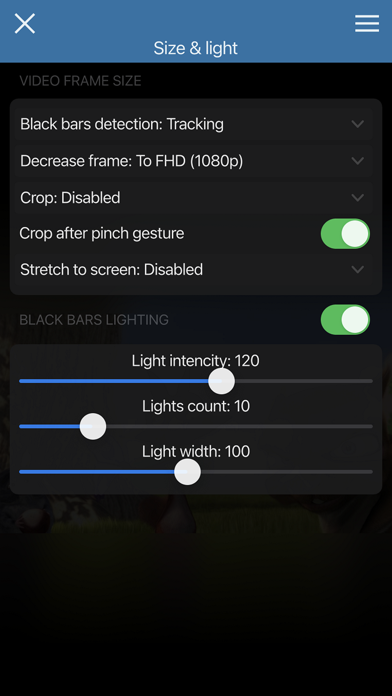
* Black bars detection and lighting
plus
* Can do high quality frame rate conversion (for example, using RIFE neural network) via a desktop PC/Mac running SVP 4 application.
* Built-in file browser supporting streaming from WebDAV, FTP, SMB, DLNA, Emby Server and Plex Server.
Please note that the SVP engine requires a recent and powerful CPU. At least Apple A13 performance level is highly recommended for 1080p playback with frame rate conversion enabled. SVPlayer WILL drain the battery like top games do and it MAY NOT WORK at all on old/slow devices. Please don't write bad reviews just because your device can't handle it.
Based on mpv video player which supports:
* All video and audio formats out there;
* Hardware video decoding;
* Network stream playback;
* High quality scaling and rendering;
* AFR (adaptive frame rate)
* HDR tone mapping;
* Audio normalization and equalization;
* Direct mpv.conf access;
* and much more...
See more info and desktop applications on our website!
(*) 120 fps support depends on hardware and iOS version.
EULA: https://www.apple.com/legal/internet-services/itunes/dev/stdeula/