

Swing Click is made and published by Luke Barlow. AppBrain is an independent app data site and isn't affiliated with Luke Barlow. The app name, icon, screenshots and description belong to Luke Barlow and are shown as published on the App Store.
AppBrain's verdict
- Rating on App Store
- 4.75
- 4 ratings
- Last updated
- March 12, 2024
- Size
- 6.93 MB
It doesn't have enough ratings yet to judge what users think.
User feedback
Ratings and reviews on the App StoreComments on Swing Click for iOS
We don't have enough comments to show example comments. Please check back later.
Store listing
By Luke Barlow, from the App Store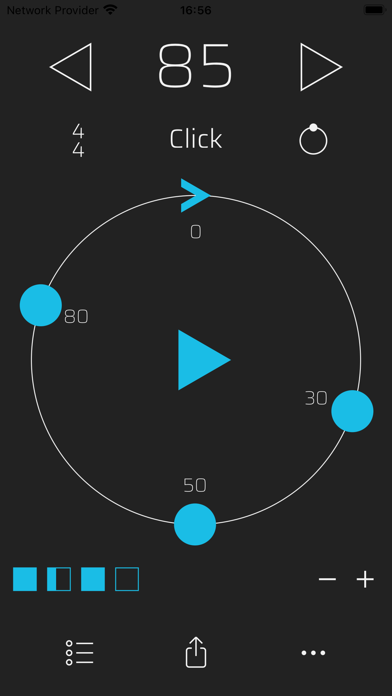

Description by Luke Barlow Written by the developer, not by AppBrain. Click to read.
Many people have trouble hearing and understanding different timing feels, and we can get locked in to habits of timing, thinking we’re doing something that we’re not actually doing.
Swing Click allows you to freely set subdivisions in the beat, and slow the groove to a speed where you can really hear if you’re in or out, to build up from there.
- Train your internal clock:
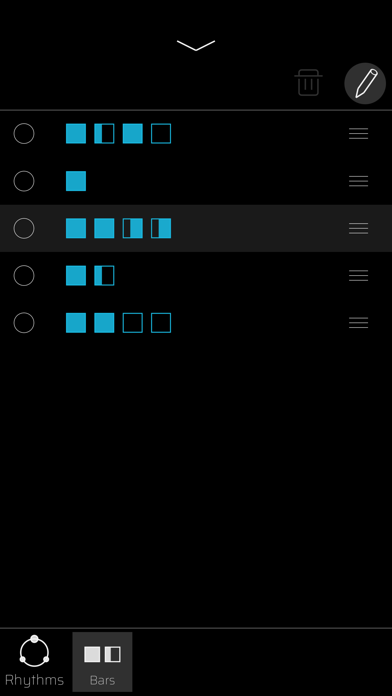
Make your own practise loops with bars of silence, just downbeats, or just off-beats
- Tempo:
10-400bpm range
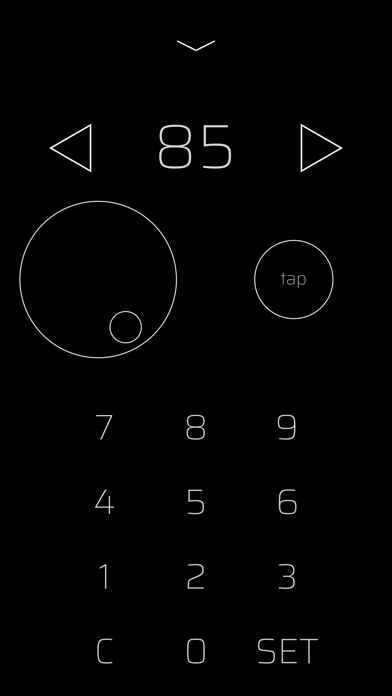
Quick change from the main screen, plus three additional ways to change tempo:
Tap Tempo
Scroller
Keypad entry
- Presets:
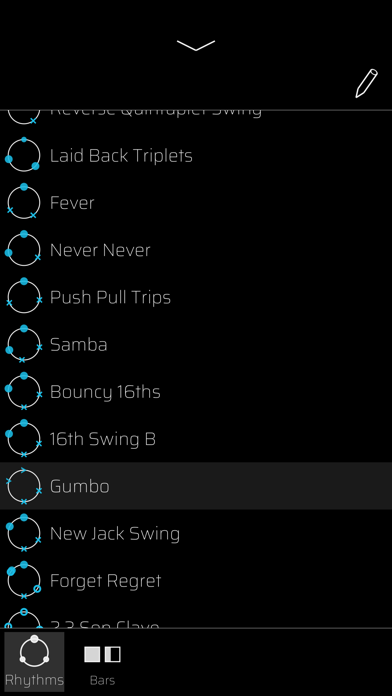
Save, edit and recall both grooves and bar sequences separately.
- Sounds:
Comes with a range of sounds to choose your favourite, as well as a variety of drum sounds for all musicians to play along to!
Swing Click Metronome allows a way of exploring and practising in a clear and methodical way, with the goal of then hearing & playing with the ideas in musical contexts. You can find timing placements that feel unfamiliar to you in order to be comfortable with all parts of the beat.
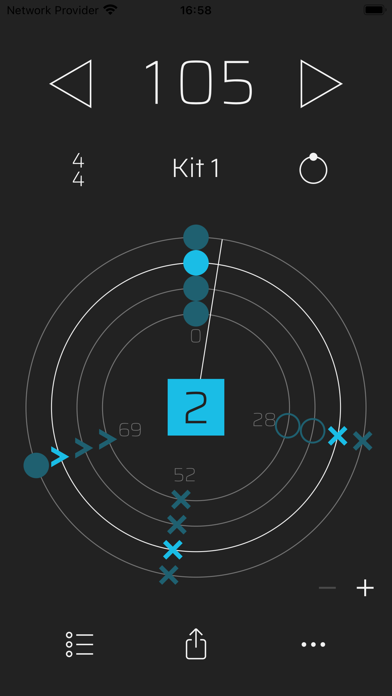
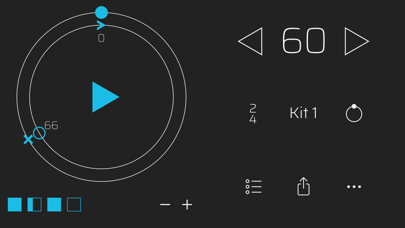
The circle represents one beat, with the downbeat at the top. Every time a beat goes by, we get back to the top of the circle.
By adding a ‘hit’, we can add an ‘offbeat’. If you were counting quavers/8th notes, this would be the ‘And’ of the beat.
The number next to each hit shows the percentage of how far it is through the beat. By moving it later (or earlier), you make it ‘swing’
You can add as many points as you like within the beat to make unique rhythms to practise, try some of the presets, and clear the whole beat at any time with the reset button.
For more info and tutorial videos, visit https://swingclickapp.com
Safety and technology
Found in the app by AppBrain- Price
- Free
- App size
- 6.93 MB
- Content rating
- Everyone
Technologies used by Swing Click
Releases
Updates seen on the App Store- Version
- 1.0
- Launched
- March 2024
No changelog data
Alternatives
Similar apps and more from Luke BarlowAlso available on Google Play

Rankings
App Store top chartsApp Store Rankings for Swing Click
About the app and developer
About Swing Click
Swing Click is a music app developed by Luke Barlow.
User Ratings
Swing Click is rated 4.75 out of 5 stars. The rating is based on 4 ratings.
App Information
Swing Click is freely available from the App Store. The app size is 6.93 MB. The latest version available is 1.0. The last update was on March 12, 2024.
Technical Requirements
The app has a content rating of Everyone. The app has been available on the App Store since March 2024.
Developer information for Luke Barlow
Address:
Frequently asked questions about Swing Click
Is Swing Click free?
Yes. Swing Click is free on the App Store.
Is Swing Click still available?
Yes. Swing Click is on the App Store, and the last update we saw was on March 12, 2024.
How large is Swing Click?
Swing Click is 6.93 MB.
Is Swing Click suitable for children?
App Store rates the content of Swing Click as suitable for everyone.
How do people rate Swing Click?
Swing Click scores 4.75 out of 5 stars, from 4 ratings on the App Store.
Who made Swing Click?
Swing Click was developed by Luke Barlow. It is listed in the music category on the App Store.