SwipeLeft Photo Cleaner is made and published by
智聪 朱.
AppBrain is an independent app data site and isn't affiliated with 智聪 朱.
The app name, icon, screenshots and description belong to 智聪 朱 and are shown as
published on the App Store.
About SwipeLeft Photo Cleaner
SwipeLeft Photo Cleaner is an utilities app developed by 智聪 朱.
What is the rating of SwipeLeft Photo Cleaner?
SwipeLeft Photo Cleaner has no ratings yet.
Is SwipeLeft Photo Cleaner free?
SwipeLeft Photo Cleaner is free. The app size is 4.67 MB. The latest version available is 1.0.1. The last update was on September 14, 2026.
What are the requirements for SwipeLeft Photo Cleaner?
The app has a content rating of Everyone. The app has been available on the App Store since September 2026.
Description by 智聪 朱(from the App Store)
There are a few thousand photos on your phone. Half of them are near-duplicates, expired screenshots, and things you looked at once and never opened again. You know you should clear them out. But the thought of long-pressing, selecting, and confirming one photo at a time is enough to make you put the phone down.
SwipeLeft turns all of that into a single gesture.
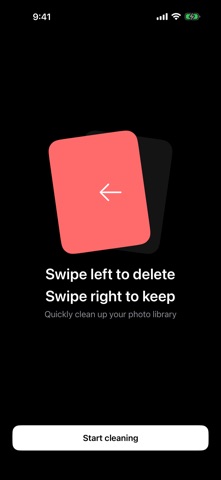
• One gesture, one photo Swipe left to delete, right to keep. No long press, no checkboxes, no confirmation dialog per photo. Your thumb moves back and forth and you get through dozens of photos in a minute. Swiped wrong? Undo in the bottom-left corner takes you back.
• Month by month, so it actually ends Photos are grouped by the month they were taken. Clear August today, July tomorrow. Each month is a stretch of road with an end to it, not an endless scroll. Finish one and a tile lights up on your cleanup wall.
• Deleting is safe Marked photos don't disappear right away. When you tap Done, iOS shows its own delete confirmation, and the photos move to your Recently Deleted album, where they stay for 30 days. Everything goes through Apple's official Photos framework — nothing is worked around.
• Your photos never leave your phone SwipeLeft doesn't upload your photos, doesn't run face detection, and doesn't analyze anything in the cloud. It reads your library on device and deletes on device. No account, no sign-in, no subscription.
• A few things that help · Time Machine — surface a random old photo · Screenshots and Screen Recordings — the two folders that pile up fastest, one tap away · Cleanup wall — how many photos you've cleared and how much space you've freed
Free. No ads. No in-app purchases. iPhone, iOS 17 or later.
Each subscription will automatically renew 3 days before the expiration date for
the same time period. Subscriptions can be cancelled at any time before the renewal.