

SwipeNote: Organize your notes
SwipeNote: Organize your notes is made and published by Mehar Nallamalli. AppBrain is an independent app data site and isn't affiliated with Mehar Nallamalli. The app name, icon, screenshots and description belong to Mehar Nallamalli and are shown as published on the App Store.
AppBrain's verdict
- Rating on App Store
- 4.67
- 12 ratings
- Last updated
- December 3, 2025
It doesn't have enough ratings yet to judge what users think.
Rankings
App Store top chartsApp Store Rankings for SwipeNote: Organize your notes
Competitors
Similar apps and more from Mehar NallamalliAlternatives to SwipeNote: Organize your notes




Releases
Updates seen on the App Store- Version
- 5.21
- Launched
- November 2025
No changelog data
User feedback
Ratings and reviews on the App StoreComments on SwipeNote: Organize your notes for iOS
We don't have enough comments to show example comments. Please check back later.
Technology
Found in the app by AppBrain- Price
- Free
- App size
- 11.7 MB
- Content rating
- Everyone
Technologies used by SwipeNote: Organize your notes
About the app and developer
About SwipeNote: Organize your notes
SwipeNote: Organize your notes is a productivity app developed by Mehar Nallamalli.
What is the rating of SwipeNote: Organize your notes?
SwipeNote: Organize your notes is rated 4.67 out of 5 stars, based on 12 ratings.
Is SwipeNote: Organize your notes free?
SwipeNote: Organize your notes is free. The app size is 11.66 MB. The latest version available is 5.21. The last update was on December 3, 2025.
What are the requirements for SwipeNote: Organize your notes?
The app has a content rating of Everyone. The app has been available on the App Store since November 2025.
Developer information for Mehar Nallamalli
Address:
Frequently asked questions about SwipeNote: Organize your notes
Is SwipeNote: Organize your notes free?
Yes. SwipeNote: Organize your notes is free on the App Store.
Is SwipeNote: Organize your notes still available?
Yes. SwipeNote: Organize your notes is on the App Store, and the last update we saw was on December 3, 2025.
How large is SwipeNote: Organize your notes?
SwipeNote: Organize your notes is 11.66 MB.
Is SwipeNote: Organize your notes suitable for children?
App Store rates the content of SwipeNote: Organize your notes as suitable for everyone.
How do people rate SwipeNote: Organize your notes?
SwipeNote: Organize your notes scores 4.67 out of 5 stars, from 12 ratings on the App Store.
Who made SwipeNote: Organize your notes?
SwipeNote: Organize your notes was developed by Mehar Nallamalli. It is listed in the productivity category on the App Store.
What are the best alternatives to SwipeNote: Organize your notes?
People looking at SwipeNote: Organize your notes also look at these productivity apps: DayZen: Visual Time Planner, Resolution Tracker: Resolutely, ArticleCast: AI Podcast Maker, ZyNotes: Private Notes, SquareNotes.
Store listing
By Mehar Nallamalli, from the App Store


Description by Mehar Nallamalli Written by the developer, not by AppBrain. Click to read.
SwipeNote is my solution to that.
SwipeNote helps you rediscover forgotten ideas and organize your notes effortlessly.
Swipe through your past notes one by one — left to dismiss, right to organize.
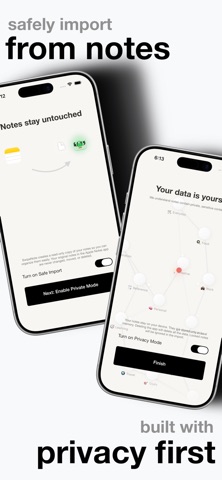
SwipeNote creates a read-only copy of your notes that stay on your device and will not be able to be read by anyone. Your original notes in the Apple Notes app are never changed, moved, or deleted.
Each note you swipe right on gets automatically sorted into the right category, helping you build an organized collection of your thoughts.
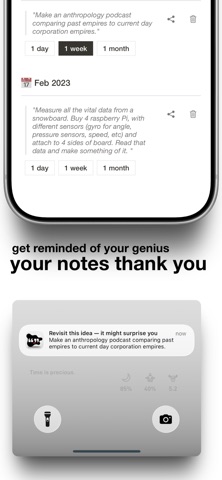
Then, you can set a reminder to be notified of your genius so it doesn't just collect dust.
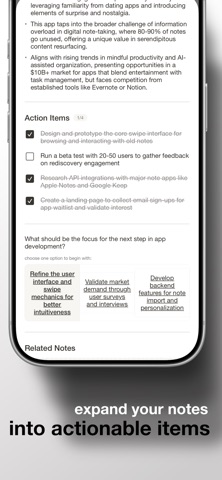
Your notes are half an idea. If you want to make a complete thought, SwipeNote uses AI to grow your seedling by giving you action items, insights, and related notes.
We understand notes contain private, sensitive content.
This is a privacy first app. Your notes stay on your device. They are stored only in local memory. Deleting the app will delete all the data. Locked notes will be ignored in the import.
Features
- Swipe-based navigation through your past notes
- Automatic organization by category
- Minimal, distraction-free design
- Optional AI expansion
- Smooth animations and a delightful tactile feel
- Option to share a specific note snippet
- Notifications to be reminded of a specific note snippet
This is perfect for:
- Creatives looking to rediscover old ideas.
- Anyone who loves productivity tools with personality.
- People who want to organize notes while going on a journey of the past.