SyncTime is made and published by
Nicolas Kick.
AppBrain is an independent app data site and isn't affiliated with Nicolas Kick.
The app name, icon, screenshots and description belong to Nicolas Kick and are shown as
published on the App Store.
About SyncTime
SyncTime is an utilities app developed by Nicolas Kick.
What is the rating of SyncTime?
SyncTime has no ratings yet.
Is SyncTime free?
SyncTime costs $22.99. The app size is 2.92 MB. The latest version available is 5.6. The last update was on September 24, 2026.
What are the requirements for SyncTime?
The app has a content rating of Everyone. The app has been available on the App Store since January 2013.
Description by Nicolas Kick(from the App Store)
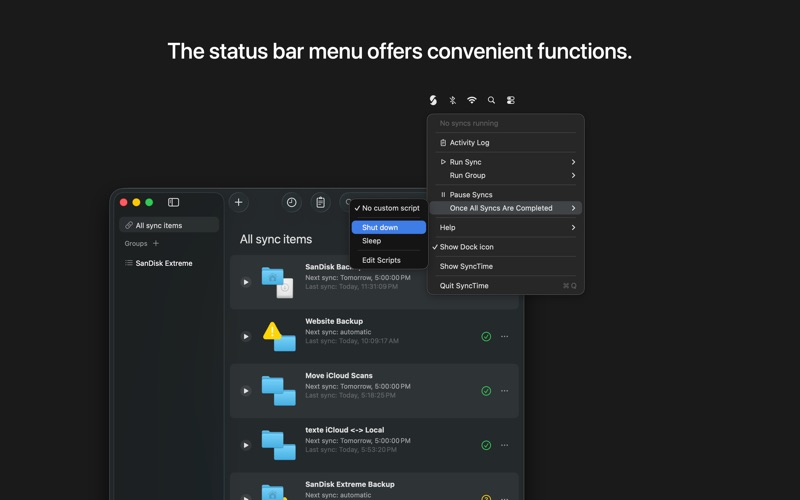
SyncTime is the easy-to-use and flexible solution to synchronize your files. Keep all your backup copies up to date with the click of a button, with automated schedules, from the Shortcuts app (requires macOS 13 or newer) or even via AppleScript.
* To find out if SyncTime is the right solution for you, you can download and use SyncTime Lite for free. The only limitation of SyncTime Lite is that it discards any previous sync settings when closing and opening the app again. *
You can create as many sync items as you need and customize each one individually. In the standard configuration, a sync item consists of two directories: a source and a destination. You can choose any directory reachable in the Finder: it can be located on your Mac, on an external drive, or on a remote server.
Among the possible options you will find: • select several sources and destinations: all the sources will be virtually merged and copied to every destination • overwrite policy: overwrite only if the source file is newer than the destination file, overwrite if the source file has a different timestamp or size, always overwrite or never overwrite • sync type: one-way sync (copy source to destination), two-way sync (merge source and destination) and one-way move (delete the source files after a successful copy to the destination) • remove files that don’t exist on the source anymore • add file filters with names or tags containing specific words or matching a regular expression, or modification dates or sizes in a specific range. Matching files can be excluded or included • track moved and renamed files • background syncing: files on your Mac are monitored for changes in real time • start to sync automatically whenever source and destination become available or set up a custom sync schedule • dependencies: a sync item will first trigger all its dependencies (if any) and run automatically when they are completed • backup strategy: files to be overwritten or removed can be moved to the trash, or to a custom directory, or a full, incremental copy of the destination can be made, linking unchanged files • skip the confirmation dialog once you're confident that the sync behaves correctly • install AppleScripts (or create your own) to be executed when a specific sync has completed or after all syncs have completed. By default you can install scripts that shut down your Mac, send an email with the sync results, and more.
If you have any requests, suggestions or bug reports, please visit the website by clicking the Support button.
Each subscription will automatically renew 3 days before the expiration date for
the same time period. Subscriptions can be cancelled at any time before the renewal.