

T_Alarm is made and published by shouhui qi. AppBrain is an independent app data site and isn't affiliated with shouhui qi. The app name, icon, screenshots and description belong to shouhui qi and are shown as published on the App Store.
AppBrain's verdict
- Last updated
- October 27, 2026
Rankings
App Store top chartsApp Store Rankings for T_Alarm
This app is not ranked
Competitors
Similar apps and more from shouhui qiAlternatives to T_Alarm





More from shouhui qi




Releases
Updates seen on the App Store- Version
- 3.0.0
- Launched
- December 2016
No changelog data
User feedback
Ratings and reviews on the App StoreComments on T_Alarm for iOS
We don't have enough comments to show example comments. Please check back later.
Technology
Found in the app by AppBrain- Price
- Free
- App size
- 45.3 MB
- Content rating
- Everyone
Technologies used by T_Alarm
About the app and developer
About T_Alarm
T_Alarm is an utilities app developed by shouhui qi.
What is the rating of T_Alarm?
T_Alarm has no ratings yet.
Is T_Alarm free?
T_Alarm is free. The app size is 45.29 MB. The latest version available is 3.0.0. The last update was on October 27, 2026.
What are the requirements for T_Alarm?
The app has a content rating of Everyone. The app has been available on the App Store since December 2016.
Developer information for shouhui qi
Address:
Store listing
By shouhui qi, from the App Store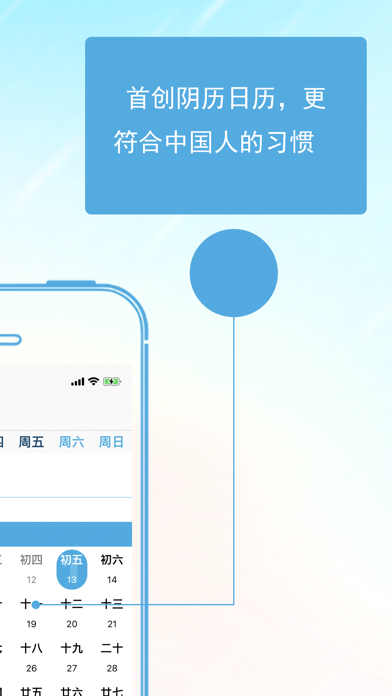

Screenshots by shouhui qi, from the the App Store listing
Description by shouhui qi Written by the developer, not by AppBrain. Click to read.
Ji Zhe Dian keeps every birthday, anniversary, exam and memorial day on one timeline.
1. Lunar dates, done right
Birthdays, anniversaries and memorial days can repeat on the lunar calendar. Pick a lunar month and day once, and every next occurrence is computed from the real lunar calendar - leap months and short/long months included. No manual conversion, no off-by-one-day surprises.
2. Solar and lunar side by side
The month view shows the Gregorian date together with the lunar date, solar terms, traditional festivals, public holidays and weekends.
3. A countdown you can read at a glance
One colorful card per date: big day count in the middle, "To:" on the top-left, today is 0 days. Drag to reorder.
4. Reminders and alarms
Get a reminder N days ahead, or register the date as a system alarm so it rings even in Silent or Focus mode.
5. Elapsed days
For things you just want to remember - in love, met on, kept going - a separate section that does not touch your reminders.
6. Colors and stickers
Every type has its own default color (birthday, anniversary, exam, memorial); pick any color and sticker you like. Looks right in light and dark mode.
7. Widgets and Apple Watch
Your nearest countdowns on the Home Screen widget, on your wrist, and as watch face complications.
8. Stored on your device
Everything stays on your iPhone and Apple Watch. Nothing is uploaded to a server.
1. Lunar dates, done right
Birthdays, anniversaries and memorial days can repeat on the lunar calendar. Pick a lunar month and day once, and every next occurrence is computed from the real lunar calendar - leap months and short/long months included. No manual conversion, no off-by-one-day surprises.
2. Solar and lunar side by side
The month view shows the Gregorian date together with the lunar date, solar terms, traditional festivals, public holidays and weekends.
3. A countdown you can read at a glance
One colorful card per date: big day count in the middle, "To:" on the top-left, today is 0 days. Drag to reorder.
4. Reminders and alarms
Get a reminder N days ahead, or register the date as a system alarm so it rings even in Silent or Focus mode.
5. Elapsed days
For things you just want to remember - in love, met on, kept going - a separate section that does not touch your reminders.
6. Colors and stickers
Every type has its own default color (birthday, anniversary, exam, memorial); pick any color and sticker you like. Looks right in light and dark mode.
7. Widgets and Apple Watch
Your nearest countdowns on the Home Screen widget, on your wrist, and as watch face complications.
8. Stored on your device
Everything stays on your iPhone and Apple Watch. Nothing is uploaded to a server.