

Tables - Multiplication Drills
Tables - Multiplication Drills is made and published by Charles Stander. AppBrain is an independent app data site and isn't affiliated with Charles Stander. The app name, icon, screenshots and description belong to Charles Stander and are shown as published on the App Store.
AppBrain's verdict
EstablishedLoved by users- Rating on App Store
- 4.51
- 123 ratings
- Last updated
- February 20, 2020
Users love it: 4.5 stars from 123 ratings.
Rankings
App Store top chartsApp Store Rankings for Tables - Multiplication Drills
Competitors
Similar apps and more from Charles StanderAlternatives to Tables - Multiplication Drills







More from Charles Stander

Releases
Updates seen on the App Store- Version
- 1.0
- Launched
- February 2020
No changelog data
User feedback
Ratings and reviews on the App StoreComments on Tables - Multiplication Drills for iOS
We don't have enough comments to show example comments. Please check back later.
Technology
Found in the app by AppBrain- Price
- Free
- App size
- 4.34 MB
- Content rating
- Everyone
Technologies used by Tables - Multiplication Drills
About the app and developer
About Tables - Multiplication Drills
Tables - Multiplication Drills is an education app developed by Charles Stander.
User Ratings
Tables - Multiplication Drills is rated 4.51 out of 5 stars. The rating is based on 120 ratings.
App Information
Tables - Multiplication Drills is freely available from the App Store. The app size is 4.34 MB. The latest version available is 1.0. The last update was on February 20, 2020.
Technical Requirements
The app has a content rating of Everyone. The app has been available on the App Store since February 2020.
Developer information for Charles Stander
Address:
Store listing
By Charles Stander, from the App Store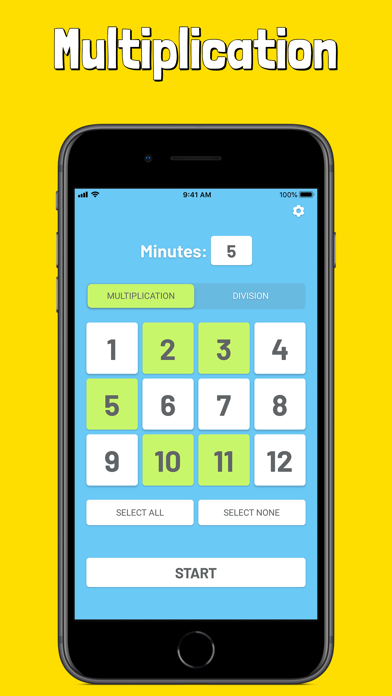

Description by Charles Stander Written by the developer, not by AppBrain. Click to read.
This is a great tool for parent/teachers to monitor their children's progress as they learn to memorize their multiplication and division tables.
Basic instructions:
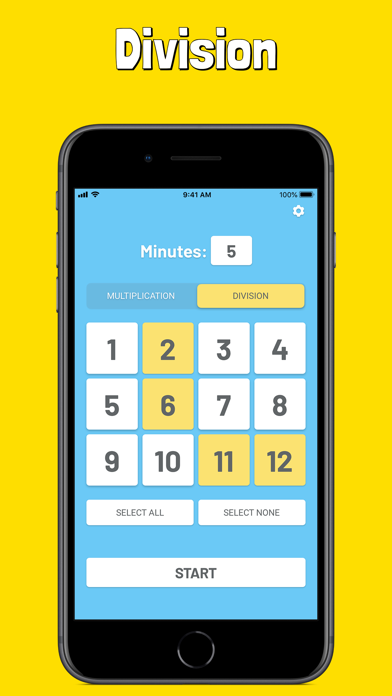
• Select the number of minutes to practice
• Select the multiplication tables to practice (1 - 12)
• Select the division tables to practice (1 - 12)
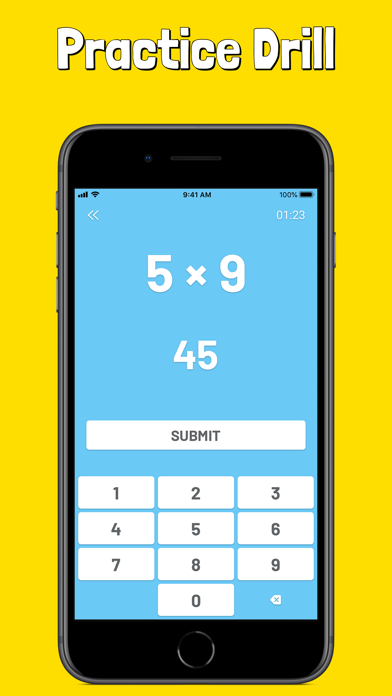
• Feel free to end your drill early by tapping the two back arrows
• View your result at the end of each drill
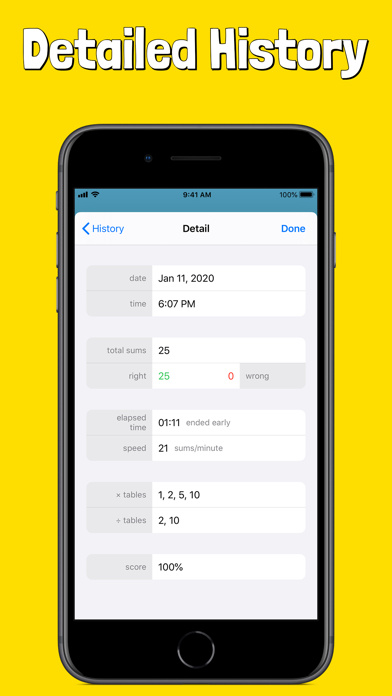
After each drill, a detailed history of your results will be saved. This can be viewed after your drill or from the settings screen.
Detailed history saved:
• Date
• Time
• Total number of sums attempted
• Number of right answers
• Number of wrong answers
• Elapsed time of drill
• Speed of drill (measured in sums per minute)
• List of multiplication tables attempted
• List of division tables attempted
• Final score (percentage)
Please let us know about any bugs, questions, feature requests or any other suggestions.