

Tally Counter by button press
Tally Counter by button press is made and published by Kosei Suzuki. AppBrain is an independent app data site and isn't affiliated with Kosei Suzuki. The app name, icon, screenshots and description belong to Kosei Suzuki and are shown as published on the App Store.
AppBrain's verdict
- Last updated
- July 3, 2026
Rankings
App Store top chartsApp Store Rankings for Tally Counter by button press
Competitors
Similar apps and more from Kosei SuzukiAlternatives to Tally Counter by button press




More from Kosei Suzuki








Releases
Updates seen on the App Store- Version
- 1.3
- Launched
- October 2022
No changelog data
User feedback
Ratings and reviews on the App StoreComments on Tally Counter by button press for iOS
We don't have enough comments to show example comments. Please check back later.
Technology
Found in the app by AppBrain- Price
- Free
- App size
- 6.47 MB
- Content rating
- Everyone
Technologies used by Tally Counter by button press
About the app and developer
About Tally Counter by button press
Tally Counter by button press is an utilities app developed by Kosei Suzuki.
User Ratings
The app has no ratings yet.
App Information
Tally Counter by button press is freely available from the App Store. The app size is 6.47 MB. The latest version available is 1.3. The last update was on July 3, 2026.
Technical Requirements
The app has a content rating of Everyone. The app has been available on the App Store since October 2022.
Developer information for Kosei Suzuki
Address:
Store listing
By Kosei Suzuki, from the App Store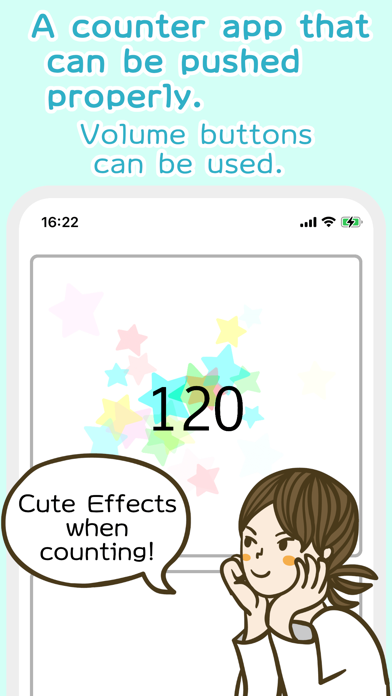


Description by Kosei Suzuki Written by the developer, not by AppBrain. Click to read.
Not only UI, but you can push it properly.
A counter you can push.
~~ Features
Can be operated without looking at the screen.
- The volume buttons can be used, eliminating the need to operate the screen.
- Ideal for "while operating" with binoculars, microscopes, etc.
Up to three counters can be placed on the screen.
- Count 1
Count with the volume up button.
- Count 2
Count with the volume down button.
- Count 3
Count with the buttons on the screen.
- It is also possible to set only one counter on the full screen.
You can count by tapping almost anywhere on the entire screen.
Counting by screen operation is disabled! Volume buttons only! The count is retained even after the app is closed.
Counts are retained even after the app is closed.
- No problem even if you kill the app.
Counting can be started from the middle.
- You can start from 100, 1000, and so on.
Sparkling animation is displayed when counting.
- The added counter is easy to understand.
- It is also possible to set the terminal to lightly vibration.
Count reset
- Reset all counters, or reset each counter individually.
Please enjoy this simple and easy-to-use counter application.