

Tally Counter Widget
Tally Counter Widget is made and published by T-Logic. AppBrain is an independent app data site and isn't affiliated with T-Logic. The app name, icon, screenshots and description belong to T-Logic and are shown as published on the App Store.
AppBrain's verdict
Established- Rating on App Store
- 4.41
- 98 ratings
- Last updated
- November 12, 2020
It doesn't have enough ratings yet to judge what users think.
Rankings
App Store top chartsApp Store Rankings for Tally Counter Widget
Competitors
Similar apps and more from T-LogicAlternatives to Tally Counter Widget





More from T-Logic






Releases
Updates seen on the App Store- Version
- 1.0.0
- Launched
- November 2020
No changelog data
User feedback
Ratings and reviews on the App StoreComments on Tally Counter Widget for iOS
We don't have enough comments to show example comments. Please check back later.
Technology
Found in the app by AppBrain- Price
- Free
- App size
- 14.6 MB
- Content rating
- Everyone
Technologies used by Tally Counter Widget
About the app and developer
About Tally Counter Widget
Tally Counter Widget is a productivity app developed by T-Logic.
User Ratings
Tally Counter Widget is rated 4.41 out of 5 stars. The rating is based on 98 ratings.
App Information
Tally Counter Widget is freely available from the App Store. The app size is 14.61 MB. The latest version available is 1.0.0. The last update was on November 12, 2020.
Technical Requirements
The app has a content rating of Everyone. The app has been available on the App Store since November 2020.
Developer information for T-Logic
Address:
Store listing
By T-Logic, from the App Store



Description by T-Logic Written by the developer, not by AppBrain. Click to read.
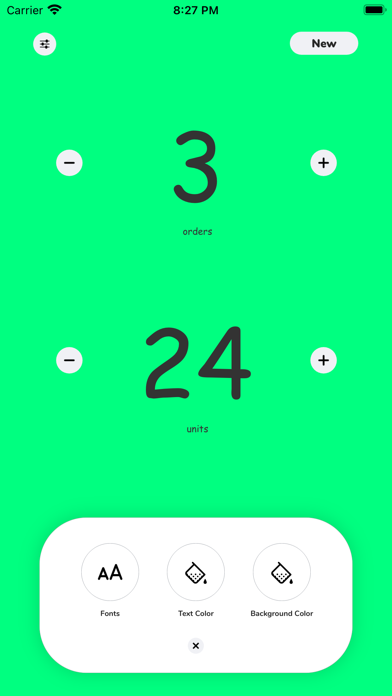
Create your counters inside the app and customize your aesthetic with different colors, fonts and names.
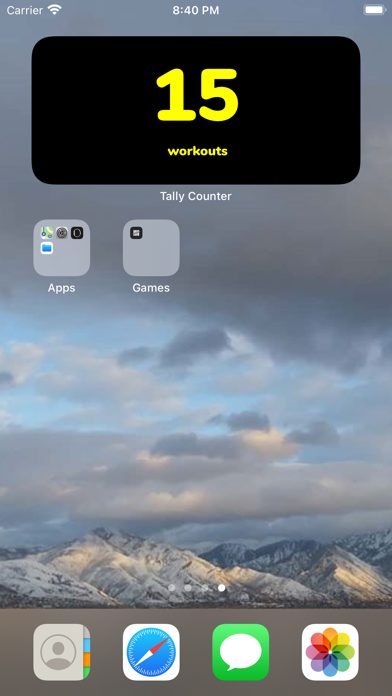
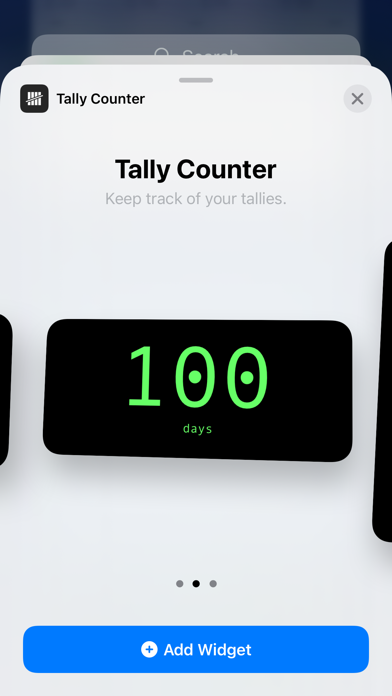
Choose between small, medium and large sized widgets. Tap on the widget to open the app.
To add a new counter, tap the 'New' button in the top right corner. To customize, tap the button on the top-left corner of the screen to display the fonts and colors menu. To rename or delete a counter, tap on the counter to display the edit menu. To rearrange your counters, tap and hold on your counter to drag it into place.
To set a particular counter as your widget, tap it and then tap the 'Set As Widget' button.
Enjoy!
Privacy Policy:
https://www.tlogicsofthouse.com/privacy
Customer Support:
You can reach us at contact@tlogicsofthouse.com and we will do our best to solve all of your problems and questions related to the app.
We would love to hear from you! Please let us know if you have any questions, concerns or suggestions by sending an email to: contact@tlogicsofthouse.com