

Tax Refund Guide Status Check
Tax Refund Guide Status Check is made and published by Winamic. AppBrain is an independent app data site and isn't affiliated with Winamic. The app name, icon, screenshots and description belong to Winamic and are shown as published on the App Store.
AppBrain's verdict
- Rating on App Store
- 2.40
- 5 ratings
- Last updated
- November 13, 2025
- Size
- 35.5 MB
It doesn't have enough ratings yet to judge what users think.
User feedback
Ratings and reviews on the App StoreComments on Tax Refund Guide Status Check for iOS
We don't have enough comments to show example comments. Please check back later.
Store listing
By Winamic, from the App Store

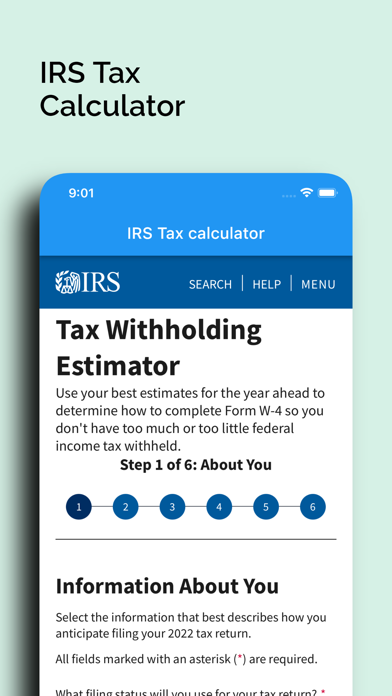

Description by Winamic Written by the developer, not by AppBrain. Click to read.
Where is my IRS refund?
Generally issued within 21 days after a tax return is electronically filed or within 42 days after paper returns are mailed. If you filed your federal tax return and expect to get a refund, but it’s taking too long, you may be wondering: where’s my IRS refund?
Here we explain how to check the status of your refund check when it’s taking longer than expected.
How long does it take to receive an IRS refund?
Typically, most refunds are issued in less than 21 days.
The IRS may take longer to issue a refund, especially when a return:
- Needs further review in general
- Is incomplete
- Is affected by identity theft or fraud
- Includes a claim filed for an Earned Income Tax Credit or an Additional Child Tax Credit
- Includes a Form 8379, Injured Spouse Allocation, which could take up to 14 weeks to process
How to check your federal tax refund status
Once you send your tax return, you can start checking on the status of your refund within:
- 24 hours after e-filing a tax year 2021 return.
- 3 or 4 days after e-filing a tax year 2019 or 2020 return.
- 4 weeks after mailing a paper return.
You can check the status of your IRS refund in two ways: electronically or by phone.
How to use
The easiest way to find out your refund status is by using the Where’s My Refund tool. Will help you to check your IRSX tax refund status, finding your state and filling all the information.
In order to check your refund status, you will need to have the following on hand:
- Social Security Number.
- Filing status.
- Your exact refund amount
This IRS tool will display the refund status of the tax year you choose. If you need other return information, such as payment history, prior year adjusted gross income, or other tax record, you should view your Online Account.
Calling the IRS
You can also check the status of your refund by calling an IRS Taxpayer Assistance Center. You can find the phone number of your local IRS office by using our IRS Office near me tool.
You should call the IRS only if:
- It’s been more than 21 days since you e-filed your tax return.
- It’s been more than 42 days since you mailed your paper tax return.
- The Where’s My Refund tool says the IRS may provide more information to you over the phone.
What if my refund was lost, stolen, or destroyed?
If this situation applies to you, you can file a claim online to request a replacement check if it has been more than 28 days from the date the IRS mailed your refund.
You can check the Where’s My Refund tool for detailed information on how to file a claim if your refund is lost, stolen, or destroyed.
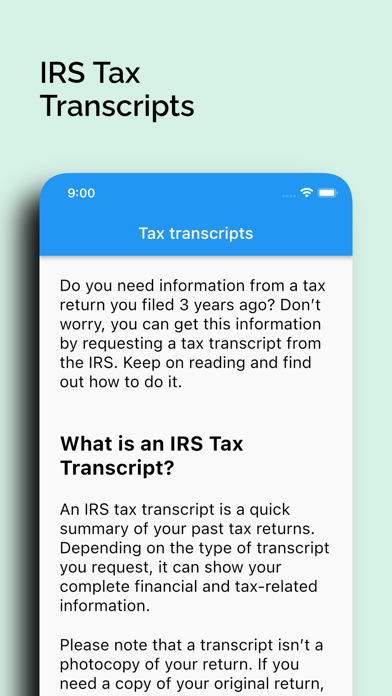
Tax Transcripts
Do you need information from a tax return you filed 3 years ago? Don’t worry, you can get this information by requesting a tax transcript from the IRS. Keep on reading and find out how to do it.
How do I get my Tax Transcript?
There are three main ways to request your tax transcript from the IRS. Install now and discover it.
Solve all your questions with our app:
Do I need an appointment to visit the IRS office?
How can I change my address with the IRS?
How do I contact the IRS for a tax question?
How do I make an appointment with my local IRS office?
How do I speak directly with an agent at the IRS?
How long can the IRS collect taxes?
What is the IRS mailing address for filing a tax return?
Safety and technology
Found in the app by AppBrain- Price
- Free
- App size
- 35.5 MB
- Content rating
- High
Technologies used by Tax Refund Guide Status Check
Releases
Updates seen on the App Store- Version
- 1.0.25
- Launched
- September 2022
No changelog data
Alternatives
Similar apps and more from Winamic


Rankings
App Store top chartsApp Store Rankings for Tax Refund Guide Status Check
About the app and developer
About Tax Refund Guide Status Check
Tax Refund Guide Status Check is a finance app developed by Winamic.
User Ratings
Tax Refund Guide Status Check is rated 2.40 out of 5 stars. The rating is based on 5 ratings.
App Information
Tax Refund Guide Status Check is freely available from the App Store. The app size is 35.51 MB. The latest version available is 1.0.25. The last update was on November 13, 2025.
Technical Requirements
The app has a content rating of High Maturity. The app has been available on the App Store since September 2022.
Developer information for Winamic
Address: