

TBoard: Letterboard AAC Typing
TBoard: Letterboard AAC Typing is made and published by Muted Labs LLC. AppBrain is an independent app data site and isn't affiliated with Muted Labs LLC. The app name, icon, screenshots and description belong to Muted Labs LLC and are shown as published on the App Store.
AppBrain's verdict
New- Rating on App Store
- 4.00
- 4 ratings
- Last updated
- October 13, 2026
- Size
- 120.2 MB
TBoard: Letterboard AAC Typing came out 76 days ago. It doesn't have enough ratings yet to judge what users think.
User feedback
Ratings and reviews on the App StoreComments on TBoard: Letterboard AAC Typing for iOS
We don't have enough comments to show example comments. Please check back later.
Store listing
By Muted Labs LLC, from the App Store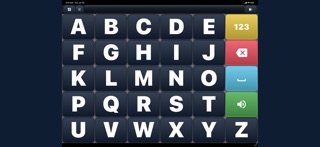



Description by Muted Labs LLC Written by the developer, not by AppBrain. Click to read.
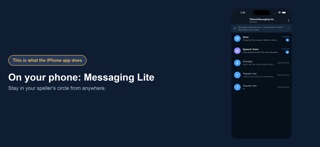
The full landscape AAC experience—letterboards, custom boards, lessons, worksheets, Practice, and Stats—runs on iPad and iPhone. Invited communication partners use Messaging Lite to stay connected with a speller's circle.
TBoard carries the mechanics of a session—each step, the spelling, the board swaps and resets—so parents, family members, and practitioners can stay focused on the person, not the process.
COMMUNICATE
- The full 26-letter board, 3-stencil, QWERTY, and number layouts—big, steady keys designed for communicators with apraxia or motor differences.
- Choose how the board responds: On Touch registers a key the moment a finger lands, visual, spoken, or haptic feedback confirms every selection, and Tap Guard ignores accidental double-taps.
- Make the board you already use speak: photograph a printed core board, a picture board, or a paper letterboard and the photo itself becomes a board. Frame it, check the keys it read, fix a word or add a key, and every cell says its word when pressed.
- Or build your own in the Board Builder with icons, labels, and your own photos—your layout, colors, and key sizes.
- Read selected letters, words and typed messages aloud with text-to-speech, including Personal Voice on supported Apple devices.
LEARN AND PRACTICE
- Three new lessons every day—one per difficulty tier, formatted the way a spelling session flows. Read together, then answer questions, spelling, and math on the board; every answer is checked in real time as it's spelled, and the board can swap and reset for you.
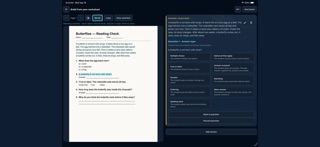
- My Lessons holds three kinds of work: Motor Lessons spelled on the board, Practice Worksheets with try-again support, and Graded Worksheets that land in the gradebook. Nine answer types—multiple choice, select all that apply, true or false, answer on the board, number, matching, ordering, open answer, and spelling—in the order you wrote them.
- Build a worksheet by hand, or photograph one and highlight it—the passage, each question, its answer—and it plays as a lesson. Import from a photo, a PDF, or a file; text recognition stays on your device, and you review everything before saving.
- A gradebook a teacher will recognize: one row per attempt, full, half, or no credit on written answers, notes, and an exportable report. The answer key stays hidden from the student unless you switch it on.
- Warm up with Practice—short rounds that keep moving on their own and add help when the typing gets hard.
- Progress you can trust: first-try answers, hints, retries, and per-letter accuracy.
STAY CONNECTED
- Exchange private messages with invited family members and practitioners in a communicator's circle.
- Report a received message or block its sender from the conversation.
- No public profiles, no feeds, no stranger discovery.
TRY IT FREE, THEN BUY IT ONCE
Try everything free for 7 days. Then one purchase unlocks TBoard for good—nothing renews, nothing to cancel. One purchase covers every communicator profile in a household and restores on any device signed in with the same Apple Account. Nothing is deleted while the app is locked.
PRIVACY BY DESIGN
TBoard has no ads and does not track you across apps or websites. Diagnostics are off until you opt in. Photos and documents you import stay on your device—only the lesson text you approve is saved to your account. Signed-in profile data is backed up so it can be restored, and you can delete your account and its data from inside the app.
TBoard is a communication and educational tool. It is not a medical device or a substitute for professional care or speech therapy.
Terms of Use: https://www.apple.com/legal/internet-services/itunes/dev/stdeula/
Safety and technology
Found in the app by AppBrain- Price
- Free
- App size
- 120.2 MB
- Content rating
- Low
Technologies used by TBoard: Letterboard AAC Typing
Releases
Updates seen on the App Store- Version
- 1.0.18
- Launched
- August 2026
No changelog data
Alternatives
Similar apps and more from Muted Labs LLCAlternatives to TBoard: Letterboard AAC Typing


Rankings
App Store top chartsApp Store Rankings for TBoard: Letterboard AAC Typing
About the app and developer
About TBoard: Letterboard AAC Typing
TBoard: Letterboard AAC Typing is an education app developed by Muted Labs LLC.
What is the rating of TBoard: Letterboard AAC Typing?
TBoard: Letterboard AAC Typing is rated 4.00 out of 5 stars, based on 4 ratings.
Is TBoard: Letterboard AAC Typing free?
TBoard: Letterboard AAC Typing is free. The app size is 120.19 MB. The latest version available is 1.0.18. The last update was on October 13, 2026.
What are the requirements for TBoard: Letterboard AAC Typing?
The app has a content rating of Low Maturity. The app has been available on the App Store since August 2026.
Developer information for Muted Labs LLC
Address: