

TD Authenticate is made and published by TD. AppBrain is an independent app data site and isn't affiliated with TD. The app name, icon, screenshots and description belong to TD and are shown as published on the App Store.
AppBrain's verdict
- Rating on App Store
- 1.15
- 26 ratings
- Last updated
- January 14, 2026
- Size
- 62.1 MB
It doesn't have enough ratings yet to judge what users think.
User feedback
Ratings and reviews on the App StoreComments on TD Authenticate for iOS
We don't have enough comments to show example comments. Please check back later.
Store listing
By TD, from the App Store


Description by TD Written by the developer, not by AppBrain. Click to read.
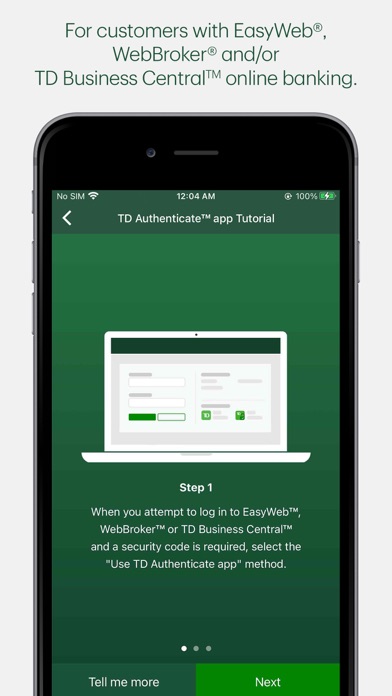
Simply download the app and follow the registration process to connect your account and device to the TD Authenticate app.
Once you've registered, you can generate a security verification code in the TD Authenticate app while online or offline (not connected to Wi-Fi or a mobile network), without the need for texts or phone calls.
This confirms it's really you accessing your EasyWeb, WebBroker or TD Business Central online banking.
The TD Authenticate app is for use with EasyWeb, WebBroker and TD Business Central. For other TD apps or digital platforms, please use the Two-Step Verification services they provide. We are working on enhancing the TD Authenticate app, as well as onboarding new businesses and platforms within TD.
Note: Text or Voice One Time Passcode is required to register for the TD Authenticate app on your device.
By tapping "Get", you consent to the installation of the TD Authenticate™ app* and any future updates that can perform the functions described. The TD Authenticate app is for use by customers with an active EasyWeb®, WebBroker®, and/or TD Business Central™ online banking profile. You may withdraw your consent at any time by removing your device from the list of registered devices under Password & Security within the applicable online banking profile.
*Provided by The TD Bank Group which includes The Toronto-Dominion Bank and its affiliates, who provide deposit, investment, loan, securities, trust, insurance and other products or services.
Safety and technology
Found in the app by AppBrain- Price
- Free
- App size
- 62.1 MB
- Content rating
- Everyone
Technologies used by TD Authenticate
Releases
Updates seen on the App Store- Version
- 2.5.0
- Launched
- June 2022
No changelog data
Alternatives
Similar apps and more from TDAlternatives to TD Authenticate


More from TD


Rankings
App Store top chartsApp Store Rankings for TD Authenticate
About the app and developer
About TD Authenticate
TD Authenticate is a finance app developed by TD.
User Ratings
TD Authenticate is rated 1.15 out of 5 stars. The rating is based on 26 ratings.
App Information
TD Authenticate is freely available from the App Store. The app size is 62.09 MB. The latest version available is 2.5.0. The last update was on January 14, 2026.
Technical Requirements
The app has a content rating of Everyone. The app has been available on the App Store since June 2022.
Developer information for TD
Address:
Frequently asked questions about TD Authenticate
Is TD Authenticate free?
Yes. TD Authenticate is free on the App Store.
Is TD Authenticate still available?
Yes. TD Authenticate is on the App Store, and the last update we saw was on January 14, 2026.
How large is TD Authenticate?
TD Authenticate is 62.09 MB.
Is TD Authenticate suitable for children?
App Store rates the content of TD Authenticate as suitable for everyone.
How do people rate TD Authenticate?
TD Authenticate scores 1.15 out of 5 stars, from 26 ratings on the App Store.
Who made TD Authenticate?
TD Authenticate was developed by TD. It is listed in the finance category on the App Store.
What are the best alternatives to TD Authenticate?
People looking at TD Authenticate also look at these finance apps: EQ Bank Mobile Banking, HSBC Canada, Rogers Bank, Questrade: Invest & Trade, Tangerine Mobile Banking.