

TeDo is made and published by Kyungryul Kim. AppBrain is an independent app data site and isn't affiliated with Kyungryul Kim. The app name, icon, screenshots and description belong to Kyungryul Kim and are shown as published on the App Store.
AppBrain's verdict
- Rating on App Store
- 5.00
- 3 ratings
- Last updated
- May 29, 2026
It doesn't have enough ratings yet to judge what users think.
Rankings
App Store top chartsApp Store Rankings for TeDo
Competitors
Similar apps and more from Kyungryul Kim


Releases
Updates seen on the App Store- Version
- 1.2.3
- Launched
- December 2023
No changelog data
User feedback
Ratings and reviews on the App StoreComments on TeDo for iOS
We don't have enough comments to show example comments. Please check back later.
Technology
Found in the app by AppBrain- Price
- Free
- App size
- 50.6 MB
- Content rating
- Everyone
Technologies used by TeDo
About the app and developer
About TeDo
TeDo is a lifestyle app developed by Kyungryul Kim.
What is the rating of TeDo?
TeDo is rated 5.00 out of 5 stars, based on 3 ratings.
Is TeDo free?
TeDo is free. The app size is 50.57 MB. The latest version available is 1.2.3. The last update was on May 29, 2026.
What are the requirements for TeDo?
The app has a content rating of Everyone. The app has been available on the App Store since December 2023.
Developer information for Kyungryul Kim
Address:
Store listing
By Kyungryul Kim, from the App Store


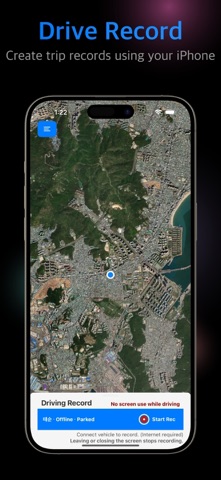


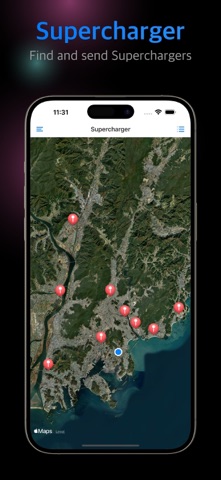
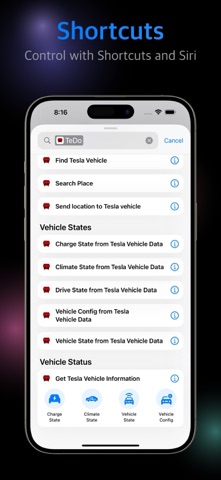
Description by Kyungryul Kim Written by the developer, not by AppBrain. Click to read.
App Overview:
TeDo is a special navigation assistant app designed for Tesla vehicle owners. Now, you can easily send addresses selected in smartphone map apps (Apple Maps, Google Maps, T-Map, Naver Maps, Kakao Maps) directly to your Tesla navigation, providing a smoother navigation experience in your Tesla vehicle.
Key Features:
Seamless Integration with Smartphone Map Apps:
Select and share addresses from a variety of map apps like Apple Maps, Google Maps, T-Map, Naver Maps, Kakao Maps, and send them to your Tesla navigation through TeDo.
Instant Use in Tesla Vehicles:
The selected address is quickly transferred to your Tesla’s navigation system, allowing you to set destinations from home and receive guidance immediately after entering your vehicle.
Shortcuts App Support:
Set up destination transfers to Tesla navigation via the Shortcuts app, and send destinations using voice commands through Siri.
Compatible with Multiple Map Apps:
TeDo supports a wide range of smartphone map apps, allowing you to choose your preferred map service freely.
Safe and Efficient Usage:
Designed with user convenience and safety in mind, TeDo makes it simple to operate your Tesla’s navigation with just a few taps.
How to Use:
In the TeDo app, you can search for locations or addresses and send the searched address to your Tesla vehicle while automatically launching a map app.
Choose your destination in your smartphone’s map app.
Select the "Share" option.
From the list of sharing options, choose "TeDo."
TeDo extracts the address and sends it to your Tesla’s navigation via the API.
Travel safely to your destination in your Tesla!
TeDo App Disclaimer Summary:
TeDo is independently developed and not affiliated with Tesla Inc. Users are responsible for any consequences arising from the use of the app. The app is based on limited technical resources and information, so users should be aware of its limitations. The developer is not responsible for any inconveniences caused by changes or discontinuation of services. Any legal responsibility for the use of the app lies with the user, and the app developer does not assume liability. The disclaimer may change, and such changes will be notified within the app. By using the app, you agree to the disclaimer, and regular checks are recommended.
Support and Help:
For inquiries or assistance, feel free to contact us anytime:
Email: support@aixbit.com
Website: https://teslado.com
Privacy Policy: https://teslado.com/privacy.txt
Disclaimer: https://teslado.com/tos.txt
Enjoy a more convenient driving and navigation experience with TeDo! Thank you.