

Teleprompter for Video ۬
Teleprompter for Video ۬ is made and published by AppQ Technology. AppBrain is an independent app data site and isn't affiliated with AppQ Technology. The app name, icon, screenshots and description belong to AppQ Technology and are shown as published on the App Store.
AppBrain's verdict
- Rating on App Store
- 4.58
- 93 ratings
- Last updated
- September 10, 2024
- Size
- 37.3 MB
It doesn't have enough ratings yet to judge what users think.
User feedback
Ratings and reviews on the App StoreComments on Teleprompter for Video ۬ for iOS
We don't have enough comments to show example comments. Please check back later.
Store listing
By AppQ Technology, from the App Store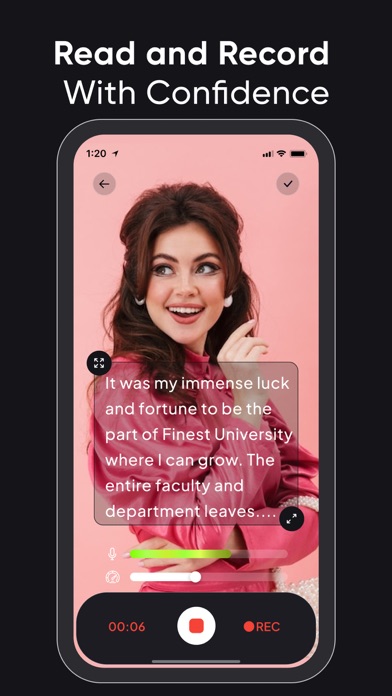


Description by AppQ Technology Written by the developer, not by AppBrain. Click to read.
Whether you’re an influencer who wants to share your trip journey or makeup routine with your followers or are a teacher who is recording lessons for their students or needs a prompter for your public speaking sessions. The Teleprompter Pro app helps you look more confident and professional in your videos.
Some salient features of Teleprompter Pro:
• Record videos in multiple sizes: Teleprompter Pro supports the following aspect ratios: 16:9, 9:6, 4:5, 1:1, 9:4 which almost work for different social media platforms.
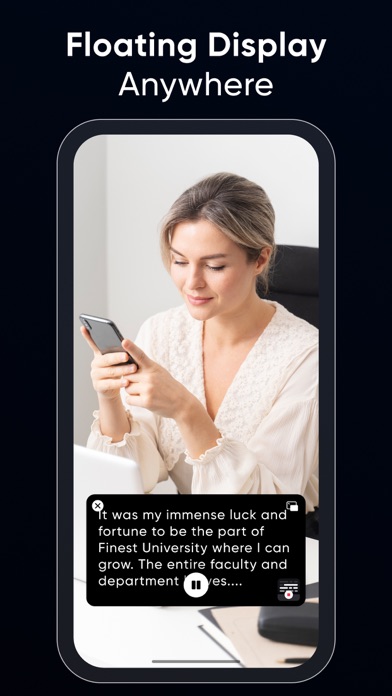
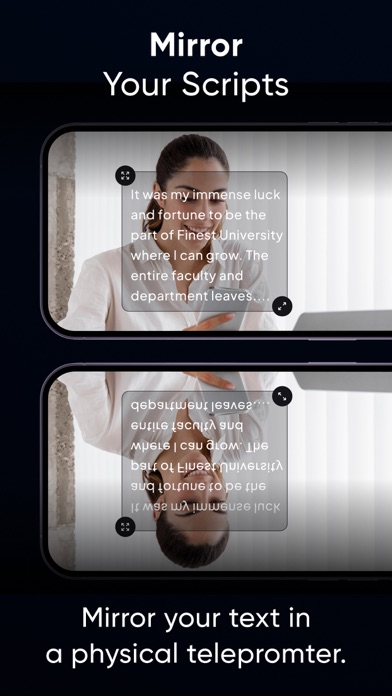
• Optimize Teleprompt Text: Unlike other Teleprompter apps that just display the text on the recording screen, Teleprompter Pro actually allows you to change text alignment, style (bold, italic, underline) & increase/decrease font-size as per requirements.
• Trim video: No video is perfect, in case you’ve made a blunder at a certain part, then you can actually trim your video and remove the unwanted part.
• Multiple scripts: You can as many scripts as you want. However, adding more than 1 script is available for the Teleprompter Premium subscribers only.
• Add Captions: Once your video is recorded and is finally ready, you can add captions for users who have hearing issues or anyone who prefers captions.
Benefits of using Teleprompter Pro:
• You’ll look more confident and your videos will feel professional.
• You’ll know what you’re going to say.
• People won’t feel like you’re reading text from elsewhere (which shall make you feel even more trustworthy and knowledgeable)
• You’ll be able to avoid mistakes.
• Your video will look live and engaging.
• You'll be able to speak clearly and articulately.
• You’ll be able to add captions to your videos and even optimize them as per the timing.
If you're looking to improve your video presentations, a teleprompter for video is a great option. It's easy to use and can make a big difference in the quality of your videos.
Here are some tips for using a teleprompter app:
• Practice reading from the teleprompter before you record your video.
• Make sure the text is large enough for you to read easily.
• Use a slow and steady pace.
• Look directly into the camera.
• Keep practicing until you get it all right.
With a little practice, you'll be able to use a Teleprompter app like a pro. And your videos will look and sound great!
Here are some examples of how you can use a teleprompter app:
• For business presentations: Use a teleprompter app to give presentations that are clear, concise, and professional.
• For educational videos: Use a teleprompter app to create engaging and informative videos for your students.
• For product demonstrations: Use a teleprompter app to create videos that show off your products in a clear and concise way.
• For interviews: Use a teleprompter app to give interviews that are well-prepared and polished.
• For vlogs: Use a teleprompter app to create vlogs that are interesting and engaging.
No matter what you use it for, a Teleprompter Pro is a great way to improve the quality of your videos. The app is compatible with iPhone as well as iPad. So what are you waiting for? Start using one today.
Privacy Policy : https://teleprompter.appstraw.com/privacy-policy
Terms of Use : https://teleprompter.appstraw.com/terms-conditions
Safety and technology
Found in the app by AppBrain- Price
- Free
- App size
- 37.3 MB
- Content rating
- Low
Technologies used by Teleprompter for Video ۬
Releases
Updates seen on the App Store- Version
- 1.1.0
- Launched
- July 2023
No changelog data
Alternatives
Similar apps and more from AppQ TechnologyAlternatives to Teleprompter for Video ۬


More from AppQ Technology


Rankings
App Store top chartsApp Store Rankings for Teleprompter for Video ۬
About the app and developer
About Teleprompter for Video ۬
Teleprompter for Video ۬ is a photo & video app developed by AppQ Technology.
User Ratings
Teleprompter for Video ۬ is rated 4.58 out of 5 stars. The rating is based on 93 ratings.
App Information
Teleprompter for Video ۬ is freely available from the App Store. The app size is 37.26 MB. The latest version available is 1.1.0. The last update was on September 10, 2024.
Technical Requirements
The app has a content rating of Low Maturity. The app has been available on the App Store since July 2023.
Developer information for AppQ Technology
Address: