

Teleprompter Pro:Video Script
Teleprompter Pro:Video Script is made and published by 启鹏 田. AppBrain is an independent app data site and isn't affiliated with 启鹏 田. The app name, icon, screenshots and description belong to 启鹏 田 and are shown as published on the App Store.
AppBrain's verdict
- Last updated
- October 16, 2026
Rankings
App Store top chartsApp Store Rankings for Teleprompter Pro:Video Script
Competitors
Similar apps and more from 启鹏 田Alternatives to Teleprompter Pro:Video Script



More from 启鹏 田


Releases
Updates seen on the App Store- Version
- 1.3
- Launched
- March 2026
No changelog data
User feedback
Ratings and reviews on the App StoreComments on Teleprompter Pro:Video Script for iOS
We don't have enough comments to show example comments. Please check back later.
Technology
Found in the app by AppBrain- Price
- Free
- App size
- 98.6 MB
- Content rating
- Everyone
Technologies used by Teleprompter Pro:Video Script
About the app and developer
About Teleprompter Pro:Video Script
Teleprompter Pro:Video Script is a photo & video app developed by 启鹏 田.
User Ratings
The app has no ratings yet.
App Information
Teleprompter Pro:Video Script is freely available from the App Store. The app size is 98.64 MB. The latest version available is 1.3. The last update was on October 16, 2026.
Technical Requirements
The app has a content rating of Everyone. The app has been available on the App Store since March 2026.
Developer information for 启鹏 田
Address:
Store listing
By 启鹏 田, from the App Store

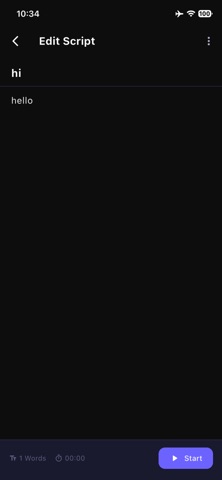
Description by 启鹏 田 Written by the developer, not by AppBrain. Click to read.
Tired of forgetting your lines while recording videos? Teleprompter Pro perfectly solves your problem! It integrates camera recording with smart teleprompter functions, allowing you to shoot videos while reading the script, achieving a truly one-stop creative experience.
Core Features
【All-in-One Recording + Teleprompter】
Record videos directly within the app, no app switching needed.
Teleprompter floats over the camera preview, read and record simultaneously.
Supports switching between front and rear cameras for different shooting needs.
High-definition video recording with selectable 720p/1080p/4K resolution.
【Smart Teleprompter Window】
Freely drag and drop to adjust the prompter's position.
Supports pinch-to-zoom for quick font size adjustment.
Automatically adapts to portrait and landscape modes for comfortable shooting.
Scrolls smoothly at your set speed automatically.
【Script Management】
All scripts are stored locally for data security and reliability.
Supports importing content from Notes, Clipboard.
Supports importing TXT/PDF files.
Real-time display of word count and estimated reading time.
Convenient editing and deleting functions.
【Personalization Settings】
Freely adjust font size and color.
Adjustable background color and transparency.
Selectable text alignment (Left, Center, Right).
Precise control over line spacing.
Multi-level adjustable scroll speed (Slow/Medium/Fast).
Reading guide line feature to help you stay on track.
【Recording Assistant Features】
Countdown start (3/5/10 seconds) for better preparation.
Pause/Resume prompter scrolling during recording.
Front camera automatically mirrors prompter text.
Adjustable prompter transparency to reduce screen interference.
Use Cases
Short Video Creators: Recording talking head videos, product introductions.
Education & Training: Recording online courses, instructional videos.
Corporate Promotion: Creating product demos, company introductions.
Speech Practice: Practicing speeches, recording trial lectures.
Social Media: Creating content for platforms like TikTok.
Privacy & Security
We highly value user privacy and security:
All script data is stored only locally on your device.
Recorded videos are saved only to your photo album, not uploaded to servers.
Camera and microphone permissions are used solely for the video recording function.
No registration or phone number required.
Subscription Info
Teleprompter Pro offers the following subscription options:
Weekly Membership: Auto-renewing subscription, renews weekly.
Monthly Membership: Auto-renewing subscription, renews monthly.
Annual Membership: Auto-renewing subscription, renews yearly.
Subscription Details:
Payment will be charged to your App Store account upon purchase confirmation.
Subscriptions automatically renew. To cancel, please do so at least 24 hours before the end of the current subscription period.
Renewal will be charged within 24 hours prior to the end of the current period, and the cost will be shown.
Manage subscriptions in your App Store account settings after purchase.
Auto-Renewable Membership Service Agreement
Privacy Policy: https://www.forapp.store/privacy-policy.html
Terms of Service: https://www.forapp.store/terms-of-service.html