

Teleprompter Video Pro
Teleprompter Video Pro is made and published by Shaanxi Ruidebao Technology Co.,Ltd. AppBrain is an independent app data site and isn't affiliated with Shaanxi Ruidebao Technology Co.,Ltd. The app name, icon, screenshots and description belong to Shaanxi Ruidebao Technology Co.,Ltd and are shown as published on the App Store.
AppBrain's verdict
- Rating on App Store
- 5.00
- 1 ratings
- Last updated
- June 26, 2026
It doesn't have enough ratings yet to judge what users think.
Rankings
App Store top chartsApp Store Rankings for Teleprompter Video Pro
Competitors
Similar apps and more from Shaanxi Ruidebao Technology Co.,LtdAlternatives to Teleprompter Video Pro


More from Shaanxi Ruidebao Technology Co.,Ltd


Releases
Updates seen on the App Store- Version
- 2.0.3
- Launched
- January 2025
No changelog data
User feedback
Ratings and reviews on the App StoreComments on Teleprompter Video Pro for iOS
We don't have enough comments to show example comments. Please check back later.
Technology
Found in the app by AppBrain- Price
- Free
- App size
- 27.6 MB
- Content rating
- Everyone
Technologies used by Teleprompter Video Pro
About the app and developer
About Teleprompter Video Pro
Teleprompter Video Pro is an utilities app developed by Shaanxi Ruidebao Technology Co.,Ltd.
What is the rating of Teleprompter Video Pro?
Teleprompter Video Pro is rated 5.00 out of 5 stars, based on one rating ratings.
Is Teleprompter Video Pro free?
Teleprompter Video Pro is free. The app size is 27.62 MB. The latest version available is 2.0.3. The last update was on June 26, 2026.
What are the requirements for Teleprompter Video Pro?
The app has a content rating of Everyone. The app has been available on the App Store since January 2025.
Developer information for Shaanxi Ruidebao Technology Co.,Ltd
Shaanxi Ruidebao Technology Co.,Ltd
Address:
Store listing
By Shaanxi Ruidebao Technology Co.,Ltd, from the App Store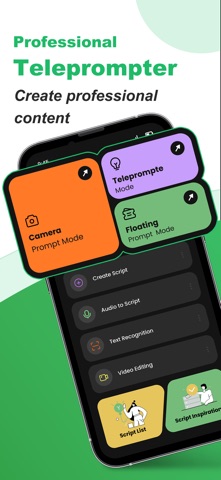



Description by Shaanxi Ruidebao Technology Co.,Ltd Written by the developer, not by AppBrain. Click to read.
Key Features:
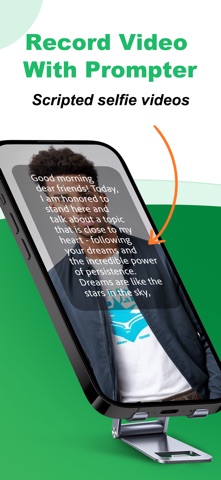
● Record Videos with Front & Rear Camera
Record professional-looking videos using both front and rear-facing cameras on your device. Whether in portrait or landscape mode, your scripts will scroll smoothly, making it easier than ever to create polished videos with teleprompted content.
● Script Without Recording
Not recording video? No problem! Use the teleprompter feature to read scripts without filming. This is perfect for public speaking, live performances, or virtual meetings when you need to present smoothly without memorizing lengthy content.
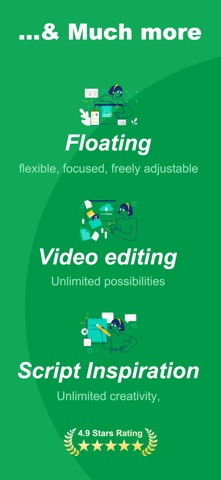
● Floating Teleprompter for Live Streaming
Need to use your script while live-streaming or in another app? Activate the floating teleprompter feature, which lets you overlay your script on top of any app. This is ideal for presentations, live videos, or teaching sessions.
● Comprehensive Video Editing
Edit your videos within the app after recording. Crop, adjust brightness, add filters, or speed up/slowing down playback. Import and export videos effortlessly and refine your work for social media or professional presentations.
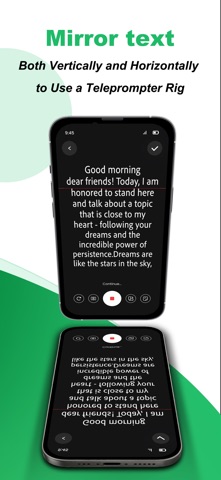
● Mirror Text for Teleprompter Rigs
Mirror your script horizontally or vertically for use with professional teleprompter rigs, ensuring you can see the text as it scrolls in the correct orientation.
● Robust Script Input Methods
Input your scripts in multiple ways. Type them using the keyboard, use voice recognition for hands-free script entry, or take advantage of text recognition to scan and import documents effortlessly.
● Advanced Script Management
Easily organize your scripts. Save scripts by groups or categories and access them anytime. The app also comes with a built-in library of script templates to get you started right away.
● Customizable Scrolling Options
Tailor the scrolling experience to suit your needs. Adjust font size, scroll speed, font color, and background color for maximum readability. You can even set a countdown timer to help you prepare before recording or presenting.
Enhance Your Presentations with Additional Features:
• Script Customization: Adjust font size, text color, and line spacing to make your script easy to read in any condition.
• Countdown Timer: Set timers before recording begins, giving you time to get ready and focus on your delivery.
• Text Mirroring: Mirror your script for use with traditional teleprompter hardware setups.
• External Microphone Support: Use external mics to capture high-quality audio while recording.
Perfect for Every Situation:
• Vloggers & Content Creators: Stay on script and maintain eye contact with your audience while filming high-definition videos.
• Business & Corporate Presentations: Deliver flawless presentations and speeches while keeping your notes discreet.
• Educators & Instructors: Streamline lesson delivery during lectures or live-streaming classes by using the teleprompter overlay.
• Public Speakers: Practice and perfect your speech delivery with built-in teleprompter guidance.
Why Choose Our App?
Our teleprompter app is designed with both professionals and beginners in mind. Whether you’re a vlogger, a business professional, or a teacher, our intuitive interface and powerful features ensure a smooth, professional delivery every time. From organizing your scripts to recording and editing videos, everything you need is within reach.
Start your free trial today and experience the ultimate teleprompter tool!
Terms of Service: https://www.ruidebao.cc/service.html
Privacy Policy: https://www.ruidebao.cc/privacy.html