

Telugu Keyboard (Mobile)
Telugu Keyboard (Mobile) is made and published by Rajeev Prasad. AppBrain is an independent app data site and isn't affiliated with Rajeev Prasad. The app name, icon, screenshots and description belong to Rajeev Prasad and are shown as published on the App Store.
AppBrain's verdict
Established- Rating on App Store
- 3.10
- 10 ratings
- Last updated
- May 1, 2025
- Size
- 29.2 MB
It doesn't have enough ratings yet to judge what users think.
User feedback
Ratings and reviews on the App StoreComments on Telugu Keyboard (Mobile) for iOS
We don't have enough comments to show example comments. Please check back later.
Store listing
By Rajeev Prasad, from the App Store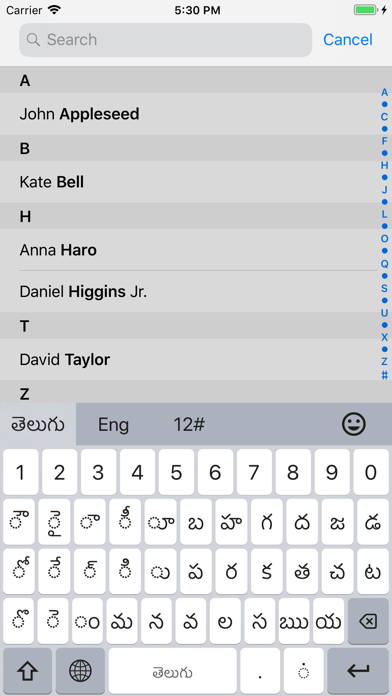

Description by Rajeev Prasad Written by the developer, not by AppBrain. Click to read.
Fully Integrated Keyboard for iOS
Now compatible with the latest iOS versions
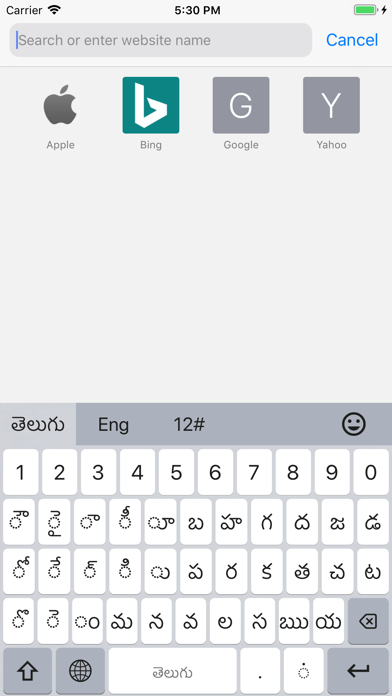
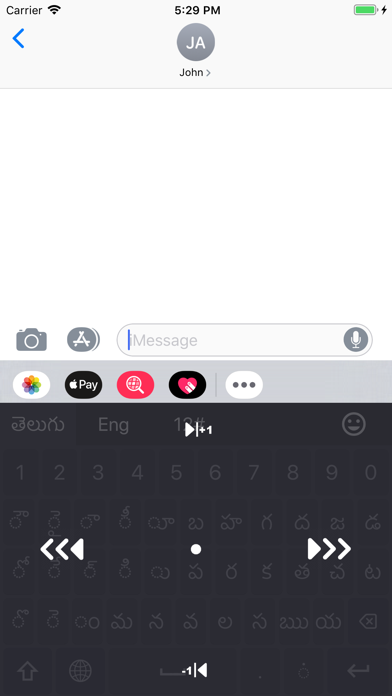
Telugu Keyboard offers a smooth, fully integrated typing experience tailored for iPhone and iPad users. Designed with both beginners and advanced users in mind, it features an intuitive layout, smart features, and Unicode support for fast and accurate Telugu input.
Key Features
Optimized Telugu Layout: Designed for efficient and natural Telugu typing.
Seamless Language Switching: Quickly switch between Telugu and English keyboards.
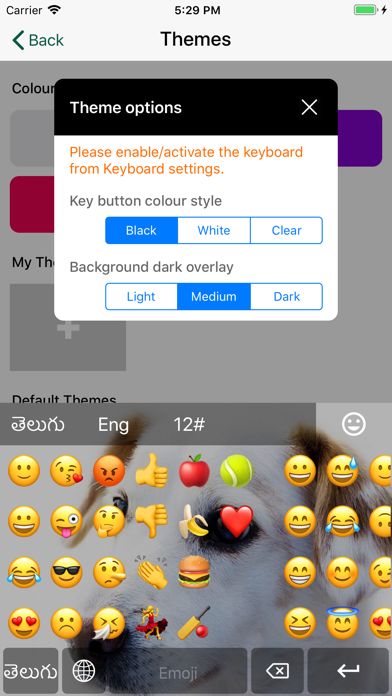
Emoji and Symbol Support: Access a wide range of emojis and symbols for expressive typing.
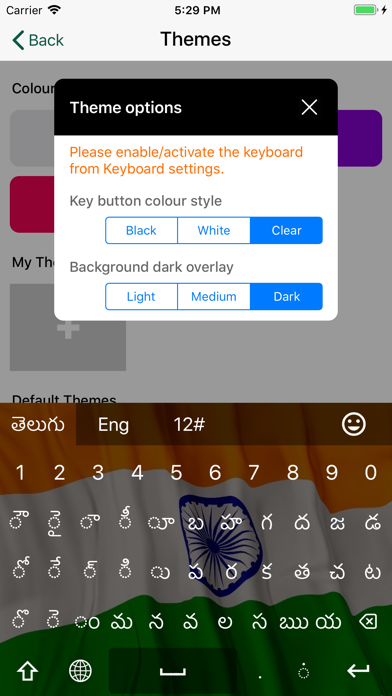
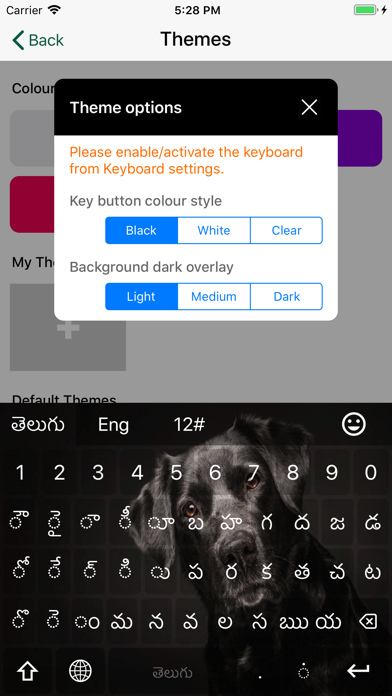
Theme Customization: Choose from preset themes or create your own with custom colors and images.
Key Feedback Options: Enable or adjust sound and vibration for each keypress.
Advanced Typing Features
Smart Cursor Control: Use long-press or force touch gestures for easy cursor movement.
Unicode Accuracy: Ensures proper rendering of Telugu script and characters.
Quick Input Shortcuts:
Double-tap the spacebar to insert a period.
Double-tap the period key to insert a comma.
Tap short vowels twice to insert extended vowel forms.
Classic Layout
Built for clarity and ease of use, the Classic Layout combines traditional Telugu input methods with a modern, responsive design—ideal for users at any skill level.
Setup Instructions
Quick Setup:
Open the app and select Setup Telugu Keyboard.
Go to Settings > Keyboards.
Enable Telugu Keyboard (Full Access not required).
Use the Globe icon on your keyboard to switch as needed.
Manual Setup:
Go to Settings > General > Keyboard > Keyboards.
Tap Add New Keyboard.
Find Telugu under Third-Party Keyboards and enable it.
Use the Globe icon to switch to Telugu Keyboard while typing.
Privacy Commitment
We do not collect or store any personal data. All typing stays private and local to your device.
Experience smarter Telugu typing—simple, customizable, and secure.
Safety and technology
Found in the app by AppBrain- Price
- Free
- App size
- 29.2 MB
- Content rating
- Everyone
Technologies used by Telugu Keyboard (Mobile)
Releases
Updates seen on the App Store- Version
- 11.3
- Launched
- January 2016
No changelog data
Alternatives
Similar apps and more from Rajeev Prasad





Rankings
App Store top chartsApp Store Rankings for Telugu Keyboard (Mobile)
About the app and developer
About Telugu Keyboard (Mobile)
Telugu Keyboard (Mobile) is a lifestyle app developed by Rajeev Prasad.
User Ratings
Telugu Keyboard (Mobile) is rated 3.10 out of 5 stars. The rating is based on 10 ratings.
App Information
Telugu Keyboard (Mobile) is freely available from the App Store. The app size is 29.18 MB. The latest version available is 11.3. The last update was on May 1, 2025.
Technical Requirements
The app has a content rating of Everyone. The app has been available on the App Store since January 2016.
Developer information for Rajeev Prasad
Address: