

TextraFlow: AI Data Extract
TextraFlow: AI Data Extract is made and published by Daniel Lurie. AppBrain is an independent app data site and isn't affiliated with Daniel Lurie. The app name, icon, screenshots and description belong to Daniel Lurie and are shown as published on the App Store.
AppBrain's verdict
- Last updated
- August 6, 2025
Rankings
App Store top chartsApp Store Rankings for TextraFlow: AI Data Extract
Competitors
Similar apps and more from Daniel LurieAlternatives to TextraFlow: AI Data Extract








Releases
Updates seen on the App Store- Version
- 1.0
- Launched
- August 2025
No changelog data
User feedback
Ratings and reviews on the App StoreComments on TextraFlow: AI Data Extract for iOS
We don't have enough comments to show example comments. Please check back later.
Technology
Found in the app by AppBrain- Price
- Free
- App size
- 27.3 MB
- Content rating
- Everyone
Technologies used by TextraFlow: AI Data Extract
About the app and developer
About TextraFlow: AI Data Extract
TextraFlow: AI Data Extract is a productivity app developed by Daniel Lurie.
User Ratings
The app has no ratings yet.
App Information
TextraFlow: AI Data Extract is freely available from the App Store. The app size is 27.27 MB. The latest version available is 1.0. The last update was on August 6, 2025.
Technical Requirements
The app has a content rating of Everyone. The app has been available on the App Store since August 2025.
Developer information for Daniel Lurie
Address:
Store listing
By Daniel Lurie, from the App Store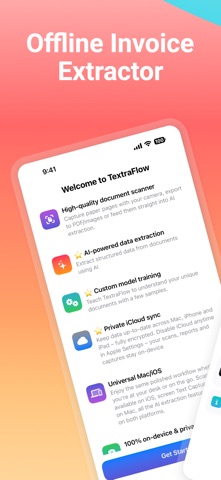



Description by Daniel Lurie Written by the developer, not by AppBrain. Click to read.
While other apps scan, TextraFlow extracts structured data from your invoices using private AI that learns your document patterns.
FREE Features
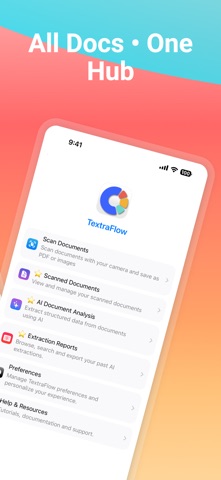
• Unlimited document scanning with edge detection
• Save scans as PDF, PNG, or JPEG
• No ads, no signup, no data collection
PRO Intelligence (7-day free trial)
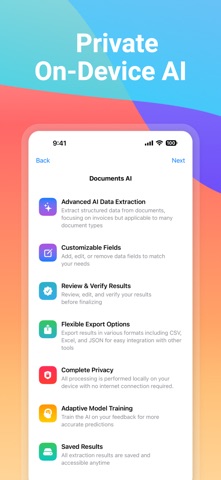
• Smart Extraction – AI identifies invoice fields automatically
• Custom Training – Teach it your specific document layouts
• Define Fields – Add custom data points with type validation
• Multi-Export – CSV, Excel, JSON for your favorite apps
• Mac Sync – Continue on desktop with full iCloud encryption
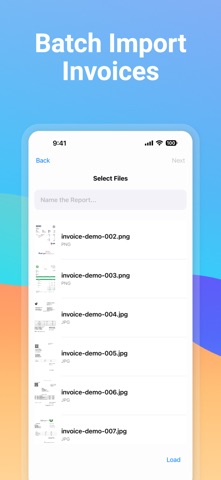
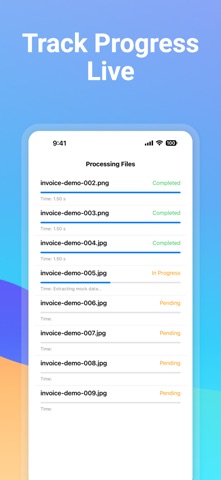
• Batch Processing – Extract data from multiple documents at once
How TextraFlow Works
1. Scan or import invoices and receipts
2. AI extracts key data fields instantly
3. Review and correct any errors
4. Your corrections train the AI for better accuracy
5. Export clean, structured data for any workflow
Privacy First
• 100% on-device processing
• No internet required for AI
• Your documents never leave your phone
• Encrypted iCloud sync (optional)
Built For
• Anyone buried in receipts and invoices
• Remote workers with expense reports
• Service professionals (HVAC, plumbers, electricians)
• People decluttering filing cabinets
• Small teams without accounting software
Language Support
• Currently optimized for English documents
• Additional language support coming in future updates
Note: Extracted data should be verified for accuracy. This app is a productivity tool and does not provide financial, tax, or legal advice.