

TGIGamedays is made and published by F-NET Apps. AppBrain is an independent app data site and isn't affiliated with F-NET Apps. The app name, icon, screenshots and description belong to F-NET Apps and are shown as published on the App Store.
AppBrain's verdict
- Rating on App Store
- 5.00
- 1 ratings
- Last updated
- October 26, 2026
It doesn't have enough ratings yet to judge what users think.
Rankings
App Store top chartsApp Store Rankings for TGIGamedays
Competitors
Similar apps and more from F-NET AppsAlternatives to TGIGamedays







More from F-NET Apps







Releases
Updates seen on the App Store- Version
- 11.1.0
- Launched
- April 2024
No changelog data
User feedback
Ratings and reviews on the App StoreComments on TGIGamedays for iOS
We don't have enough comments to show example comments. Please check back later.
Technology
Found in the app by AppBrain- Price
- Free
- App size
- 107.2 MB
- Content rating
- Everyone
Technologies used by TGIGamedays
About the app and developer
About TGIGamedays
TGIGamedays is an entertainment app developed by F-NET Apps.
User Ratings
TGIGamedays is rated 5.00 out of 5 stars. The rating is based on one rating ratings.
App Information
TGIGamedays is freely available from the App Store. The app size is 107.18 MB. The latest version available is 11.1.0. The last update was on October 26, 2026.
Technical Requirements
The app has a content rating of Everyone. The app has been available on the App Store since April 2024.
Developer information for F-NET Apps
Address:
Store listing
By F-NET Apps, from the App Store


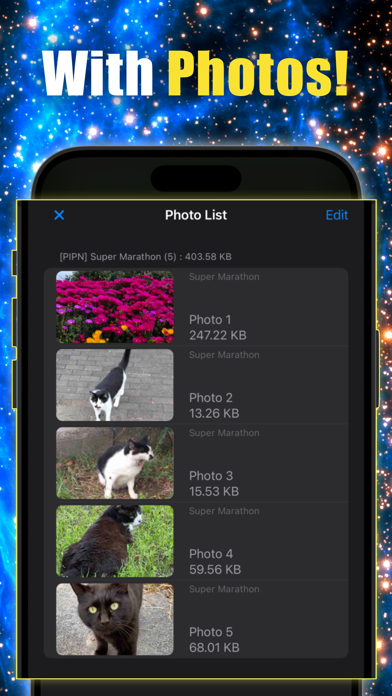
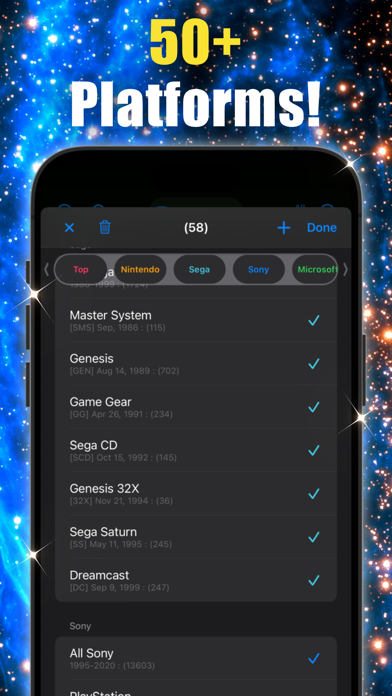


Description by F-NET Apps Written by the developer, not by AppBrain. Click to read.
I made this app because I wanted somewhere to keep those memories. Rate the games you've played, note how far you got, add a screenshot or two, and write down whatever you want to remember. Over time, it becomes your own gaming history.
It also works as a simple game database: over 40,000 games on more than 50 platforms, from retro classics to current consoles. I add new games regularly.
WHAT YOU CAN DO
- Rate each game and record your progress and completion
- Add photos, notes, and tags
- See what's coming out soon
- Add games that aren't in the list yet
- Switch between Japanese and North American release lists
HOW TO RECORD A GAME
1. Find the game with search or filters
2. Tap it to open the details
3. Set your rating, then add photos, notes, or tags
TABS
My list: Games you've starred, plus any game you've rated or added photos, notes, or tags to
Upcoming: Upcoming releases. Look ahead anywhere from 3 days to 6 months
Library: Browse and search every game
Extra: Add your own games and see the ones you've added
Settings: See a summary of your records, change region, or reset your data
BUTTONS AT THE TOP
Filter (left): Narrow the list with detailed conditions
Title search: Enter several words to find titles that contain all of them
Platform (center): Pick one or more platforms and save combinations you use often
Group: Show one section of the filtered list at a time
Sort (right): Sort ascending or descending (this also changes the groups)
BUTTONS AT THE BOTTOM
Title search: Enter several words to find titles that contain all of them
Platform (center): Pick one or more platforms and save combinations you use often
A NOTE
Some games aren't in the database yet. If you can't find one, you can add it yourself from the Extra tab.
We'll always have games!