

The Clock by seense
The Clock by seense is made and published by Fabrice Leyne. AppBrain is an independent app data site and isn't affiliated with Fabrice Leyne. The app name, icon, screenshots and description belong to Fabrice Leyne and are shown as published on the App Store.
AppBrain's verdict
Established- Rating on App Store
- 4.19
- 21 ratings
- Last updated
- September 27, 2025
- Size
- 14.6 MB
It doesn't have enough ratings yet to judge what users think.
User feedback
Ratings and reviews on the App StoreComments on The Clock by seense for iOS
We don't have enough comments to show example comments. Please check back later.
Store listing
By Fabrice Leyne, from the App Store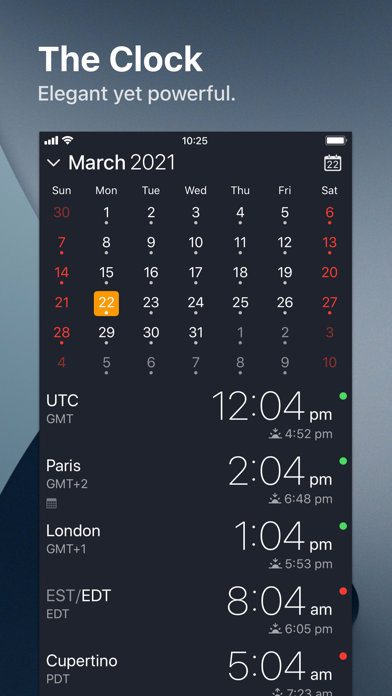
Description by Fabrice Leyne Written by the developer, not by AppBrain. Click to read.
The Clock
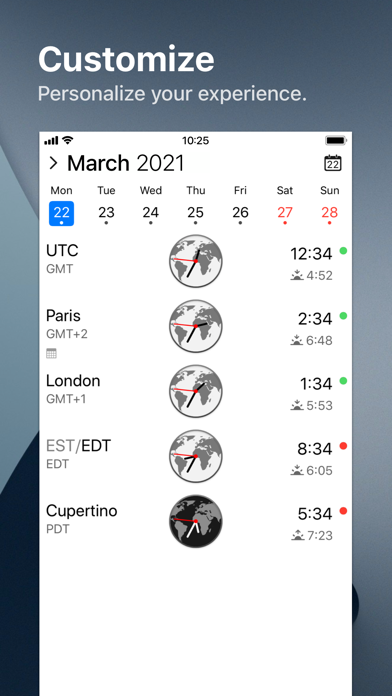
• Keep track, easily and efficiently of your contacts in different time zones.
• Have a quick view on a Calendar, which can be integrated with the iOS Calendar
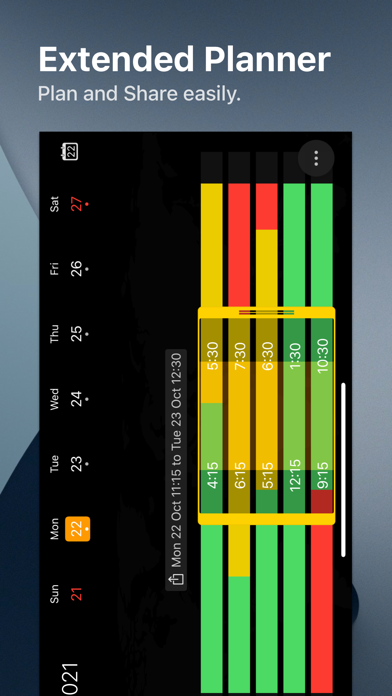
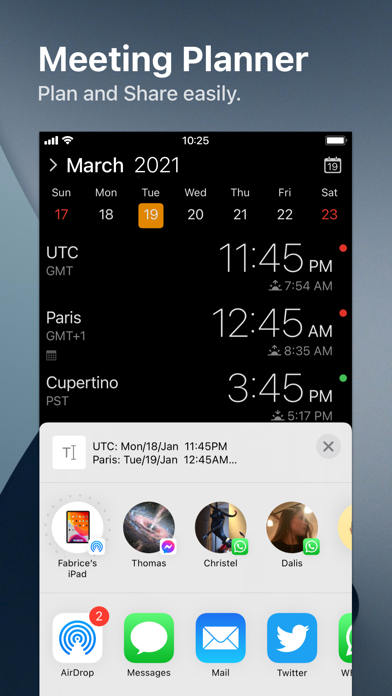
• Easily setup meetings with the Meeting Planner.
• Have a highlight on the Business Hours and Holidays of your subcontractors, customers, ...
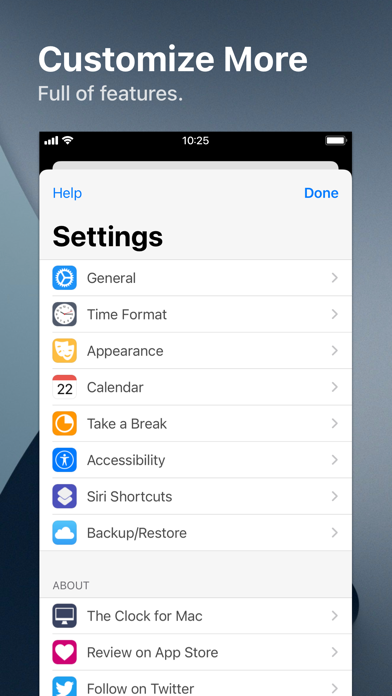
• Highly customizable.
• Be reminded when to Take a Break and relax.
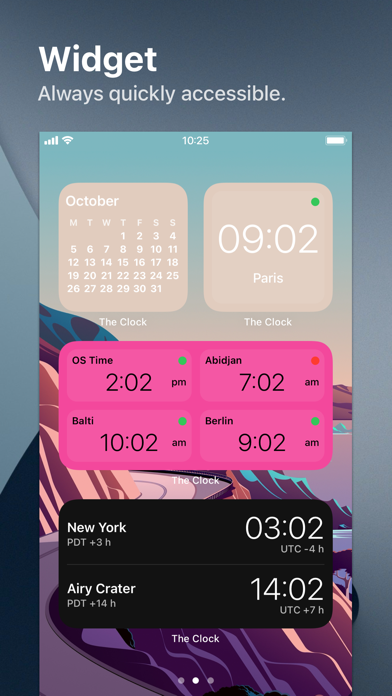
• Widget ready for your convenience.
• Siri Shortcuts available.
• Responsive design to adapt to portrait/landscape view.
• HandOff with The Clock on your Mac.
The World Clocks
• AM/PM or 24Hours.
• Analog or Digital Clock view.
• Choose among a wide range of complications
• Business Hours.
• Time offset.
• Sunrise/Sunset.
• Country.
• Time Zone offset (PDT, CDT, UTC…).
• Yesterday, Today, Tomorrow.
• AM/PM, 24H.
• Drag&Drop the world clocks to order them.
• Beautiful clock face displaying day and night.
• Personalize the world clock time format per cities.
• Change the city name.
• PDT, CDT, MDT, GMT… and more automatically adapting during daylight saving period.
Meeting Planner
• Meeting Planner swipe the screen to travel through time.
• Business Hours led to check if your contact is in the working hours time frame.
• Select a date in the calendar for an accurate Daylight Saving adjustment.
• With the iOS Calendar integration into The Clock have a quick look on your schedule
• With the Calendar Complication, automatically know if you are busy while planning a meeting.
• Export easily your schedule information with the share menu or Drag & Drop (iPad).
• Slider automatically round the time to 15/30 min.
Calendar
• Navigate the months with a tap, or keyboard shortcuts (iPad Pro).
• Show/Hide the Calendar.
• Toggle week/month view.
• Show/Hide the weeks number.
• Select your referenced calendar for the week number. (Regional settings, or ISO 8601).
• Select a day in Meeting Planner for an accurate Daylight Saving adjustment.
• Highlight days off per city.
• Follow the iOS setting for Calendar first day of the week or set your own...
• Choose to integrate or not with the iOS Calendar.
• Have a quick view on your calendar events.
• Calendar complication to immediately see what is coming next on your schedule.
Accessibility
• Voice Over.
• Dynamic Type for font size to adapt to your need.
• Color blind friendly.
• Haptic feedback (for device supporting it).
Other
• Choose between 4 beautiful themes (White/Dark/Daisy Blue/Deep Dark).
• Select clock faces.
• Keyboard Shortcuts for most common actions (on iPad Pro with keyboard).
• Backup/Restore your settings easily (Local, Dropbox, iCloud).
• Enjoy the Take a Break feature, and relax.
• And more …
• And with a real user manual to go deeper in the discovery of all the features.
Safety and technology
Found in the app by AppBrain- Price
- $2.99
- App size
- 14.6 MB
- Content rating
- Everyone
Technologies used by The Clock by seense
Releases
Updates seen on the App Store- Version
- 4.9.9
- Launched
- November 2018
No changelog data
Alternatives
Similar apps and more from Fabrice LeyneAlternatives to The Clock by seense






More from Fabrice Leyne


Rankings
App Store top chartsApp Store Rankings for The Clock by seense
About the app and developer
About The Clock by seense
The Clock by seense is a productivity app developed by Fabrice Leyne.
User Ratings
The Clock by seense is rated 4.19 out of 5 stars. The rating is based on 21 ratings.
App Information
The Clock by seense costs $2.99. The app size is 14.63 MB. The latest version available is 4.9.9. The last update was on September 27, 2025.
Technical Requirements
The app has a content rating of Everyone. The app has been available on the App Store since November 2018.
Developer information for Fabrice Leyne
Address:
Frequently asked questions about The Clock by seense
Is The Clock by seense free?
No. The Clock by seense costs $2.99 on the App Store.
Is The Clock by seense still available?
Yes. The Clock by seense is on the App Store, and the last update we saw was on September 27, 2025.
How large is The Clock by seense?
The Clock by seense is 14.63 MB.
Is The Clock by seense suitable for children?
App Store rates the content of The Clock by seense as suitable for everyone.
How do people rate The Clock by seense?
The Clock by seense scores 4.19 out of 5 stars, from 21 ratings on the App Store.
Who made The Clock by seense?
The Clock by seense was developed by Fabrice Leyne. It is listed in the productivity category on the App Store.
What are the best alternatives to The Clock by seense?
People looking at The Clock by seense also look at these productivity apps: Sweeep! To-Do List, SideNotes Mobile, Sunrise - Day Greeter, Me Todo - Simple To Do List, On it! - Task Scheduling.