




AppBrain's verdict
- Rating on App Store
- 5.00
- 2 ratings
- Last updated
- July 29, 2024
- Size
- 49.4 MB
It doesn't have enough ratings yet to judge what users think.
User feedback
Ratings and reviews on the App StoreComments on THE CURVE - FLASHCARDS for iOS
We don't have enough comments to show example comments. Please check back later.
Store listing
By Yoshinori Tsuchiya, from the App StoreDescription by Yoshinori Tsuchiya Written by the developer, not by AppBrain. Click to read.
You can learn various things anytime, anywhere. This app supports language learning, exam preparation, regular tests, qualification acquisition, and more!
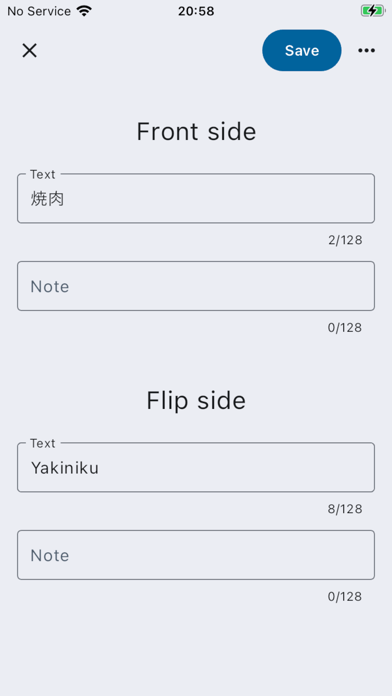
You can add as many words as you want to memorize, so let’s create your own original flashcards.
With the learning mode, which is based on the correct answer rate, you can intensively review only those flashcards that you find challenging, ensuring that your study sessions align with the forgetting curve for maximum retention.
Features:
• You can create flashcards freely.
• You can create multiple flashcards for various memorization tasks, studies, and learning objectives.
• You can enter notes on both the front and back of the flashcard, which is convenient for including example sentences.
• You can easily learn by simply tapping “Correct” or “Incorrect”.
• By using the learning mode, you can review in an efficient and effective manner.
• The app adheres to the principles of the forgetting curve, optimizing your learning efficiency.
Learning Modes:
You can choose from various learning modes based on your needs. These modes allow you to focus on specific aspects of your vocabulary. Here are the available options. Feel free to choose the mode that suits your learning style and goals!
• Forgetting Curve Mode: Learn words based on the forgetting curve, which optimizes retention by reviewing at the right intervals.
• All Flashcards Mode: Study all the cards in your set.
• Unlearned Mode: Concentrate on cards you haven’t encountered yet.
• Incorrect Answers Mode: Review only the cards you’ve answered incorrectly.
• Correct Answers Mode: Reinforce your memory by revisiting cards you’ve answered correctly.
• Challenging (Rate 40% or Less) Mode: Target cards with a low accuracy rate.
• Challenging (Rate Under 50%) Mode: Focus on cards with moderate difficulty.
• Challenging (Rate Under 70%) Mode: Tackle cards that need improvement.
Learning and Review Based on the Forgetting Curve:
• Leveraging the theory of “Ebbinghaus’ forgetting curve”, this approach prioritizes efficient learning through strategic review.
• By repeating reviews at appropriate intervals aligned with the forgetting curve, you can enhance memory retention.
• These review results are reflected in your “learning level”, indicating your degree of mastery.
• Remember that consistent review, especially when memories are on the verge of fading, contributes significantly to long-term retention.
Learning Levels Based on the Forgetting Curve:
According to the forgetting curve, if you answer correctly after a certain number of days from your last learning session, your learning level will increase. Learning levels are represented by chess pieces, starting from Level 1 (Pawn). Here’s the breakdown.
• Level 1 - Answer correctly after 10 minutes -> Level 2 (Knight)
• Level 2 - Answer correctly after 1 day -> Level 3 (Bishop)
• Level 3 - Answer correctly after 2 days -> Level 4 (Rook)
• Level 4 - Answer correctly after 1 week -> Level 5 (Queen)
• Level 5 - Answer correctly after 3 weeks -> Level 6 (King)
• Level 6 - Answer correctly after 9 weeks -> Level 7 (Mastery Achieved)
* Remember that if you make a mistake at any point, your level will reset to 0.
Each flashcard has the following options:
• Learn with shuffled flashcards.
• Display the flip side of flashcards first.
Night Mode:
• Night mode is a switch to a darker theme than usual.
• By setting a dark theme, you can use it without straining your eyes even when studying late at night or in bed.
• Also, you no longer have to worry about disturbing others with a screen that is too bright.
Safety and technology
Found in the app by AppBrain- Price
- Free
- App size
- 49.4 MB
- Content rating
- Everyone
Technologies used by THE CURVE - FLASHCARDS
Releases
Updates seen on the App Store- Version
- 1.2.0
- Launched
- July 2024
No changelog data
Alternatives
Similar apps and more from Yoshinori TsuchiyaMore from Yoshinori Tsuchiya


Also available on Google Play

Rankings
App Store top chartsApp Store Rankings for THE CURVE - FLASHCARDS
About the app and developer
About THE CURVE - FLASHCARDS
THE CURVE - FLASHCARDS is an education app developed by Yoshinori Tsuchiya.
User Ratings
THE CURVE - FLASHCARDS is rated 5.00 out of 5 stars. The rating is based on 2 ratings.
App Information
THE CURVE - FLASHCARDS is freely available from the App Store. The app size is 49.40 MB. The latest version available is 1.2.0. The last update was on July 29, 2024.
Technical Requirements
The app has a content rating of Everyone. The app has been available on the App Store since July 2024.
THE CURVE - FLASHCARDS is made and published by Yoshinori Tsuchiya. AppBrain is an independent app data site and isn't affiliated with Yoshinori Tsuchiya. The app name, icon, screenshots and description belong to Yoshinori Tsuchiya and are shown as published on the App Store.
Developer information for Yoshinori Tsuchiya
Address: