

The Grid - Calendar
The Grid - Calendar is made and published by Birdsoft LLC. AppBrain is an independent app data site and isn't affiliated with Birdsoft LLC. The app name, icon, screenshots and description belong to Birdsoft LLC and are shown as published on the App Store.
AppBrain's verdict
EstablishedLoved by users- Rating on App Store
- 4.61
- 388 ratings
- Last updated
- March 27, 2025
Users love it: 4.6 stars from 388 ratings.
Rankings
App Store top chartsApp Store Rankings for The Grid - Calendar
Competitors
Similar apps and more from Birdsoft LLCAlternatives to The Grid - Calendar




More from Birdsoft LLC








Releases
Updates seen on the App Store- Version
- 1.91
- Launched
- December 2012
No changelog data
User feedback
Ratings and reviews on the App StoreComments on The Grid - Calendar for iOS
We don't have enough comments to show example comments. Please check back later.
Technology
Found in the app by AppBrain- Price
- Free
- App size
- 6.92 MB
- Content rating
- Everyone
Technologies used by The Grid - Calendar
About the app and developer
About The Grid - Calendar
The Grid - Calendar is a productivity app developed by Birdsoft LLC.
User Ratings
The Grid - Calendar is rated 4.61 out of 5 stars. The rating is based on 390 ratings.
App Information
The Grid - Calendar is freely available from the App Store. The app size is 6.92 MB. The latest version available is 1.91. The last update was on March 27, 2025.
Technical Requirements
The app has a content rating of Everyone. The app has been available on the App Store since December 2012.
Developer information for Birdsoft LLC
Address:
Frequently asked questions about The Grid - Calendar
Is The Grid - Calendar free?
Yes. The Grid - Calendar is free on the App Store.
Is The Grid - Calendar still available?
Yes. The Grid - Calendar is on the App Store, and the last update we saw was on March 27, 2025.
How large is The Grid - Calendar?
The Grid - Calendar is 6.92 MB.
Is The Grid - Calendar suitable for children?
App Store rates the content of The Grid - Calendar as suitable for everyone.
How do people rate The Grid - Calendar?
The Grid - Calendar scores 4.61 out of 5 stars, from 388 ratings on the App Store.
Who made The Grid - Calendar?
The Grid - Calendar was developed by Birdsoft LLC. It is listed in the productivity category on the App Store.
What are the best alternatives to The Grid - Calendar?
People looking at The Grid - Calendar also look at these productivity apps: Griday Calendar & Reminder, Calendar by 44, Calenda - Simple Calendar App, Monthly Calendar Moca, Calendar Z.
Store listing
By Birdsoft LLC, from the App Store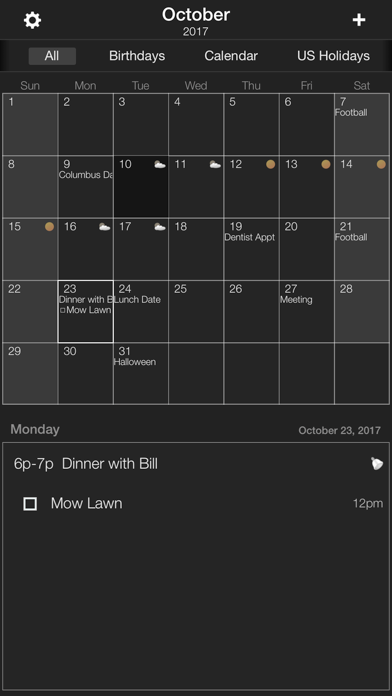
Description by Birdsoft LLC Written by the developer, not by AppBrain. Click to read.
Do you want a calendar that is beautiful and simple to use so you can check and change your schedule in seconds, not minutes?
The Grid aims to do just that. With text right on your calendar you can see everything at a glance. And with the calendar filter bar always up, you can view the events of only the calendar you need with just one tap. Need to create an event you use all the time, templates are built right in. Need to re-schedule, drag-n-drop an event to another day. Its all so easy you'll wonder why every calendar doesn't do it this way.
At first glance it might look too simple. But isn't that what a calendar should be?!
.....::::: Features :::::.....
• Show event text right on your calendar.
• Filter by calendars with one touch.
• Uses the default calendar events so advanced syncing is possible(Exchange, Google, iCloud).
• Use Templates to create frequently used events.
• Drag -n- Drop to move events on the calendar.
• Copy and paste your events.
• Natural Language Entry
• Time Zone Support
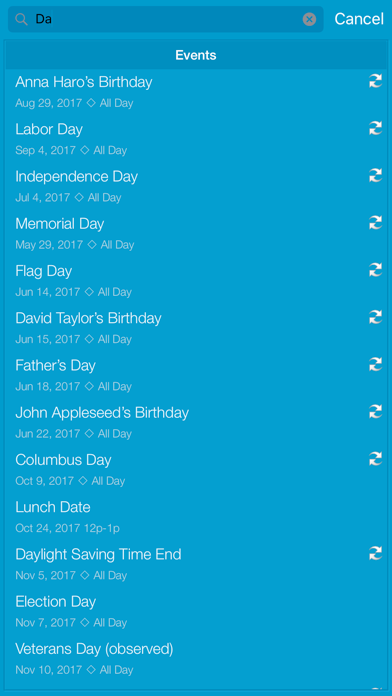
• Full Search(Pro)
• Convert Events to Reminders(Pro)
• Convert Reminders to Events(Pro)
• Week Numbers
• Create advanced repeating event options.
• Create multiple alarms for an event.
• Email events with iCalendar attachments.
• Text, Tweet, or post events to Facebook.
• Optimized for startup speed.
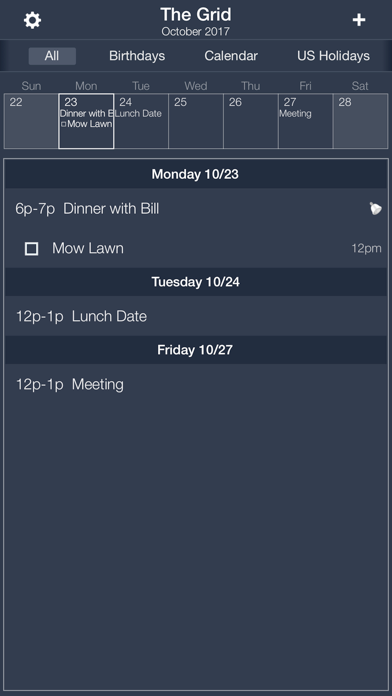
• InApp Purchases offer Search, Reminder Support, and the new Week Strip View.
.....::::: Use :::::.....
Let's say you are a busy mom scheduling all your family's activities. Well little Bobby's coach just added a soccer game on Thursday. And little Alison's dentist appointment just got moved to the same time the next day. And you need to know what your husband's schedule looks like next Tuesday.
Ready. Go.
1. Tap on Bobby's calendar. Go to Thursday and hit the "Template" button. Hit 'Soccer Match' from the list. Scheduled.
2. Tap Alison's calendar. Click on the dentist appointment day. Drag it from the bottom list onto the next day in the month. Rescheduled.
3. Click on your Husband's calendar. There it is.
That is 10 seconds of your day you will not get back.... Now try it on your current calendar, we'll WAIT....
Now imagine using that wherever and whoever you are; running the office, travel, family, school, activities. It all fits well.
With a little initial calendar planning, you can have the most efficient and organized schedule on the block. Add in syncing and your family or office can all share calendars for more power.
Your day just got a lot clearer.
.....::::: What they say :::::.....
"Check and change your schedule in a snap with Birdsoft’s beautifully simple calendar app, The Grid." - AppAdvice AppsGoneFree Feature.
"this calendar was smooth, hiccup free, and brought a fresh look to the boring calendar in iOS." - TheiPhoneAddict Review
.....::::: Support :::::.....
Watch a video showing the power of the app at http://grid.birdsoft.biz. Email us at info@birdsoft.biz