

The Meter is made and published by Officine IADR. AppBrain is an independent app data site and isn't affiliated with Officine IADR. The app name, icon, screenshots and description belong to Officine IADR and are shown as published on the App Store.
AppBrain's verdict
- Last updated
- September 4, 2026
Rankings
App Store top chartsApp Store Rankings for The Meter
Competitors
Similar apps and more from Officine IADRAlternatives to The Meter








More from Officine IADR


Releases
Updates seen on the App Store- Version
- 2.9.14
- Launched
- January 2021
No changelog data
User feedback
Ratings and reviews on the App StoreComments on The Meter for iOS
We don't have enough comments to show example comments. Please check back later.
Technology
Found in the app by AppBrain- Price
- Free
- App size
- 59.6 MB
- Content rating
- Everyone
Technologies used by The Meter
About the app and developer
About The Meter
The Meter is a productivity app developed by Officine IADR.
User Ratings
The app has no ratings yet.
App Information
The Meter is freely available from the App Store. The app size is 59.57 MB. The latest version available is 2.9.14. The last update was on September 4, 2026.
Technical Requirements
The app has a content rating of Everyone. The app has been available on the App Store since January 2021.
Developer information for Officine IADR
Address:
Store listing
By Officine IADR, from the App Store



Description by Officine IADR Written by the developer, not by AppBrain. Click to read.
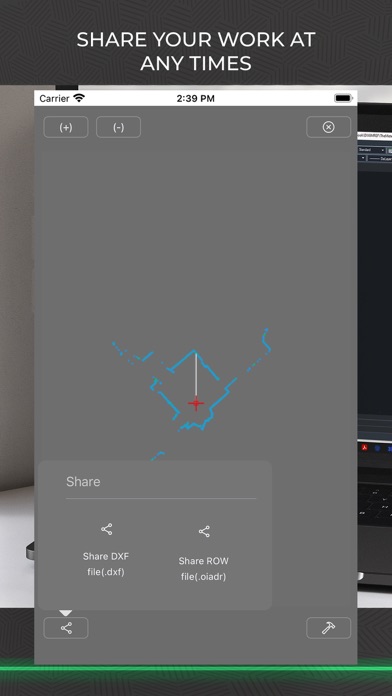
Simple and intuitive export in multilayer .DXF format
In 30 seconds you have a complete floor plan that saves hours of studio design.
The Meter works in Automatic, Manual, Distance Meter and Real-Time modes.
Measure the area 360°, continue measuring without interruption, or manually select the points of your interest.
Automatic Mode.
Place The Meter at the optimal point for surveying and connect it via Bluetooth to your smartphone or tablet and start scanning: The Meter will scan the space 360° and produce a detailed floor plan directly on your screen.
Manual Mode
You choose what you want to survey: place the laser pointer on the first point to be surveyed and decide which points to join next, via the motion keys. Manage the floor plan at any time and choose whether to share it, save it to the cloud, or store it on your smartphone or tablet.
Distance meter mode
Using The Meter as a distance meter is simple and intuitive: just activate this mode from the APP and press the side button on your device whenever you need to update your data.
Real-Time Mode.
The Meter also works as a continuous distance meter: start a continuous survey using the play button on the app. The measured data will be displayed on the screen of your smartphone or tablet and updated continuously, in real time.