

The Vault: File Protection
The Vault: File Protection is made and published by Kevin,Michel,Reynald BOUILLEAUX. AppBrain is an independent app data site and isn't affiliated with Kevin,Michel,Reynald BOUILLEAUX. The app name, icon, screenshots and description belong to Kevin,Michel,Reynald BOUILLEAUX and are shown as published on the App Store.
AppBrain's verdict
- Last updated
- October 13, 2026
Rankings
App Store top chartsApp Store Rankings for The Vault: File Protection
Competitors
Similar apps and more from Kevin,Michel,Reynald BOUILLEAUXAlternatives to The Vault: File Protection


 Audio to Text: Voice Recorder


More from Kevin,Michel,Reynald BOUILLEAUX




Releases
Updates seen on the App Store- Version
- 1.1.0
- Launched
- October 2026
No changelog data
User feedback
Ratings and reviews on the App StoreComments on The Vault: File Protection for iOS
We don't have enough comments to show example comments. Please check back later.
Technology
Found in the app by AppBrain- Price
- Free
- App size
- 5.02 MB
- Content rating
- Medium
Technologies used by The Vault: File Protection
About the app and developer
About The Vault: File Protection
The Vault: File Protection is an utilities app developed by Kevin,Michel,Reynald BOUILLEAUX.
What is the rating of The Vault: File Protection?
The Vault: File Protection has no ratings yet.
Is The Vault: File Protection free?
The Vault: File Protection is free. The app size is 5.02 MB. The latest version available is 1.1.0. The last update was on October 13, 2026.
What are the requirements for The Vault: File Protection?
The app has a content rating of Medium Maturity. The app has been available on the App Store since October 2026.
Developer information for Kevin,Michel,Reynald BOUILLEAUX
Kevin,Michel,Reynald BOUILLEAUX
Address:
Store listing
By Kevin,Michel,Reynald BOUILLEAUX, from the App Store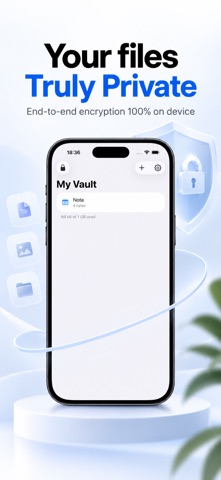
Description by Kevin,Michel,Reynald BOUILLEAUX Written by the developer, not by AppBrain. Click to read.
The Vault keeps photos, videos, documents and notes inside an encrypted container on your device. No account. No cloud. No copy of your files on anyone's server, including ours.
TWO VAULTS, ONE APP
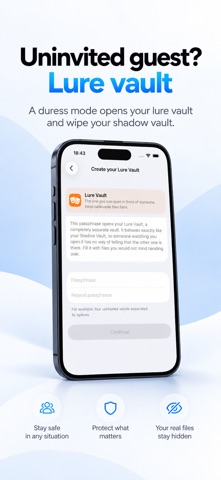
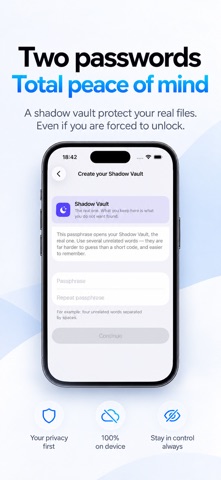
You create two passphrases, and each one opens its own separate vault. One holds what matters to you. The other is a decoy you can open in front of someone who insists on seeing what is on your phone. Neither vault reveals that the other exists, and both look and behave exactly the same.
EMERGENCY PASSPHRASES
When you set up the app, you can also create two emergency passphrases for the moment someone forces you to unlock it. Both open the decoy vault as if nothing were wrong:
-The first opens the decoy vault and silently deletes every file in the vault that matters to you
-The second opens the decoy vault and silently deletes the files in both vaults
Your own passphrases keep working afterwards, so you can go on using the app once you are safe. Deleted files cannot be recovered, and emergency passphrases can only be created when the vaults are set up.
REAL ENCRYPTION
Everything is sealed with AES-256-GCM. Your passphrase becomes a key through Argon2id, the algorithm built to make guessing expensive even with specialised hardware. The vault is a single fixed-size file whose size never changes, so nothing about it shows how much you keep or whether you added anything today.
NOTHING LEAVES YOUR DEVICE
There are no servers, no analytics, no tracking and no advertising. The app never asks who you are. Its only connection is to the App Store, for your subscription.
WHAT YOU CAN STORE
-Photos and videos, imported straight from your library
-PDFs and documents from Files or any other app
-Text notes written inside the app
Location data and other hidden metadata are stripped from files as they come in. Videos play from inside the vault without ever being written back out.
EXTRA PROTECTION
-Content is hidden while your screen is recorded or mirrored, and you are told when a screenshot has been taken
-The vault locks the moment the app leaves the screen, and hides itself in the app switcher
-Optionally erase everything after a chosen number of failed attempts
-Optionally photograph whoever enters a wrong passphrase
Privacy Policy: https://www.filevaultapp.com/privacy/
Terms of Service: https://www.filevaultapp.com/terms/