

ThreadPocket - WebLink Manager
ThreadPocket - WebLink Manager is made and published by BEN-XU HUANG. AppBrain is an independent app data site and isn't affiliated with BEN-XU HUANG. The app name, icon, screenshots and description belong to BEN-XU HUANG and are shown as published on the App Store.
AppBrain's verdict
- Last updated
- September 1, 2026
Rankings
App Store top chartsApp Store Rankings for ThreadPocket - WebLink Manager
Competitors
Similar apps and more from BEN-XU HUANGAlternatives to ThreadPocket - WebLink Manager


Also available on Google Play

Releases
Updates seen on the App Store- Version
- 1.9.0
- Launched
- March 2026
No changelog data
User feedback
Ratings and reviews on the App StoreComments on ThreadPocket - WebLink Manager for iOS
We don't have enough comments to show example comments. Please check back later.
Technology
Found in the app by AppBrain- Price
- Free
- App size
- 181.5 MB
- Content rating
- High
Technologies used by ThreadPocket - WebLink Manager
About the app and developer
About ThreadPocket - WebLink Manager
ThreadPocket - WebLink Manager is a productivity app developed by BEN-XU HUANG.
What is the rating of ThreadPocket - WebLink Manager?
ThreadPocket - WebLink Manager has no ratings yet.
Is ThreadPocket - WebLink Manager free?
ThreadPocket - WebLink Manager is free. The app size is 181.47 MB. The latest version available is 1.9.0. The last update was on September 1, 2026.
What are the requirements for ThreadPocket - WebLink Manager?
The app has a content rating of High Maturity. The app has been available on the App Store since March 2026.
Developer information for BEN-XU HUANG
Address:
Frequently asked questions about ThreadPocket - WebLink Manager
Is ThreadPocket - WebLink Manager free?
Yes. ThreadPocket - WebLink Manager is free on the App Store.
Is ThreadPocket - WebLink Manager still available?
Yes. ThreadPocket - WebLink Manager is on the App Store, and the last update we saw was on September 1, 2026.
How large is ThreadPocket - WebLink Manager?
ThreadPocket - WebLink Manager is 181.47 MB.
Is ThreadPocket - WebLink Manager suitable for children?
App Store gives ThreadPocket - WebLink Manager a high maturity rating. It is meant for adults.
Who made ThreadPocket - WebLink Manager?
ThreadPocket - WebLink Manager was developed by BEN-XU HUANG. It is listed in the productivity category on the App Store.
What are the best alternatives to ThreadPocket - WebLink Manager?
People looking at ThreadPocket - WebLink Manager also look at these productivity apps: DueDue: Expiry & Inventory, Spaces - Minimal To Do & Task, Vibe Reader: AI Summary Cards, Bookmarks: Manage & Read Later, 節拍倒數 : 懸浮計時器 & 節奏提示.
Store listing
By BEN-XU HUANG, from the App Store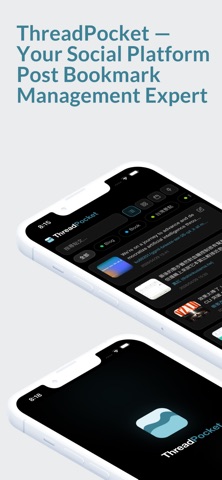
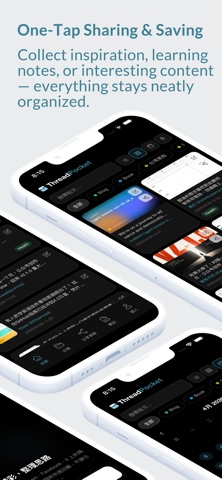

Description by BEN-XU HUANG Written by the developer, not by AppBrain. Click to read.
Core Features
Save from any website with one tap
Beyond the Threads posts we feature most prominently, you can also save content you like from Instagram, Facebook, X, or any website. Just tap “Share” and choose ThreadPocket to save it instantly. It also supports the Chrome browser extension, so you can save with one tap while browsing on desktop. Manage your cross-platform bookmarks in one place.
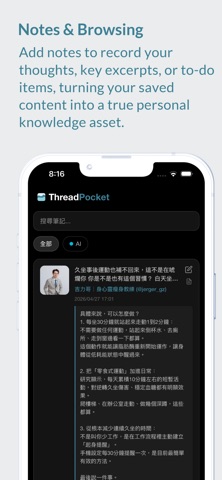
Add notes to bookmarks
Saving a bookmark is more than storing a link. You can add personal notes to every bookmark to record your thoughts, key takeaways, or to-do items, turning your collection into a real knowledge asset.
Flexible tag management
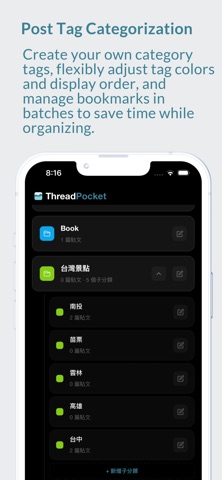
Create your own category tags and freely adjust each category’s color and display order. Bulk move bookmarks between categories to organize everything faster. Whether it’s inspiration, study notes, or just fun content, categories keep everything neatly in order.
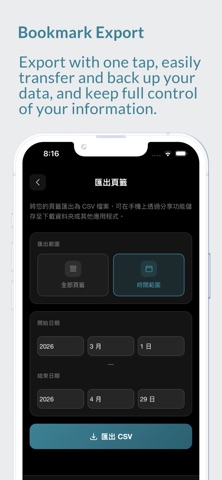
Export tags and bookmarks
Need to back up your bookmarks or share your personal collection? Export your bookmark list with one tap and easily transfer or back up your data. Your data stays under your control.
Full-text search
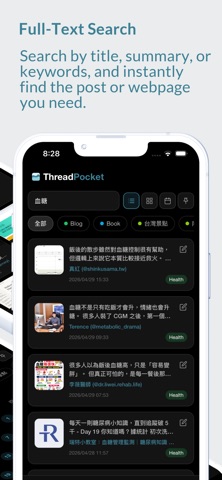
Search by title or summary keywords to instantly find the post or webpage you need. Whether it came from Threads or Facebook, you won’t have to worry about losing track of things, no matter how large your collection gets.
Automatic preview extraction
When you save a link, ThreadPocket automatically extracts the webpage title, summary, and thumbnail, so you won’t just see a pile of unrecognizable URLs.
Social / collaborative shared lists
Collaborate with others in shared lists. Browse public lists, save lists made by others, and discover even more inspiration.
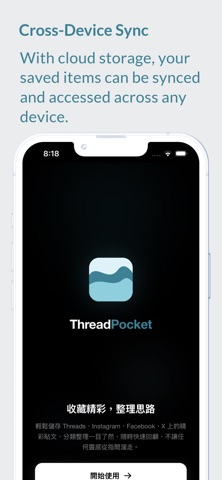
Cross-device sync
With cloud-based storage, your saved bookmarks can be accessed and synced on any device. Switching phones or using a computer no longer means worrying about losing your saved items.
Why you need ThreadPocket?
Pain points of native apps and browser bookmarks:
• Every social app (Threads, IG, FB, X, etc.) has its own separate “Saved” area, scattered everywhere and hard to bring together
• No cross-platform search, so the more you save, the harder it becomes to find things
• Only flat lists, with no effective way to organize and classify content
• No way to add notes or custom tags
• Once something is saved, it’s easy to forget why you saved it in the first place
ThreadPocket solves all of this:
• Breaks platform boundaries so Threads, social apps, web pages, and Chrome all live in the same app
• Adds notes to bookmarks, turning saves into a true personal knowledge base
• Lets you customize category order and use flexible tags so everything stays organized
• Offers multiple viewing modes so you can switch between list and large image layouts
• Provides export tools so your data always stays in your hands
• Includes full-text search so you can find what you need in seconds
• Keeps your bookmarks synced across devices so they’re never lost
Is ThreadPocket right for you?
• Heavy social media users — if you scroll Threads, IG, FB, X, and other social media every day
• Content creators — if you need to collect inspiration from multiple platforms
• Knowledge-driven users — if you like saving valuable content and taking notes on it
• Researchers — if you need to organize a large amount of information from across websites
• Office workers — if you want seamless bookmark sync between your phone and computer